
TL;DR:
- VPNs remain essential for encrypting traffic, masking device IPs, and controlling access in remote teams. They are particularly valuable for legacy apps, partner links, regulated data, and unmanaged networks, even when cloud controls are in place. Managed VPNs with posture checks and MFA offer a cost-effective, scalable solution for Australian organizations.
Yes, VPNs still matter for remote teams. They remain the most practical way to encrypt traffic in transit, control access to internal systems, and maintain a consistent security posture across a distributed workforce — regardless of whether your team uses cloud apps or legacy infrastructure.
TL;DR:
- A VPN encrypts data between a device and your corporate network, hiding the device's IP and protecting traffic on hostile or public networks.
- It is essential when staff access legacy intranet apps, connect via public Wi-Fi, or link to partner networks.
- Cloud apps like Microsoft 365 have their own controls, but a VPN still adds a transport-layer safety net for unmanaged networks and regulated data flows.
- The Australian Cyber Security Centre recommends encrypting data in transit as a baseline control for all organisations.
- Next step for IT managers: scope which assets require VPN access, then evaluate a managed deployment with MFA and endpoint posture checks.
Myitbutler supports distributed Australian teams with managed VPN deployment, endpoint security, and ongoing IT coordination.
Table of Contents
- What does a VPN actually protect?
- Are VPNs still relevant when your team uses cloud apps?
- Concrete benefits for remote teams: what you actually get
- Which VPN type suits your team?
- How to configure and roll out a VPN: an IT manager's checklist
- Trade-offs and limitations, and how to manage them
- Timeline and cost expectations for an Australian organisation
- Why managed VPN plus endpoint posture checks is the pragmatic approach
- Key takeaways
- A practical perspective on VPN adoption in Australia
- Myitbutler: managed VPN and remote IT support for distributed teams
- Useful sources and further reading
- FAQ
What does a VPN actually protect?
A VPN creates an encrypted tunnel between a remote device and a corporate gateway. Protocols like IPsec and TLS scramble the data so that anyone intercepting traffic on a public network sees only ciphertext. The device's real IP address is also masked, replaced by the VPN server's address, which limits exposure to network-level surveillance and some forms of targeted attack.
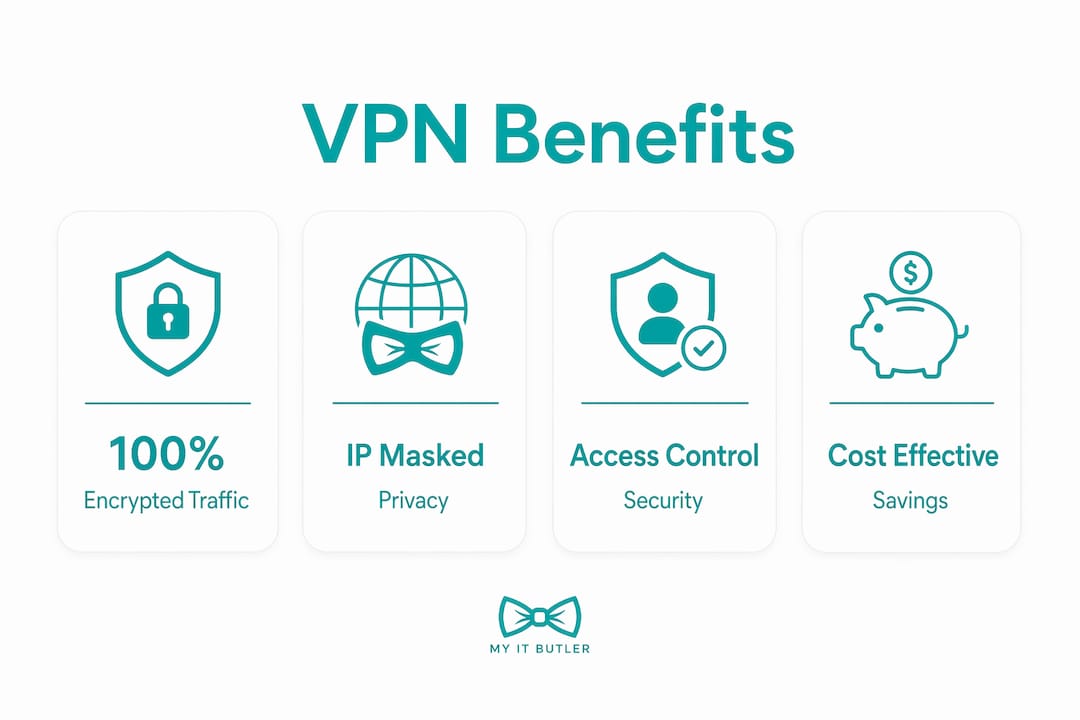
Four protections matter most in practice:
Encryption in transit. Every packet between the device and the gateway is encrypted. On a café Wi-Fi network or a hotel hotspot, this is the difference between readable credentials and unreadable noise.
IP masking and DNS protection. Routing DNS queries through the VPN tunnel prevents DNS hijacking, a common attack on public networks where a rogue router redirects traffic to a fake login page.
Secure access to internal resources. Legacy apps, file servers, and internal dashboards that are not exposed to the public internet become reachable through the tunnel. Without a VPN, the only alternative is exposing those services directly, which carries far greater risk.
Access control and audit trails. A business VPN enforces who can connect, from which devices, and logs session data for incident response. That log is often the first place you look after a security event.
A VPN is a transport-layer control. It protects data moving between a device and your network. It does not protect against phishing, compromised credentials, or malware already on the device. Pair it with MFA, endpoint detection, and user training for meaningful coverage.
Pro Tip: Enable connection logging at the VPN gateway: capture session start/end times, source IP, user identity, and destination subnet. A 90-day retention policy gives you enough history for most incident investigations without excessive storage cost.
What a VPN does not protect is worth stating plainly. A user who clicks a phishing link, reuses a weak password, or runs unpatched software is still at risk even with a VPN active. The CISA guidance on securing remote access is clear: VPNs are one layer, not a complete solution.
Are VPNs still relevant when your team uses cloud apps?
For cloud-first teams, a VPN is situational rather than mandatory — but the situations where it still adds value are common enough that most organisations should not drop it entirely.
Cloud platforms like Microsoft 365 and Google Workspace have strong native controls: Conditional Access policies, Cloud Access Security Broker (CASB) integration, and Single Sign-On (SSO) with MFA. For traffic going directly to those SaaS platforms, those controls are often sufficient on their own.
Where a VPN still adds clear value:
- Legacy intranet apps that cannot be migrated to cloud and are not safe to expose publicly.
- Partner or supplier network links that require a site-to-site connection with a fixed IP.
- Region-restricted services where your team needs to appear to originate from a specific country or network segment.
- Regulated data flows where your compliance framework (Privacy Act, ISO 27001, or a client contract) requires encryption of data in transit at the network layer.
- Unmanaged or public networks where cloud app controls alone cannot protect the transport path.
When cloud-native controls are likely sufficient on their own:
- All staff use managed devices with up-to-date MDM profiles.
- All applications are SaaS with Conditional Access enforcing MFA and device compliance.
- No legacy apps, no partner tunnels, no regulated data requiring network-layer encryption.
- The organisation has a mature identity provider (Azure AD / Entra ID, Okta) with full sign-in logging.
Most Australian SMEs and distributed teams do not meet all four conditions simultaneously. That is why a VPN remains a practical baseline for the majority.
Concrete benefits for remote teams: what you actually get
The business case for VPNs is straightforward when you map it to real scenarios rather than abstract security principles.
Common use cases:
- Staff connecting from airports, co-working spaces, or overseas accommodation.
- Contractors accessing internal project management tools or file servers.
- Site-to-site links between an Australian head office and an overseas branch.
- Privileged admin access to servers or network equipment that must never be internet-facing.
Business outcomes:
- Reduced breach risk on unmanaged networks, where remote-work linked security incidents are a documented pattern.
- A standardised security posture across all employee setups, replacing the "best effort" variance of unmanaged home networks.
- Audit trails that satisfy compliance requirements under the Australian Privacy Act and many client contracts.
- Predictable support costs when the VPN is managed, rather than ad-hoc troubleshooting of individual connection issues.
Statistic callout: A large majority of organisations reported a remote-work linked security incident recently. For small businesses, the financial and reputational cost of a single breach typically far exceeds the annual cost of a managed VPN deployment.
For teams managing remote workforce cybersecurity, a VPN is the most cost-effective single control to deploy first.

Which VPN type suits your team?
| VPN type | Best for | Key trade-offs |
|---|---|---|
| Remote access (client-to-site) | Individual staff connecting to HQ or cloud gateway | Requires client software; scales with user count |
| Site-to-site | Connecting two fixed offices or data centres | No per-user client; less flexible for roaming staff |
| Managed business VPN | SMEs and distributed teams without internal VPN expertise | Monthly cost; provider dependency; faster to deploy |
| Clientless / app-level VPN | Browser-based access to specific internal apps | Limited to web apps; not suitable for all traffic types |
| Zero Trust Network Access (ZTNA) | Mature environments replacing broad VPN access | Higher complexity; requires identity and device maturity |
Decision rule of thumb:
- Fewer than 50 staff, mostly SaaS, some legacy apps: managed remote-access VPN with split tunnelling.
- Two or more fixed offices sharing internal resources: site-to-site plus remote-access for roaming staff.
- Large distributed team with mature identity infrastructure: evaluate ZTNA to replace or supplement VPN.
Zero Trust Network Access is worth understanding as a direction of travel. Rather than granting broad network access once a user authenticates, ZTNA grants access only to specific applications, verified continuously. It addresses the "flat network" problem that a traditional VPN creates. For most Australian SMEs, a well-configured managed VPN with posture checks is the pragmatic starting point; ZTNA becomes relevant as the organisation's identity and device management matures.
For a broader look at remote access technology options, the comparison between VPN and ZTNA is worth reviewing before committing to a model.
How to configure and roll out a VPN: an IT manager's checklist
Start with identity, not infrastructure. The most common deployment mistake is standing up a VPN gateway before sorting out MFA and device management. Get those right first and the rest follows more cleanly.
Deployment checklist:
- Scope assets: list every internal resource that requires VPN access (servers, apps, admin interfaces, partner links).
- Choose your model: remote access, site-to-site, managed, or hybrid (see the table above).
- Integrate your identity provider: connect the VPN to Azure AD, Okta, or your existing IdP for SSO and MFA.
- Configure endpoint posture checks: verify antivirus status, OS patch level, and EDR presence before granting tunnel access.
- Set split tunnelling rules: route SaaS traffic (Microsoft 365, Google Workspace) directly to the internet; tunnel only internal and regulated traffic.
- Apply QoS for video and voice: prioritise Teams or Zoom traffic to prevent latency spikes when the tunnel is under load.
- Enable logging: session start/end, user identity, source IP, destination subnet, with at least 90 days retention.
- Run a pilot cohort: A small pilot group of users across different roles and locations for a couple of weeks before full rollout.
Questions to ask any VPN vendor or managed provider:
- What logs do you provide, and in what format?
- Where is data residency? Is it within Australia or a jurisdiction your compliance framework accepts?
- What is your SLA for gateway uptime and support response?
- Do you provide onboarding support and user documentation?
- What compliance certifications do you hold (ISO 27001, SOC 2)?
Pilot milestones (weeks 0–8):
- Week 0–1: finalise asset scope and IdP integration plan.
- Week 2–3: deploy gateway, configure MFA, run posture check tests.
- Week 4–5: onboard pilot cohort, collect performance and UX feedback.
- Week 6–7: tune split tunnelling and QoS based on pilot data.
- Week 8: sign-off and begin phased full rollout.
Pro Tip: Deploy Always-On VPN where your MDM supports it. It removes the manual connection step, eliminates the "I forgot to connect" gap in coverage, and dramatically improves compliance rates without adding friction for users.
For a detailed secure remote work environment setup, the configuration steps above pair well with device hardening and home network guidance.
Trade-offs and limitations, and how to manage them
A VPN is not a frictionless control. Knowing the downsides in advance lets you mitigate them before they become support tickets.
- Latency for voice and video. Routing all traffic through a central gateway adds round-trip time. For Teams or Zoom calls, this can cause jitter and dropped packets. Mitigation: split tunnelling to send video traffic direct to the internet, plus QoS rules to prioritise real-time traffic in the tunnel.
- User friction. Manual VPN connection steps lead to users skipping the VPN entirely. Mitigation: Always-On VPN via MDM, or a lightweight client that connects silently on untrusted networks.
- Flat network risk. A traditional VPN grants broad network access once authenticated. If a device is compromised, the attacker has wide lateral movement. Mitigation: micro-segmentation to limit which subnets each user role can reach, combined with posture checks before tunnel establishment.
- Scaling complexity. Gateway capacity must grow with user count. Mitigation: cloud-hosted or managed VPN gateways that scale elastically, rather than on-premises hardware.
- Performance monitoring. Without visibility, you will not know when the tunnel is degrading. Watch round-trip time (RTT), jitter, and packet loss at the gateway. Set alerts at RTT above 150ms for domestic Australian connections.
Timeline and cost expectations for an Australian organisation
Rollout timelines vary with team size, but the pattern is consistent: discovery and scoping take longer than the technical deployment.
Typical timelines:
- Deployment for a small team typically takes a few weeks from scoping to full deployment.
- Deployment for a mid-sized team usually takes several weeks including a pilot phase.
- Larger distributed team (100+ staff): 10–16 weeks, with phased rollout by department or region.
Ballpark cost ranges (AUD):
Managed business VPN services for Australian organisations typically run in the range of AUD $10–$30 per user per month for a cloud-hosted managed service, depending on features (posture checks, logging, support SLA). One-off onboarding and configuration fees vary by provider and complexity. Managed VPN solutions remove the need for on-premises gateway hardware, which can represent a significant capital saving for smaller organisations.
ROI framing:
The cost of a managed VPN for a 30-person team is a fraction of the average cost of a single data breach. With a large majority of organisations reporting remote-work linked incidents recently, the question is not whether the investment is justified — it is whether your current setup leaves a gap that a managed VPN would close.
For remote network security strategies across multiple time zones, factor in support coverage hours when comparing managed providers.
Why managed VPN plus endpoint posture checks is the pragmatic approach
The evidence points in one direction: a VPN alone is not enough, but a VPN with posture checks and MFA covers the most common attack vectors for remote teams at a cost most organisations can justify.
Industry guidance consistently recommends endpoint posture checks before granting VPN tunnel access: verify antivirus status, OS patch level, and EDR presence. A compromised device that passes authentication is still a threat inside the tunnel.
Supporting the case for managed deployments:
- Managed VPNs shift operational complexity to a provider with dedicated expertise, delivering predictable costs and professional SLAs that most SMEs cannot replicate internally.
- A business VPN with centralised policy management gives IT a single control point for access rules, audit logs, and compliance evidence.
- Posture checks at the gateway prevent compromised or unpatched devices from entering the network, shrinking the attack surface without requiring a full ZTNA deployment.
Immediate actions for IT managers:
- Require MFA on all VPN connections today, if not already in place.
- Enable posture checks for antivirus and OS patch status before tunnel establishment.
- Set a log retention policy of at least 90 days and confirm where logs are stored.
- Evaluate a managed provider if your team lacks internal VPN expertise or if the current setup has no SLA.
Building a culture of security awareness alongside the technical controls is what makes the difference in adoption and long-term compliance.
Key takeaways
VPNs remain an essential transport and access-control layer for most remote teams, and a managed deployment with MFA and endpoint posture checks is the most cost-effective way to deploy them for Australian distributed organisations.
| Point | Details |
|---|---|
| VPNs still matter | They encrypt traffic in transit, mask device IPs, and control access to internal resources on hostile networks. |
| Cloud apps do not replace VPNs | Cloud-native controls cover SaaS traffic; a VPN still protects legacy apps, partner links, and regulated data flows. |
| Posture checks are non-optional | Verify antivirus, OS patch level, and EDR status before granting tunnel access to prevent compromised devices entering the network. |
| Managed VPN lowers cost and complexity | Outsourcing VPN operations delivers predictable costs and professional SLAs without requiring internal gateway expertise. |
| Myitbutler for Australian teams | Myitbutler provides managed VPN deployment, endpoint security coordination, and ongoing IT support for distributed Australian organisations. |
A practical perspective on VPN adoption in Australia
The most common mistake Australian managers make with VPN deployments is treating the gateway as the finish line. They get the tunnel working, tick the box, and move on. Six months later, half the team is not connecting because the client is slow, the MFA prompt is annoying, or nobody told them why it matters.
The technical configuration is the easy part. The hard part is adoption. Always-On VPN, deployed through an MDM like Microsoft Intune or Jamf, removes the human decision entirely. The device connects automatically on any untrusted network. Users never think about it. That is the standard worth aiming for.
The second thing I see consistently: organisations deploy a VPN without posture checks and then wonder why a compromised laptop caused a lateral movement incident. The endpoint security layer and the VPN layer need to talk to each other. A device that fails a posture check should not get a tunnel, full stop.
For Australian teams specifically, data residency matters more than many managers realise. Confirm that your VPN provider's logging and gateway infrastructure sits within Australia or a jurisdiction your Privacy Act obligations accept. It is a procurement question, not an afterthought.
Myitbutler: managed VPN and remote IT support for distributed teams
If your team is spread across time zones and you need a VPN deployment done properly, without building internal expertise from scratch, Myitbutler is the practical alternative to an in-house IT project.

Myitbutler handles managed VPN deployment, MFA integration, endpoint posture configuration, and ongoing IT coordination for distributed Australian businesses, with no long-term contracts and transparent fixed pricing. The team holds CCNA, CompTIA Security+, and PRINCE2 certifications, backed by 15+ years of Australian enterprise IT experience. Support is available via WhatsApp, email, and direct messaging across time zones.
Whether you need a scoped pilot for 10 users or a full rollout for a distributed team of 100, book a free consultation to scope your requirements. Or review the managed IT services guide to understand what a managed deployment covers before you commit.
Useful sources and further reading
- Australian Cyber Security Centre (ACSC) — The primary Australian government source for baseline security controls, including encryption in transit and remote access guidance. Best for policy and compliance framing.
- CISA: Securing Remote Access — US federal guidance on VPN security that is widely applicable; useful for configuration and risk framing.
- Fortinet: Benefits of VPN — Clear technical explainer on VPN encryption, IP masking, and managed VPN cost benefits. Good for procurement conversations.
- Palo Alto Networks: VPN Benefits — Covers VPN as a proven enterprise technology and its relationship to modern ZTNA approaches. Useful for technical decision-makers.
- AT&T Business: What is a Business VPN? — Practical overview of business VPN use cases and the difference between consumer and enterprise VPN. Good starting point for non-technical stakeholders.
- Myitbutler: Remote IT Support — Managed VPN deployment, endpoint security, and IT coordination for Australian distributed teams. Relevant for procurement and pilot scoping.
FAQ
Why are VPNs so important for remote workers?
A VPN encrypts traffic between a remote device and the corporate network, protecting data on public or untrusted networks and controlling access to internal resources. Without one, traffic on hotel or café Wi-Fi is readable by anyone on the same network.
Do you need a VPN if your team uses Microsoft Teams or Google Workspace?
Not for Teams or Google Workspace traffic itself, which is encrypted end-to-end by those platforms. A VPN is still needed for legacy internal apps, partner network links, regulated data flows, and any access from unmanaged or public networks.
Can my employer track my activity if I use a work VPN?
Yes. A business VPN logs connection times, source IPs, user identities, and destination subnets. Employers can see when you connected, from where, and which internal resources you accessed. This is a feature, not a flaw: those logs are what IT uses for incident response and compliance audits.
Is it safe to work remotely without a VPN?
It depends on what you are accessing. For pure SaaS work on a managed device with MFA, the risk is lower. For access to internal systems, legacy apps, or any work on public Wi-Fi, working without a VPN leaves data in transit unprotected and removes a key access-control layer.
How long does it take to deploy a managed VPN for a small Australian team?
A small team can typically be fully deployed in 3–5 weeks, including scoping, MFA integration, and a short pilot. Mid-sized teams usually take 6–10 weeks with a two-week pilot phase built in.