
TL;DR:
- Endpoint security is essential for protecting remote workers' devices from cyberattacks, focusing on device-level controls rather than just networks. It involves layered protections like EDR, MFA, and device encryption to defend against threats such as phishing, ransomware, and IoT exploitation, especially when devices operate outside corporate firewalls. Implementing comprehensive, multi-layered security practices and tools is crucial for effective remote endpoint protection and reduces operational challenges.
Endpoint security is the practice of protecting every device your remote workers use — laptops, smartphones, and tablets — from cyberattacks by securing the device itself, not just the network it connects to. For distributed teams, this matters more than ever. Up to 90% of successful attacks start at the endpoint, which means your team's devices are the primary target. 72% of cybersecurity leaders report rising risks directly tied to remote work and unmanaged home networks. Understanding what is endpoint security for remote work, and how to apply it, is the difference between a protected business and a preventable breach.
What is endpoint security in remote work environments?
Endpoint security, also called endpoint protection, is a set of layered controls applied directly to devices rather than at a network perimeter. When your team works from home, a café in Bali, or a co-working space in Berlin, there is no corporate firewall standing between them and the internet. The device itself must carry the defence.

Modern endpoint protection covers five control areas: identity verification, device health, web access, SaaS application access, and AI tool usage. Remote work security now enforces all five of these layers for users operating completely off the corporate network. That is a significant shift from the old model, where a VPN tunnel back to headquarters was considered sufficient.
The tools that make this work include antivirus software, firewalls installed on the device, Endpoint Detection and Response (EDR) platforms, full disk encryption, and multi-factor authentication (MFA). Each layer addresses a different attack vector. Together, they create a defence that travels with the device wherever your team member goes.
What cyber threats target remote endpoints most?
Remote endpoints face a specific and growing set of threats. Knowing what you are up against makes it far easier to prioritise your defences.
The most common threats targeting remote workers are:
- Phishing attacks: Deceptive emails or messages that trick users into handing over credentials or clicking malicious links. Phishing remains the most common entry point for attackers targeting remote staff.
- Ransomware: Malware that encrypts your files and demands payment for their release. Remote devices with weak patch management are prime targets.
- Credential theft: Attackers steal usernames and passwords through fake login pages, keyloggers, or data breaches, then use those credentials to access corporate systems.
- Browser-based threats: Browsers are the primary gateway for remote work threats, from malicious extensions to drive-by downloads on compromised websites.
- IoT device exploitation: Home smart devices like routers, cameras, and speakers are often unpatched and poorly secured. Attackers compromise them to pivot onto the same network as your work laptop.
The IoT risk is particularly underestimated. A smart TV or home assistant sitting on the same Wi-Fi network as your work device creates a shared trust zone. Segmenting work devices from home IoT onto a separate guest network directly reduces this exposure. Most modern routers support this with a few minutes of configuration.
Most endpoint security failures trace back to unpatched devices, weak sign-in controls, and unmanaged browser sessions. Exotic zero-day exploits are rare. The everyday failures are what cost businesses the most.
How does endpoint security differ from network security?
This distinction matters because many small businesses still rely on network security alone, believing a VPN or firewall at the office covers their remote team. It does not.
| Feature | Endpoint Security | Network Security |
|---|---|---|
| Where it operates | Directly on the device | At the network perimeter |
| Protects against | Device-level threats, malware, credential theft | Network intrusions, traffic-based attacks |
| Works off-network | Yes | No |
| Key tools | EDR, antivirus, disk encryption, MFA | Firewalls, routers, intrusion detection systems |
| Follows the user | Yes | No |
Network security protects the boundary of your office or cloud environment. Endpoint security protects the device regardless of where it connects. For remote teams, only endpoint security travels with the worker.
EDR provides real-time behavioural monitoring that catches advanced threats traditional antivirus misses entirely. Where antivirus looks for known malicious signatures, EDR watches for suspicious behaviour patterns, such as a process attempting to encrypt hundreds of files in seconds. That distinction is critical when attackers use novel malware variants that no signature database has catalogued yet.
VPNs are also losing ground as the primary remote access tool. Zero Trust Network Access (ZTNA) is replacing VPNs as the preferred method for connecting remote workers to private applications. ZTNA grants access based on verified identity and device health, not just network location. This is a more precise and more secure model for distributed teams.
Pro Tip: Never treat a VPN as your sole remote security control. A VPN encrypts traffic in transit but does nothing to stop malware already on the device or a compromised user account.
What are the best practices for remote team endpoint security?
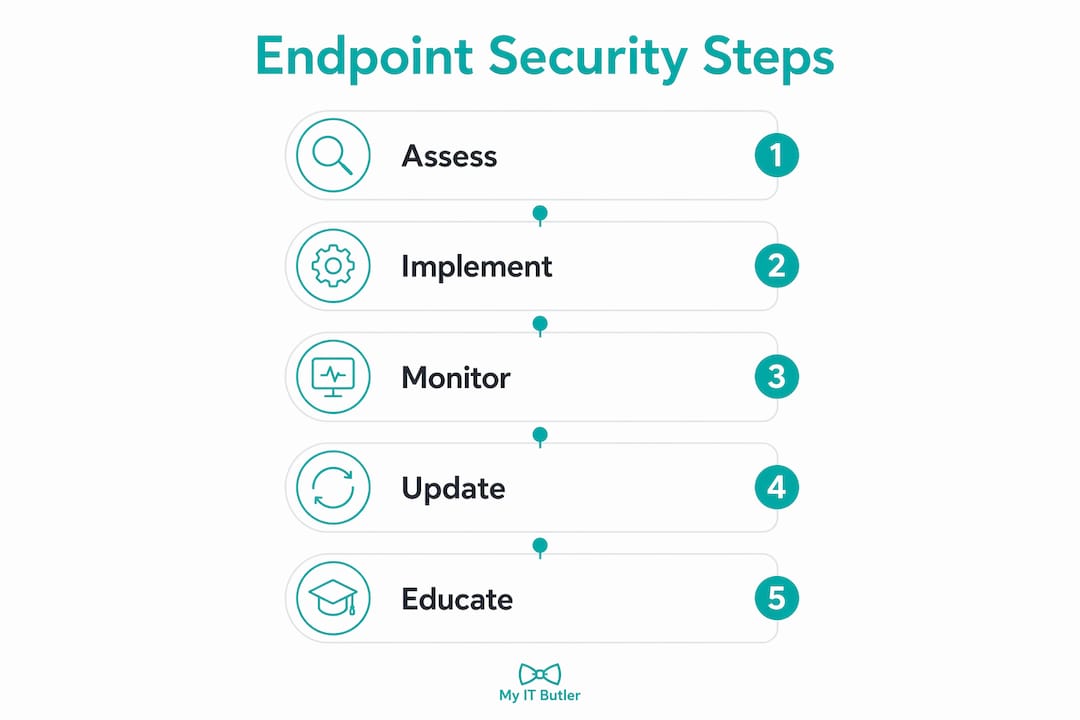
Effective remote work security measures follow a layered approach. No single tool covers every risk. Here is how to build that layered defence for your team.
-
Enforce multi-factor authentication on every account. MFA blocks the vast majority of credential-based attacks. Use an authenticator app like Microsoft Authenticator or Google Authenticator rather than SMS codes, which are vulnerable to SIM-swapping attacks.
-
Deploy an EDR solution on all work devices. Platforms like CrowdStrike Falcon, Microsoft Defender for Endpoint, and Sophos Intercept X provide the real-time monitoring that antivirus alone cannot deliver. For small teams, Sophos and Microsoft Defender offer cost-effective entry points.
-
Standardise your browser environment. Browser risk management means approving specific browsers, controlling which extensions are permitted, and separating work browsing profiles from personal ones. A rogue browser extension can exfiltrate data silently for months.
-
Apply full disk encryption. BitLocker on Windows and FileVault on macOS encrypt the entire drive. If a laptop is stolen, the data remains unreadable without the decryption key.
-
Segment home networks. Put work devices on a separate guest network, away from smart TVs, home assistants, and other IoT devices. This single step removes a significant lateral movement risk.
-
Keep devices patched and updated. Automate operating system and application updates wherever possible. Unpatched devices are the most common entry point for ransomware.
-
Run security training regularly. Phishing simulations using tools like KnowBe4 or Proofpoint Security Awareness Training build genuine awareness. A well-trained team catches what technology misses.
Endpoint security works best as a layered set of controls, not a single product purchase. Each layer addresses a gap the others leave open.
Pro Tip: When onboarding a new security agent, run it in monitor mode for 14 days before enforcing policies. This captures real device traffic behaviour and prevents accidental disruption to legitimate workflows.
What challenges do organisations face managing remote endpoint security?
Managing endpoint security across a distributed team is operationally harder than securing an office. The challenges are real, and ignoring them leads to gaps.
The most common operational problems include:
- Slow policy updates across diverse locations. Legacy proxy-based security systems can take 30–60 minutes to push a policy change to remote devices. Agent-based solutions push updates in seconds, which matters enormously when a new threat is actively spreading.
- Inconsistent device standards. Remote teams often use a mix of personal and company-owned devices across Windows, macOS, iOS, and Android. Each platform requires different configuration and management approaches.
- Balancing security with productivity. Overly aggressive security controls frustrate workers and drive shadow IT. When people find security tools too restrictive, they work around them, creating larger gaps than the tools were meant to close.
- Limited IT budgets for small businesses. Enterprise-grade endpoint security platforms can be expensive. Small businesses need to prioritise the highest-impact controls first: MFA, patching, and EDR.
Cloud-managed security consoles address the policy velocity problem directly. Platforms like Microsoft Intune, Jamf Pro, and Sophos Central allow IT managers to push configuration changes to every enrolled device within minutes, regardless of where those devices are located. For teams spread across multiple time zones, this kind of centralised remote management is not optional. It is the only practical way to maintain consistent protection.
Small businesses managing tight budgets should look at affordable cybersecurity tools that bundle multiple controls. Microsoft 365 Business Premium, for example, includes Defender for Endpoint, Intune device management, and Azure Active Directory MFA in a single subscription. That is significant coverage for a modest per-user monthly cost.
For IT managers wanting a structured approach, the cybersecurity checklist for IT managers provides a practical framework for auditing and prioritising endpoint controls across distributed teams.
Key takeaways
Endpoint security for remote work requires layered device-level controls, not just network protection, because devices travel beyond any perimeter your organisation can defend.
| Point | Details |
|---|---|
| Endpoints are the primary target | Up to 90% of successful attacks start at the device, making endpoint protection non-negotiable for remote teams. |
| Layered controls beat single products | Combine EDR, MFA, disk encryption, and browser controls for coverage no single tool can provide. |
| VPNs are no longer sufficient alone | Zero Trust Network Access replaces VPNs as the preferred model for remote access to private applications. |
| Agent-based tools update in seconds | Choose agent-based security solutions over legacy proxies to push policy changes across remote devices without delay. |
| Home IoT creates hidden risk | Segment work devices onto a separate guest network to prevent IoT devices from becoming an attack path. |
The uncomfortable truth about remote endpoint security
After years of managing endpoint security incidents for distributed teams across multiple countries, the pattern I see most often is not sophisticated. It is entirely preventable.
Organisations invest in a VPN, tick the compliance box, and assume their remote workers are protected. They are not. The VPN secures the tunnel. It does nothing about the malware that arrived via a phishing email three weeks earlier, sitting quietly on the device, waiting. By the time the incident is detected, the attacker has had weeks of access.
The shift I advocate for is treating remote network security as a device-first problem, not a network-first problem. Every device your team uses is effectively a branch office with one employee. It needs the same controls a branch office would have: monitored, patched, encrypted, and authenticated.
Browser security is the area I see overlooked most consistently. Remote workers spend the majority of their day inside a browser. That browser has extensions installed, saved passwords, open sessions to SaaS tools, and direct access to sensitive data. Treating it as a trusted application rather than a threat surface is a significant mistake. Standardising browsers and controlling extensions is one of the highest-return security investments a remote team can make.
The good news is that the tools to do this properly are more accessible than ever. You do not need an enterprise security budget. You need a clear understanding of your risks, a prioritised set of controls, and someone who knows how to configure and monitor them. That last part is where most small remote teams fall short, and where the right IT partner makes all the difference.
— Thomas
How Myitbutler helps remote teams stay secure
Remote endpoint security is only as strong as the team managing it. Myitbutler provides remote IT support for small businesses and distributed teams, with over 15 years of enterprise experience and certifications including CompTIA Security+, CCNA, and PRINCE2.

Myitbutler handles endpoint security configuration, policy deployment, device management, and ongoing monitoring for teams operating across multiple time zones. Whether you need a one-off security audit or ongoing managed protection, the team can book a consultation and get your remote devices properly secured without long-term contracts or hidden costs. If you are unsure where your gaps are, that is exactly the right place to start.
FAQ
What is endpoint security in simple terms?
Endpoint security is the practice of protecting devices like laptops and smartphones from cyberattacks by installing security software and controls directly on the device. It ensures your device stays protected regardless of which network it connects to.
Why is endpoint security critical for remote workers?
Up to 90% of cyberattacks begin at the endpoint, and remote workers operate outside the corporate network perimeter where traditional defences apply. Without device-level protection, remote workers are directly exposed to phishing, ransomware, and credential theft.
What is the difference between antivirus and EDR?
Antivirus detects known malware by matching signatures in a database. EDR monitors device behaviour in real time and catches threats that have no known signature, making it significantly more effective against modern attacks.
How do i secure my home network for remote work?
Place your work device on a separate guest network, away from smart home IoT devices. Use a strong, unique Wi-Fi password and keep your router firmware updated to close known vulnerabilities.
Is a VPN enough to protect remote workers?
A VPN encrypts traffic between your device and the corporate network but does not protect against malware on the device itself. ZTNA is replacing VPNs as the preferred remote access model because it also verifies device health and user identity before granting access.