
TL;DR:
- A secure remote work environment requires layered security controls that protect identity, devices, and networks. Implementing measures like multi-factor authentication, dedicated devices, full disk encryption, and zero trust network access reduces the risk of breaches. Strengthening home networks and enforcing strict access control policies ensure ongoing protection for distributed teams.
A secure remote work environment setup is the process of protecting your distributed workforce through layered security controls that safeguard company data, devices, and access points. Getting this right matters more than most teams realise. Companies with structured remote infrastructure experience 45% faster onboarding and 50% fewer security incidents in their first year. That gap between structured and unstructured setups is where breaches happen. Myitbutler works with distributed teams globally to build these protections from the ground up, applying Australian enterprise standards to businesses of every size.
What does a secure remote work environment setup actually require?
The industry term for this discipline is endpoint and access security, and it covers far more than installing antivirus software. A proper setup protects every layer: identity, device, network, and behaviour. Miss one layer and the others weaken.
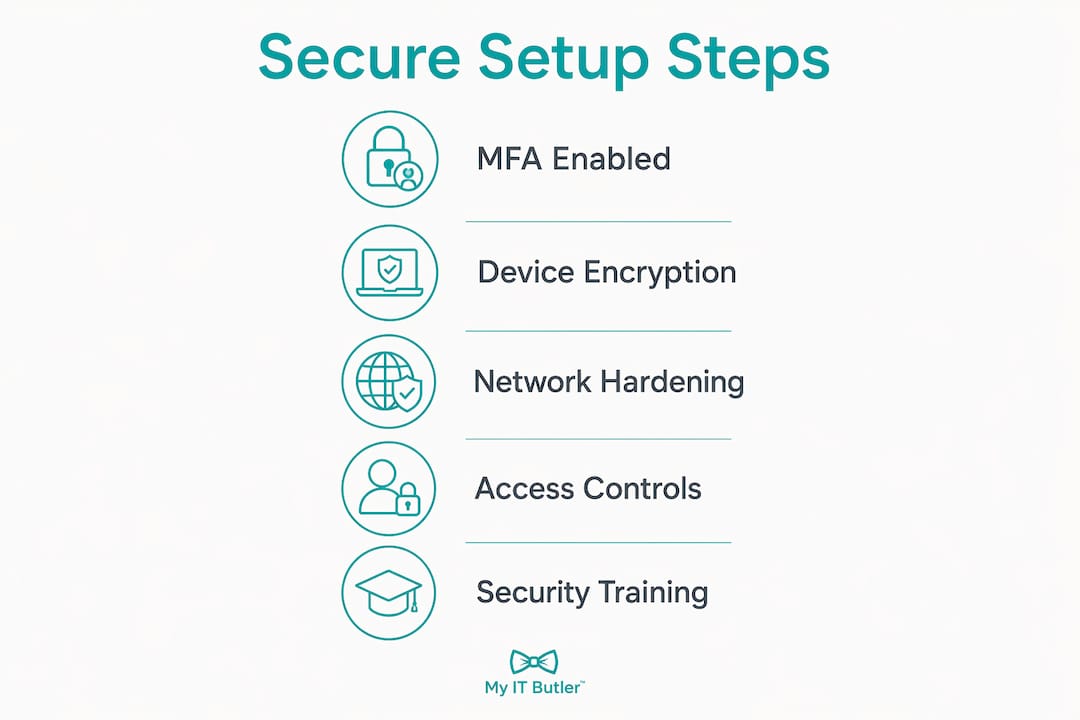
The five non-negotiable prerequisites are:
- Multi-factor authentication (MFA): Enforce MFA on every account, including email, cloud storage, and project tools. A stolen password alone cannot grant access when MFA is active.
- Dedicated work devices: Using dedicated devices exclusively for work is the single most effective security control for remote workers. Personal devices carry unmanaged software, browser extensions, and apps that create hidden entry points.
- Full disk encryption: Encrypt every work device so that a lost or stolen laptop cannot be read without the login credentials.
- Endpoint protection: Deploy a reputable antivirus or endpoint detection and response (EDR) solution on all devices. EDR goes further than antivirus by detecting unusual behaviour, not just known threats.
- Automatic OS updates: Unpatched operating systems are one of the most common attack vectors. Automatic updates close vulnerabilities before attackers exploit them.
| Security prerequisite | What it does | Recommended approach |
|---|---|---|
| Multi-factor authentication | Blocks unauthorised logins even with stolen passwords | Enforce across all accounts via an identity provider |
| Full disk encryption | Protects data on lost or stolen devices | Enable BitLocker (Windows) or FileVault (macOS) |
| Endpoint protection (EDR) | Detects and responds to threats on the device | Deploy a managed EDR solution across all endpoints |
| VPN or ZTNA | Encrypts traffic and controls access to company resources | Use Zero Trust Network Access for teams over 10 users |
| Device management policy | Sets rules for screen lock, updates, and approved apps | Document and enforce via a mobile device management tool |
Zero Trust Network Access (ZTNA) is worth understanding here. Unlike a traditional VPN, ZTNA verifies every access request regardless of location or device before granting permissions. A VPN assumes anyone inside the tunnel is trusted. ZTNA assumes no one is trusted until verified. For teams managing sensitive data, ZTNA is the stronger choice.
A complete security framework deployment typically takes 4–6 weeks to reach audit-ready compliance. That timeline is realistic for small businesses that plan carefully rather than rushing.
Pro Tip: Start with MFA and dedicated devices before anything else. These two controls alone eliminate the majority of common remote work security incidents.
How can home network security be strengthened for remote workers?
The home network is the most overlooked attack surface in any remote work setup. Most workers focus on their laptop and ignore the router sitting two metres away.
A secure home office network requires these steps:
- Change the default router admin password immediately. Default credentials are publicly listed and widely exploited.
- Enable WPA3 encryption on your Wi-Fi. If your router does not support WPA3, use WPA2 at minimum.
- Create a separate guest network for work devices and isolate it from personal devices and smart home gadgets.
- Update router firmware regularly. Manufacturers release patches for known vulnerabilities, and most routers do not update automatically.
- Enable DNS filtering to block known malicious websites before they load. Many routers support this natively or through a free DNS service.
- Avoid public Wi-Fi for work tasks. If unavoidable, use a VPN to encrypt your traffic on that network.
Home networks are untrusted environments that require hardening through router password changes, firmware updates, WPA3 encryption, guest networks, and DNS filtering. Each of these steps addresses a different attack path.
A common misconception is that a VPN solves home network security. VPNs encrypt traffic in a specific tunnel but do not secure the home router, IoT devices, or local DNS. Your smart TV and work laptop on the same network remain a risk even with a VPN running. That is why network segmentation matters so much.

Most modern home routers support guest network client isolation. This feature prevents devices on the guest network from communicating with each other or with the main network. It provides effective segmentation without needing complex technical configuration.
Pro Tip: Put all work devices on the guest network and all personal devices and smart home gadgets on the main network. This single change limits the blast radius of any compromise on either side.
What are the best practices for securing devices and enforcing access control?
Device security and access control are two sides of the same coin. A hardened device with weak access controls is still vulnerable, and strong access controls cannot compensate for an unprotected device.
Hardening the device itself
Endpoint security for remote work starts with full disk encryption, automatic screen lock after five minutes of inactivity, and a managed EDR solution. These three controls protect the device whether it is online or offline, active or unattended.
Password managers and credential vaults solve a persistent problem for remote teams: sharing access to shared accounts without exposing the actual password. Tools like Bitwarden and 1Password allow teams to share credentials securely without anyone seeing the underlying password in plain text.
Controlling who gets in
Role-based access control (RBAC) limits what each team member can see and do. A marketing coordinator does not need access to payroll systems. A contractor does not need access to internal HR files. RBAC enforces this separation automatically.
The Zero Trust principle extends RBAC further. Zero Trust verifies every access request based on identity, device health, and location before granting entry. This means even a verified employee using a company device gets checked every time they request access to a sensitive system.
Offboarding is where many teams fail. Immediate access revocation across all SaaS tools, communication platforms, and cloud storage within one hour of an employee's departure prevents lingering data access. Delayed offboarding is one of the most common causes of post-employment data exposure.
| Control | Purpose | Implementation |
|---|---|---|
| Full disk encryption | Protects data if device is lost or stolen | BitLocker or FileVault, enforced by policy |
| Screen lock (5 min timeout) | Prevents physical access when unattended | Set via device management or group policy |
| RBAC | Limits access to only what each role needs | Configure in identity provider or app settings |
| Password manager | Secures and shares credentials safely | Deploy organisation-wide with admin oversight |
| Offboarding checklist | Revokes all access within one hour | Document and assign to HR and IT jointly |
Pro Tip: Assign offboarding responsibility to both HR and IT jointly. When it belongs to only one team, it falls through the cracks.
Which policies and training measures support a secure remote work culture?
Technical controls only work when people understand and follow them. A well-configured firewall does nothing if an employee clicks a phishing link and enters their credentials.
Security policies should cover password hygiene, MFA, device use, safe AI tool usage, and regular audits. Each element addresses a different human behaviour that creates risk. Documenting these policies and making them easy to find removes the excuse of not knowing the rules.
Key policy and training measures for remote teams include:
- Security awareness training: Run phishing simulations and short training sessions at least quarterly. Workers who have seen a fake phishing email are far less likely to fall for a real one.
- Approved browser and extension policy: Standardising on approved browsers with controlled extensions and separate work profiles reduces the attack surface from browser-based threats significantly. Unapproved extensions can read everything you type.
- Safe AI tool usage guidelines: Employees using AI writing or productivity tools may unknowingly paste sensitive company data into third-party systems. A clear policy specifies which AI tools are approved and what data can be shared with them.
- Audit and monitoring: Regular audits of login activity, file access, and software installations detect suspicious behaviour before it becomes a breach.
- Onboarding integration: Deliver security training on day one and repeat it every six months. New team members are statistically the most likely to make security mistakes in their first 90 days.
Pro Tip: Keep security training sessions under 15 minutes. Longer sessions reduce completion rates and retention. Short, frequent training outperforms annual all-day workshops every time.
What are common mistakes in remote work security and how do you avoid them?
The most common mistake is treating a VPN as a complete security solution. A VPN encrypts traffic between the device and a server. It does not protect the home router, manage device health, or prevent a user from clicking a malicious link.
Other frequent mistakes include:
- Skipping home network segmentation and leaving work devices on the same network as personal devices and IoT gadgets
- Weak or delayed offboarding that leaves former employees with active access to company systems
- Relying on personal devices without enforcing any security baseline
- Ignoring browser security and allowing unvetted extensions
Avoiding these mistakes follows a clear sequence:
- Audit your current setup. List every device, account, and tool that touches company data.
- Identify gaps against the five prerequisites: MFA, dedicated devices, encryption, endpoint protection, and automatic updates.
- Segment your home network by moving work devices to a guest network.
- Document your security policies and deliver training to every team member.
- Set a recurring calendar reminder every 90 days to review access permissions, update firmware, and check that offboarding procedures were followed.
Balancing security with convenience is a real challenge for small teams. The goal is not to make work harder but to make the secure option the easiest option. When a password manager is already installed and MFA is built into the login flow, compliance happens naturally. For cost-effective security tools suited to small business budgets, prioritise free or low-cost options that cover the highest-risk areas first.
Key takeaways
A secure remote work environment requires layered controls across identity, devices, networks, and user behaviour, with no single tool providing complete protection on its own.
| Point | Details |
|---|---|
| Layer your security controls | MFA, device encryption, endpoint protection, and network segmentation each cover different attack paths. |
| Dedicated devices reduce risk most | Using separate work devices eliminates threats from unmanaged personal software and extensions. |
| VPN alone is not enough | VPNs encrypt traffic but do not protect home routers, IoT devices, or local DNS. |
| Offboard within one hour | Revoking all access within one hour of departure prevents post-employment data exposure. |
| Training reinforces technology | Short, frequent security training reduces human error, which remains the leading cause of breaches. |
Remote work security in 2026: what I've learned the hard way
The biggest shift I've seen over the past few years is that remote work security is no longer about protecting a single laptop. It is about protecting an entire ecosystem: the home Wi-Fi, the SaaS tools, the AI assistants, the browser sessions, and the human sitting in the middle of all of it.
What surprises me most is how many small teams still treat a VPN as their complete security strategy. A VPN is one layer. It is a useful layer. But it does not know whether your router firmware is two years out of date, whether your team member's personal device has malware, or whether someone just pasted client data into an unapproved AI tool.
The teams I see handle this well share one trait: they combine clear written policies with practical technical controls. The policy tells people what to do. The technology makes it easy to do it. Neither works without the other.
Small teams face a real disadvantage here. Enterprise organisations have dedicated security staff. A five-person remote business has the same threat exposure with a fraction of the resources. That is exactly where engaging a trusted IT partner pays for itself. Myitbutler supports distributed teams globally with the kind of structured, standards-based approach that used to require an in-house IT department. Getting that expertise on your side early costs far less than recovering from a breach later.
My honest advice: do not wait until something goes wrong to take this seriously. The setup work is not complicated. It is just easy to defer. Do not defer it.
— Thomas
How Myitbutler helps you build a secure remote setup
Remote work security is not a one-time project. It requires ongoing monitoring, policy updates, and device management as your team grows and threats evolve.

Myitbutler provides remote IT support for small businesses globally, backed by over 15 years of enterprise experience and certifications including CompTIA Security+ and CCNA. The team handles security assessments, device setup, policy development, and ongoing IT supervision, all at transparent fixed pricing with no long-term contracts. Whether you are setting up a home office for the first time or managing a distributed team across multiple time zones, Myitbutler delivers Australian-standard IT expertise wherever you are. Book a free consultation to get a clear picture of your current security posture and a practical plan to improve it.
FAQ
What is the first step in setting up a secure remote work environment?
Enforce multi-factor authentication across all accounts before anything else. MFA blocks the majority of unauthorised login attempts even when passwords are compromised.
Is a VPN enough to secure remote work?
A VPN encrypts traffic between your device and a server but does not protect your home router, IoT devices, or local DNS. Home network hardening and endpoint protection are required alongside a VPN.
How long does it take to set up a secure remote work environment?
A complete security framework typically takes 4–6 weeks to reach audit-ready compliance for a small business starting from scratch.
What is Zero Trust and why does it matter for remote teams?
Zero Trust verifies every access request based on identity and device health before granting permissions, regardless of where the user is connecting from. It is more secure than traditional VPN access because it never assumes a user is trusted by default.
How should remote teams handle employee offboarding securely?
Revoke access to all systems, including chat platforms, cloud storage, and project tools, within one hour of an employee's departure. Delayed offboarding is one of the most common causes of post-employment data exposure.