
TL;DR:
- Integrated IT systems that enhance collaboration, automate processes, and support trust are essential for remote team productivity. Merely deploying tools without redesigning workflows and fostering trust can hinder performance and increase coordination overhead. Effective remote IT strategies prioritize process mapping, transparent monitoring, and targeted knowledge sharing to maximize results.
The role of IT in remote productivity is defined by how well integrated technology systems reduce coordination friction, support communication, and enable trust-based management across distributed teams. IT infrastructure for remote employees is not simply a collection of tools like Microsoft Teams, Slack, or Zoom. It is the deliberate combination of collaboration platforms, automation, secure access, and monitoring that collectively determines whether a remote team thrives or stalls. Research drawn from nearly 4,000 large firms confirms that WFH alone yields diminishing returns without complementary digital investment. The difference between a productive remote team and a fragmented one almost always comes down to how IT is deployed, not whether it is deployed.
How integrated IT systems overcome coordination challenges in remote work
The core finding from a large-scale MDPI study is that firms combining WFH with automation and digital collaboration experience significantly higher labour productivity growth than those using remote work alone. This matters because it reframes the entire conversation. The question is not "does remote work reduce productivity?" The question is "have we built the IT systems that make remote work function?"

Coordination friction is the hidden tax on distributed teams. When tasks are not clearly owned, handoffs are not standardised, and workflows have not been redesigned for remote execution, adding more tools makes things worse. A team that adopts Microsoft Teams without restructuring how work moves between people will generate more pings, more confusion, and more meetings. The tool is not the problem. The missing process redesign is.
Implementing collaboration tools without workflow redesign increases coordination overhead rather than reducing it. Effective IT deployment requires modularising tasks so individuals can work independently, assigning clear ownership at each stage, and standardising handoffs so nothing falls between the cracks. Automation tools like Zapier or Microsoft Power Automate can then handle repetitive transitions, freeing people to focus on higher-value work.
"Productivity gains appear only when IT investments are complementary, not isolated. Integrated workplace technology systems reduce coordination frictions substantially."
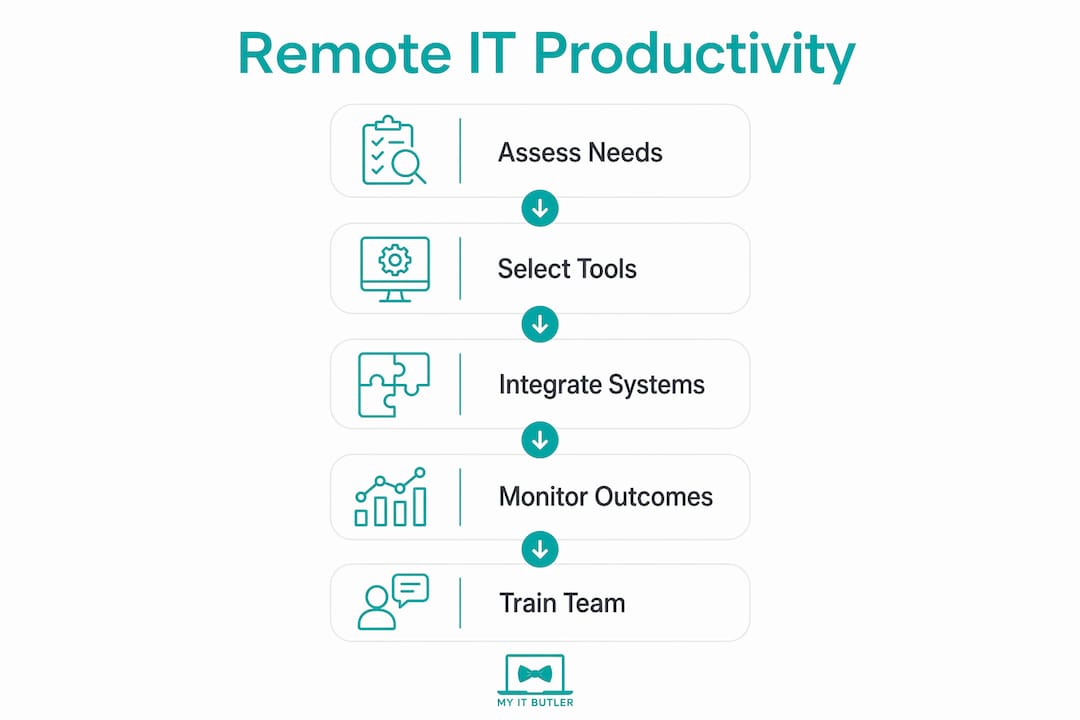
Pro Tip: Before adding any new IT tool to your remote stack, map the workflow it is meant to support. Identify who owns each step, where handoffs occur, and what can be automated. The tool should fit the redesigned process, not the other way around.
Understanding why remote teams face IT challenges in the first place is a useful starting point. Myitbutler's manager's guide to IT challenges covers this in practical detail for distributed teams.
Does team experience affect remote productivity?
Team composition is one of the most underestimated variables in remote productivity, and IT systems either amplify or waste its value. A PLOS One study found that experienced teammates boost productivity by 12.2% on average, with the shortest-tenure workers gaining around 26.2%. Critically, this effect operates independently of communication volume. More messages do not replicate the benefit of working alongside someone who knows the system.
This finding has direct implications for how you design your IT environment. If experienced teammates transfer knowledge through targeted guidance rather than high-frequency messaging, your IT platforms need to support that kind of structured, searchable knowledge sharing. A Confluence wiki, a Notion knowledge base, or even a well-organised SharePoint site does more for a new hire than a busy Slack channel.
A Nature study surveying 438 IT professionals found that manager trust and communication-channel satisfaction are the strongest predictors of perceived remote work productivity. Individual work style and training matter less than whether people trust their manager and feel the communication tools actually work for them. This is a significant finding for anyone managing a remote team in 2026.
Here is how to act on this in practical terms:
- Build a searchable knowledge base. Use tools like Confluence, Notion, or SharePoint to document processes, decisions, and institutional knowledge so new hires can self-serve rather than interrupt experienced colleagues.
- Create structured mentoring pathways. Assign experienced team members as onboarding guides and give them IT-supported channels (dedicated Slack threads, shared project boards) to deliver targeted guidance.
- Audit your communication channels. Survey your team on whether the tools you use actually meet their needs. Satisfaction with the channel matters as much as the channel itself.
- Reduce noise, increase signal. Mute non-essential notifications, consolidate tools where possible, and establish norms around response times so communication feels manageable rather than relentless.
Pro Tip: Use your IT platforms to build searchable knowledge bases and mentorship pathways rather than simply adding more communication channels. Quality of knowledge transfer beats quantity of messages every time.
How should IT monitoring be used in remote teams?
Monitoring remote employees is one of the most contested topics in distributed work, and the research cuts through the debate clearly. Surveillance alone has no significant productivity effect. When monitoring is implemented without explanation, output drops by approximately 17%. That is not a minor morale issue. It is a measurable productivity loss caused by a management decision.
The distinction that matters is between opaque surveillance and transparent, outcome-focused monitoring. Non-invasive monitoring tools track outputs and patterns rather than keystrokes and screenshots. They give managers the data they need to support their teams without creating the atmosphere of distrust that kills performance.
Organisations using non-invasive monitoring report productivity improvements of up to 40% when the approach is transparent and employees understand how data is used. The mechanism here is straightforward. When people know what is being measured and why, they can align their behaviour with those outcomes. When they do not know, they become anxious and disengaged.
Effective IT monitoring features for remote teams include:
- Active time tracking that measures productive hours without recording screen content
- Productivity scoring based on task completion and output milestones rather than login duration
- Self-service dashboards that give employees visibility into their own data, not just managers
- Anomaly alerts that flag unusual patterns for follow-up rather than constant surveillance
Monitoring tools paired with clear policies and explained goals maintain trust and performance. The policy conversation should happen before the tool is deployed, not after someone notices they are being watched.
Practical IT strategies for remote employees and managers
Selecting the right tools is only part of the equation. How those tools are integrated, communicated, and supported determines whether they improve or complicate remote work. The following comparison covers the main IT support models available to distributed teams.
| IT support model | Best suited for | Key advantage | Main limitation |
|---|---|---|---|
| In-house IT team | Large organisations with complex needs | Deep organisational knowledge | High fixed cost, limited after-hours coverage |
| Managed IT services | Small to mid-size distributed teams | Proactive monitoring, fixed pricing | Less embedded in day-to-day culture |
| On-demand remote support | Startups, digital nomads, expats | Flexible, no long-term contracts | Reactive rather than proactive by default |
| Hybrid model | Growing teams with variable needs | Balances cost and coverage | Requires clear scope definition |
Beyond the support model, the technology choices themselves follow a clear pattern for high-performing remote teams. Secure remote access via a VPN or zero-trust network architecture protects data without slowing people down. Cloud-based file storage through Google Workspace or Microsoft 365 removes the version-control chaos that plagues teams relying on email attachments. Automation tools handle repetitive tasks like status updates, file routing, and report generation.
Common pitfalls in remote IT deployment include tool overload (too many platforms with overlapping functions), failure to train staff on new systems, and deploying monitoring without policy. AI usage autonomy in remote work leads to larger productivity gains than mandated AI workflows, which suggests that giving your team flexibility in how they use AI tools produces better results than prescribing a single method.
For teams managing IT across multiple time zones, Myitbutler's guide on IT for remote startup teams covers how to structure technology decisions from the ground up.
Key takeaways
Integrated IT systems, not individual tools, are what drive measurable productivity gains in remote and distributed teams.
| Point | Details |
|---|---|
| Integration beats isolation | Combining WFH with automation and digital collaboration produces significantly higher productivity than remote work alone. |
| Team experience amplifies IT value | Experienced teammates boost new hire productivity by up to 26.2%, but only if IT supports targeted knowledge transfer. |
| Trust drives perceived productivity | Manager trust and communication-channel satisfaction predict remote productivity more than individual training or work style. |
| Transparent monitoring works | Non-invasive, explained monitoring can improve productivity by up to 40%; unexplained surveillance reduces output by 17%. |
| Workflow redesign is non-negotiable | Adding tools without redesigning processes increases coordination overhead and undermines the gains IT is meant to deliver. |
What I have learned about IT and remote productivity
After working with distributed teams across multiple time zones and industries, the pattern I keep seeing is the same. Organisations invest in tools and then wonder why productivity has not improved. The tools are fine. The problem is that nobody redesigned the work around them.
The research backs this up, but the lived experience is more instructive. A team that moves from an office to remote work and simply replicates the same meetings, the same approval chains, and the same communication habits in a digital format will not gain anything. They will lose the informal coordination that happened naturally in a shared space and replace it with nothing.
What actually works is treating IT deployment as an organisational change project. That means mapping workflows before selecting tools, communicating monitoring policies before switching them on, and building knowledge infrastructure before you need it. The teams I have seen perform best remotely are not the ones with the most tools. They are the ones where every tool has a clear purpose and every person knows how to use it.
Trust is the variable that most managers underestimate. The Nature study finding that manager trust predicts productivity more than training or work style is not surprising to anyone who has managed remote teams. People work well when they feel trusted and when the tools they use feel like support rather than surveillance. IT can build that environment or destroy it, depending entirely on how it is deployed.
My advice to any manager reading this: start with your workflows, not your software catalogue. Fix the process, then find the tool that supports it. And if you are monitoring your team, tell them why before you start.
— Thomas
How Myitbutler supports remote teams with expert IT solutions
Distributed teams need more than a helpdesk. They need a technology partner who understands how IT infrastructure affects productivity, trust, and day-to-day collaboration across time zones.

Myitbutler delivers remote IT support for distributed businesses with over 15 years of enterprise experience, CCNA and CompTIA Security+ certified professionals, and transparent fixed pricing with no long-term contracts. Whether you need on-demand troubleshooting, proactive IT supervision, or a strategic review of your remote work technology stack, Myitbutler works across WhatsApp, email, and direct messaging to fit your team's schedule. Book a consultation to identify exactly where your IT setup is limiting productivity and what to do about it.
FAQ
What is the role of IT in remote productivity?
IT defines how well remote teams collaborate, automate repetitive tasks, and maintain secure access to shared resources. Integrated IT systems reduce coordination friction and support the trust-based management that research identifies as the strongest predictor of remote productivity.
Does monitoring software improve remote team output?
Transparent, non-invasive monitoring can improve productivity by up to 40%, but only when employees understand what is tracked and why. Unexplained surveillance reduces output by approximately 17%, making policy communication as important as the tool itself.
Which IT tools matter most for remote teams?
Collaboration platforms like Microsoft Teams or Slack, cloud storage through Google Workspace or Microsoft 365, and automation tools like Zapier or Microsoft Power Automate form the core stack. The specific tools matter less than whether they are integrated with redesigned workflows.
How does team experience connect to IT strategy?
Experienced teammates boost new hire productivity by up to 26.2% in remote settings, but this effect depends on IT systems that support targeted knowledge transfer. Searchable knowledge bases and structured mentoring pathways deliver more value than simply increasing communication volume.
What is the biggest mistake remote teams make with IT?
Deploying tools without redesigning the workflows they are meant to support. Adding collaboration software to an unchanged process increases coordination overhead rather than reducing it, which is why IT investment must accompany organisational process changes to produce real productivity gains.