
TL;DR:
- For most Australian IT teams, engaging a managed service with built-in expertise and security is the fastest way to reliable remote support.
- Choosing between software and managed services depends on team size, operational capacity, and data residency needs, with managed services often offering faster value and less overhead.
For most Australian IT teams, the fastest path to reliable remote support is not buying another tool. It is engaging a managed service that already has the expertise, security posture, and cross-timezone coordination built in. If you do need software, three categories cover nearly every scenario: platform-native ITSM-embedded tools (ScreenMeet), privileged-access solutions (BeyondTrust), and cost-conscious remote access (Splashtop or AnyDesk).
Quick shortlist:
- Myitbutler — Recommended managed option for Australian SMBs and distributed teams. Fixed pricing, no lock-in, CCNA/CompTIA Security+, PRINCE2-backed, cross-timezone coordination included.
- ScreenMeet — Best platform-native pick for teams already on ServiceNow or Salesforce. Embeds sessions directly into tickets, eliminating context-switching.
- BeyondTrust (Bomgar) — Best for high-compliance environments needing privileged access management (PAM) and full session audit trails.
- ConnectWise Control (ScreenConnect) — Best for MSPs or multi-tenant environments needing extensible, customisable tooling.
- AnyDesk / Splashtop — Best for cost-sensitive small teams where speed and low overhead matter more than deep ITSM integration.
Immediate next step: Run a trial period on your shortlisted tool, or book a free consult with Myitbutler to scope a managed remote troubleshooting trial instead.
Pro Tip: Before you evaluate any tool, confirm whether your primary pain point is tooling or operational capacity. If your team lacks the bandwidth to manage a remote support platform, a managed service will outperform any software purchase on time-to-value.
Table of Contents
- How do the top remote troubleshooting services compare?
- Profiles: what each tool actually does for your team
- How do you choose the right remote support solution?
- How was this shortlist evaluated?
- Should you buy software or hire a managed service?
- What is the recommended next step for Australian IT teams?
- Key takeaways
- What actually works in practice
- Myitbutler: managed remote troubleshooting without the overhead
- Useful sources and further reading
- FAQ
How do the top remote troubleshooting services compare?
Platform-native remote support that embeds into ITSM workflows reduces manual documentation and improves mean time to resolution (MTTR). That single criterion separates enterprise-grade tools from the rest of the field.
| Tool / Service | Best for | Security & compliance | ITSM integrations | AI / automation | Deployment model | Platform support | Pricing band | Australia availability |
|---|---|---|---|---|---|---|---|---|
| Myitbutler | SMBs, distributed teams, expats | CCNA, CompTIA Security+, PRINCE2; session oversight | Vendor-agnostic liaison; coordinates across ITSM stacks | Managed triage and coordination | Fully managed; no agent install | Any OS, mobile, IoT via managed support | Low–mid (hourly / subscription) | Australian-operated; global delivery |
| TeamViewer | Wide device coverage, legacy endpoints | 2FA, session logging | ServiceNow, Jira, Zendesk | AI-assisted session notes | Agent-based; unattended access | Windows, macOS, Linux, iOS, Android | Mid–high | Available; no AU data residency guarantee |
| AnyDesk | Small teams, low-latency access | 2FA, access controls | Limited native ITSM | Basic automation | Agent-based; lightweight | Windows, macOS, Linux, mobile | Low | Available globally |
| Splashtop | Cost-conscious SMBs | TLS, device auth, SSO | Freshservice, Jira, Zendesk | Limited | Agent-based; unattended | Windows, macOS, Linux, iOS, Android | Low | Available; US-based infrastructure |
| Zoho Assist | Zoho ecosystem users | 2FA, RBAC | Zoho Desk, Zoho CRM | Basic session automation | Agentless attended; agent unattended | Windows, macOS, Linux, mobile | Low–mid | Available; Zoho AU data centre |
| BeyondTrust (Bomgar) | High-compliance, regulated orgs | PAM integration, session recording, RBAC, MFA | ServiceNow, Jira, SIEM tools | AI session summaries | Agent-based; gateway/zero-trust | Windows, macOS, Linux, mobile | High | Available; on-prem or cloud |
| ScreenMeet | ITSM-native enterprise teams | Consent-based, session audit, RBAC | ServiceNow, Salesforce (native) | Auto session capture, AI notes | Agentless browser-based | Windows, macOS, mobile | Mid–high | Available; cloud-hosted |
| LogMeIn Rescue / Resolve | Balanced agent/agentless needs | session recording, RBAC | ServiceNow, Salesforce, Zendesk | AI-assisted diagnostics | Agent + agentless browser | Windows, macOS, iOS, Android | Mid–high | Available; US-based infrastructure |
| ISL Online / ISL Light | Multi-platform service providers | session logs, 2FA | Limited native ITSM | Basic | Agent-based; unattended | Windows, macOS, Linux, mobile | Low–mid | Available; EU-hosted option |
| RemotePC | Cost-sensitive small teams | 2FA | Minimal | None | Agent-based; unattended | Windows, macOS, Linux, iOS | Low | Available globally |
| RealVNC Connect | VNC-compatible custom deployments | 2FA, RBAC | Minimal | None | Agent-based; flexible deployment | Windows, macOS, Linux, Raspberry Pi | Low–mid | Available globally |
| SolarWinds DameWare Remote Support | Windows-heavy IT teams | AD integration, session audit | SolarWinds ITSM suite | Limited | Agent-based; on-prem focus | Windows primary | Mid | Available; US-based |
| Goverlan Reach (EV Reach) | Enterprise endpoint automation | RBAC, session audit, AD integration | Limited third-party | Automation scripts | Agent-based; unattended | Windows, macOS, Linux | Mid–high | Available globally |
| ManageEngine Remote Access Plus | ManageEngine ecosystem users | RBAC, session recording, 2FA | ManageEngine suite (ServiceDesk Plus) | Basic automation | Agent-based; unattended | Windows, macOS, Linux | Low–mid | Available; AU data centre option |
| ConnectWise Control | MSPs, multi-tenant environments | RBAC, session audit | ConnectWise Manage, PSA tools | AI session notes | Agent-based; unattended | Windows, macOS, Linux, mobile | Mid | Available globally |
| Devolutions Remote Desktop Manager | Credential-heavy complex environments | Vault-based credentials, RBAC, 2FA | Limited native ITSM | None | Agent-based; multi-protocol | Windows, macOS, Linux, iOS, Android | Low–mid | Available globally |
| Getscreen.me | Occasional, minimal-setup sessions | Basic encryption, consent-based | None | None | Agentless browser | Windows, macOS, Linux | Low | Available globally |
| SupRemo | Small teams, consultants | 2FA | None | None | Agent-based | Windows, macOS, Linux | Low | Available globally |
| Dameware Remote Everywhere | Cloud-based enterprise support | session recording, RBAC | SolarWinds service desk | Limited | Cloud agent-based | Windows, macOS, Linux, mobile | Mid | Available globally |
| InvGate Service Management | ITSM-first mid-market teams | RBAC, audit logs, SSO | Jira, Slack, Azure AD | AI ticket triage | SaaS | Web-based | Mid | Available; Gartner-reviewed |
| Freshservice | Growing IT teams, ITSM-first | RBAC, SSO, audit logs | Jira, Slack, Azure AD, 1,000+ apps | AI auto-triage, virtual agent | SaaS | Web-based | Low–mid | Available; Gartner-reviewed |
| Zoho Desk | Zoho-stack organisations | RBAC, SSO, audit logs | Zoho ecosystem, Jira, Slack | AI Zia assistant | SaaS | Web-based | Low–mid | Available; AU data centre |
| BMC Helix | Large enterprise ITSM | RBAC, PAM integration, audit | ServiceNow-class integrations | AI-driven ITSM | SaaS / on-prem | Web-based | High | Available; enterprise contracts |
| Help Scout | Customer-facing support teams | RBAC, 2FA, audit logs | Jira, Slack, HubSpot | AI drafts, summarisation | SaaS | Web-based | Low–mid | Available globally |
| ServiceNow | Large enterprise ITSM | PAM integration, RBAC, full audit | Native ecosystem + 1,000+ connectors | AI Now Assist, auto-triage | SaaS / on-prem | Web-based | High | Available; AU data centre |
| Jira Service Management | Dev-aligned IT teams | RBAC, SSO, audit logs | Atlassian suite, Slack, many apps | AI virtual agent, auto-triage | SaaS / Data Center | Web-based | Low–mid | Available; AU data centre |
| HappyFox | Mid-market help desk teams | RBAC, SSO, 2FA | Jira, Slack, Salesforce, Zapier | AI smart rules, auto-assign | SaaS | Web-based | Mid | Available globally |
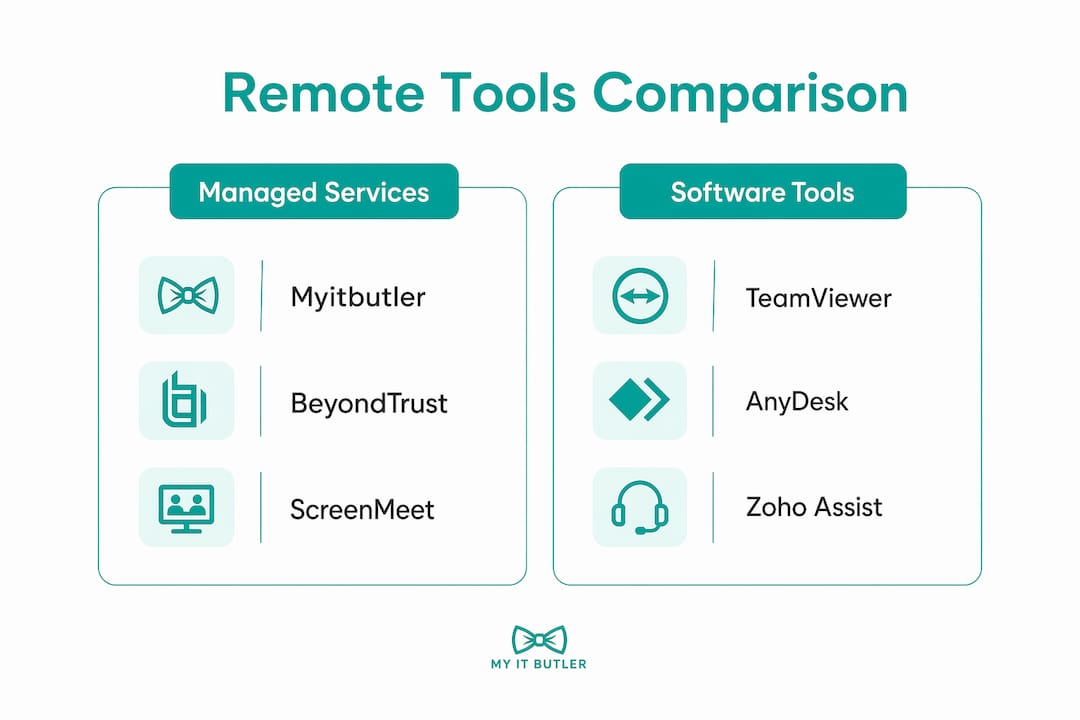
Pricing bands: Low = roughly under AU$30/user/month or equivalent; Mid = AU$30–$100; High = AU$100+ or enterprise-quoted. Managed services (Myitbutler) are priced per engagement or subscription.
Where to start by use case:
- Locked-down enterprise / high-compliance: BeyondTrust for PAM + session audit; pair with ServiceNow or BMC Helix for ITSM.
- MSP or multi-tenant: ConnectWise Control with its extension marketplace.
- Small IT team, tight budget: Splashtop or AnyDesk for remote access; Freshservice or Jira Service Management for ticketing.
- No internal IT capacity: Myitbutler managed service, which handles tooling, triage, and vendor liaison without requiring your team to own the platform.
Unmanaged remote tools increase attack surface; centralised, audited gateways and role-based access controls (RBAC) are the current enterprise standard, not optional extras.
Profiles: what each tool actually does for your team
Remote access and troubleshooting tools
Myitbutler is not a software licence. It is a managed troubleshooting service operated by an Australian team with CCNA, CompTIA Security+, and PRINCE2 credentials. You get on-demand remote sessions, vendor liaison, and cross-timezone coordination without owning or maintaining any platform. For distributed teams or SMBs without a dedicated IT function, that is a fundamentally different value proposition from every other entry on this list. Fixed pricing, no long-term contracts, and a free initial consult lower the barrier to getting started.
TeamViewer covers the widest device range of any tool here, including legacy Windows endpoints, IoT devices, and mobile. Its ServiceNow and Jira integrations are mature. The trade-off is cost: licensing scales quickly for larger teams, and hidden add-ons such as advanced reporting and mobile camera-share push the total price up.
AnyDesk is the lightest agent on this list. Connection speed is its headline feature, and it delivers. ITSM integration is thin, so it suits teams that handle ticketing separately and just need fast, reliable remote control.
Splashtop sits at the affordable end of the market without sacrificing core functionality. Unattended access, multi-monitor support, and basic SSO are included at a price point that undercuts TeamViewer significantly. No AU data residency, but for most SMBs that is not a blocker.
Zoho Assist makes the most sense when your team already runs Zoho Desk or Zoho CRM. Browser-based attended sessions start without an agent install, which reduces deployment friction in locked-down environments. Outside the Zoho ecosystem, the integration story is thinner.
BeyondTrust (Bomgar) is the go-to for regulated industries. PAM integration, granular RBAC, full session recording, and gateway architecture make it the strongest security posture on this list. Pricing reflects that: it is enterprise-quoted and rarely cheap. For Australian financial services or healthcare organisations with strict audit requirements, it is worth the cost.
ScreenMeet takes a different architectural approach. Rather than a standalone tool, it embeds remote sessions directly into ServiceNow or Salesforce tickets. Automatic session capture eliminates the manual documentation step that slows most support workflows. If your team lives in ServiceNow, this is the most natural fit.
LogMeIn Rescue / Resolve offers a solid balance of agent-based and agentless (browser-based) sessions. Tiered licensing lets you scale from small teams to enterprise. The product has matured over many years and integrates with ServiceNow, Salesforce, and Zendesk.
ISL Online / ISL Light stands out for camera-share on mobile, letting a remote technician see a physical device through the end-user's phone camera. Useful for on-site-adjacent scenarios. EU-hosted infrastructure is an option for privacy-conscious deployments.
RemotePC is straightforward remote desktop access at a low price. Unlimited access plans suit small teams with predictable remote access needs. No meaningful ITSM integration.
RealVNC Connect appeals to teams with existing VNC-based workflows or Raspberry Pi deployments. Flexible deployment modes and a familiar architecture. Not built for enterprise ITSM integration.
SolarWinds DameWare Remote Support is Windows administration with remote access bolted on. Active Directory integration and deep Windows tooling make it valuable for Windows-heavy environments. Limited value outside that context.
Goverlan Reach (EV Reach) goes further than most on endpoint automation. Scripted actions, bulk operations, and deep admin controls suit enterprise teams managing large Windows estates. Less relevant for mixed-OS or cloud-first environments.
ManageEngine Remote Access Plus fits naturally inside a ManageEngine deployment. If you already run ServiceDesk Plus or Endpoint Central, the consolidated tooling reduces vendor sprawl. Outside that ecosystem, the integration story is narrow.
ConnectWise Control (ScreenConnect) is the MSP standard for good reason. The extension marketplace, multi-tenant architecture, and customisable branding make it the most flexible tool on this list for service providers. Internal IT teams at large organisations also use it for its scalability.
Devolutions Remote Desktop Manager solves a specific problem: managing dozens or hundreds of remote connections and credentials in one place. It supports RDP, SSH, VNC, and more. Not a help-desk tool, but invaluable for teams drowning in connection sprawl.
Getscreen.me requires no installation. A browser link starts a session. That simplicity is its entire value proposition, and it works well for occasional, low-stakes support. No ITSM integration, no enterprise features.
SupRemo is a simple, affordable remote control tool popular with small IT consultancies. Licensing is straightforward and the learning curve is minimal.
Dameware Remote Everywhere is the cloud-hosted sibling of DameWare Remote Support. It adds mobile support and a cloud delivery model while retaining the SolarWinds ITSM integration.
ITSM and help desk platforms
These platforms handle ticketing, workflow, and service management. Several include native or integrated remote support capabilities.
InvGate Service Management is a mid-market ITSM platform with strong RBAC, SSO, and AI-assisted ticket triage. Gartner peer reviews highlight its clean interface and fast deployment relative to enterprise alternatives.
Freshservice is one of the most widely adopted ITSM platforms for growing IT teams. Over 1,000 native integrations, a capable AI virtual agent, and a low entry price make it a strong default for teams moving off spreadsheets or basic ticketing tools.
Zoho Desk integrates tightly with the Zoho ecosystem and includes the Zia AI assistant for ticket routing and response suggestions. The AU data centre option addresses data residency concerns for Australian organisations.
BMC Helix competes with ServiceNow at the large-enterprise end. Full ITSM suite, PAM integration, and AI-driven operations. Pricing and implementation complexity reflect that positioning.
Help Scout is customer-support-first rather than IT-first. Its clean interface and AI drafting tools suit customer-facing teams, but it lacks the ITIL-aligned features that internal IT teams need.
ServiceNow is the enterprise ITSM benchmark. Its Now Assist AI, AU data centre, and ecosystem of over 1,000 connectors make it the most capable platform on this list. Implementation cost and complexity are the barriers for smaller organisations.
Jira Service Management suits development-aligned IT teams already in the Atlassian ecosystem. The Data Center option and AU data centre for cloud deployments address residency needs. AI virtual agent and auto-triage are included in higher tiers.
HappyFox is a mid-market help desk with smart automation rules and solid integrations. It sits between Freshservice and ServiceNow in capability and price.
Pro Tip: For Australian teams evaluating ITSM platforms, confirm whether the vendor's AU data centre covers your specific data classification requirements. "Available in Australia" and "data stored in Australia" are not the same thing.
How do you choose the right remote support solution?
Vendor questions to ask before you commit
- Does the tool push session data into our ITSM automatically, or does a technician need to re-enter it manually?
- What encryption standard is used in transit and at rest, and is session recording available?
- Does the product support RBAC and SSO/SCIM provisioning from our identity provider (Azure AD, Okta)?
- What is the agent footprint, and can it be deployed without local admin rights?
- Is unattended access available, and how is it controlled and audited?
- What does the trial or POC scope include, and are there feature restrictions during evaluation?
- What are the add-on costs for mobile camera-share, advanced reporting, and additional concurrent sessions?
- Does the vendor have a data centre in Australia, or can they contractually commit to AU data residency?
POC plan: 30 days, three stakeholders
Run your trial across representative ticket types including software/configuration issues and credential resets, involving multiple stakeholders such as a technician, team lead, and security or compliance owner. Measure key operational metrics like resolution time, fix success, session length, and documentation quality. Successful vendor evaluations measure real-world impact on technician workflow and ticket closure metrics, not feature checkboxes alone.
Red flags to watch for
- No session audit log or session recording capability.
- Always-on background agents with no explicit user consent mechanism. These create compliance and security blind spots that are difficult to remediate later.
- Opaque pricing with features gated behind undisclosed add-on tiers.
- No native ITSM integration, requiring manual ticket updates after every session.
- Vendor cannot confirm AU data residency in writing.
For a deeper look at remote network security considerations specific to distributed teams, the Myitbutler blog covers the key controls in detail.
How was this shortlist evaluated?
The scoring methodology prioritised the criteria that matter most to Australian enterprise and mid-market IT teams, weighted as follows:
- Security and compliance (25%): Encryption standard, session recording, RBAC, PAM integration, AU data residency.
- ITSM integration (20%): Native connectors to ServiceNow, Jira, Freshservice, and Zoho Desk; automatic session data push.
- Deployment friction (15%): Agent footprint, agentless options, admin rights required, time to first session.
- AI and automation (15%): Session notes automation, auto-triage, virtual agent capability.
- Enterprise features (15%): Multi-tenancy, directory sync, unattended access controls, SLA reporting.
- Australia availability (10%): Local data centre, regional support hours, GST-compliant invoicing.
Sources used: vendor documentation and published feature matrices; peer review data from Gartner Peer Insights and G2; independent editorial reviews from PCMag and Business News Daily; and Myitbutler's own operational experience supporting Australian and international distributed teams.
Methodology note: Myitbutler's managed service was evaluated against the same criteria as software tools, with "deployment friction" interpreted as time-to-value for the client organisation rather than agent install complexity. Australian operational needs, including cross-timezone coordination, local support hours, and GST contracting, were weighted in the Australia availability score. Data reflects vendor information and peer reviews current at the time of publication; pricing and features change, so confirm details directly with vendors before procurement.
Should you buy software or hire a managed service?
The remote vs on-site debate is often a false dichotomy. A hybrid model that uses remote support for software and configuration issues, with on-site reserved for physical repairs, delivers the best cost and downtime outcomes. The real question for most Australian SMBs is whether to own the tooling or outsource it entirely.
When a managed service makes more sense
- Your team has fewer than five IT staff. The operational overhead of managing a remote support platform, including licensing, updates, security patching, and vendor liaison, consumes capacity that small teams cannot spare.
- You operate across multiple time zones. Coordinating support across AEST, AWST, and international time zones requires either shift coverage or a managed partner. Myitbutler's cross-timezone coordination model is built for exactly this scenario.
- You need vendor liaison. When a support issue involves your ISP, a SaaS vendor, and your hardware supplier simultaneously, a managed service handles that coordination. A software licence does not.
- You want a fixed monthly cost. Licensing, add-ons, and per-device fees make software TCO unpredictable. Myitbutler's hourly and subscription pricing is transparent and contract-free.
Australian-specific considerations
- Data residency: Australian Privacy Act obligations and some industry regulations require data to remain in Australia. Confirm this in writing with any vendor before signing.
- GST and contracting: Managed services from an Australian provider include GST-compliant invoicing and Australian contract law protections. Offshore SaaS vendors vary significantly on both.
- Local support hours: AEST business-hours support is not guaranteed by most global vendors. Check SLA response times for your time zone explicitly.
- Multi-timezone coordination: For teams spanning Asia-Pacific and Europe, a managed service with built-in coordination is more practical than configuring on-call rotations inside a software platform.
For teams weighing remote IT support without a full-time hire, the managed-service model often delivers faster time-to-value than a software procurement cycle.
What is the recommended next step for Australian IT teams?
For most Australian SMBs and distributed teams, the recommended route is: start with a managed service POC, measure MTTR and first-time fix rate over 30 days, then decide whether to continue managed or transition to owned tooling with the evidence in hand.

If you are buying software, the shortlist is BeyondTrust for high-compliance environments, ScreenMeet for ITSM-native teams on ServiceNow, and ConnectWise Control for MSPs. For cost-sensitive teams, Splashtop or Freshservice cover the basics at a low price point.
30-day action plan:
- Week 1: Finalise your shortlist (maximum three options). Assign a technical evaluator, a team lead, and a compliance or security owner to the POC.
- Week 2–3: Run live sessions across your representative ticket types. Track MTTR, first-time fix rate, session duration, and documentation completeness after every session.
- Week 4: Review KPI data, check audit log quality, and confirm AU data residency in writing. Make the call.
The role of IT in remote productivity is well-documented: teams with well-integrated support resolve issues faster and lose less productive time per incident. The KPIs above are the practical way to measure that in your own environment.
Key takeaways
For Australian IT teams, the single most important decision is not which tool to buy. It is whether your team has the capacity to own and operate a remote support platform, or whether a managed service delivers better value from day one.
| Point | Details |
|---|---|
| Managed vs software | Teams with fewer than five IT staff typically get faster value from a managed service than from a software licence. |
| Security is non-negotiable | Require session audit logs, RBAC, and explicit user consent from any tool; always-on agents without controls create compliance risk. |
| ITSM integration drives MTTR | Tools that push session data into your ticketing system automatically reduce manual re-entry and shorten resolution times. |
| POC KPIs to track | Measure MTTR, first-time fix rate, session duration, and documentation completeness over 30 days, not feature lists. |
| Myitbutler for Australian teams | Myitbutler offers managed remote troubleshooting with fixed pricing, no lock-in, and cross-timezone coordination for SMBs and distributed teams. |
What actually works in practice
The conventional wisdom in remote support procurement is to build a feature matrix, score each tool, and pick the winner. That process looks rigorous, but it consistently misses the operational reality: a tool that scores well on paper can still slow your team down if session data does not flow automatically into your ticketing system, or if your technicians spend ten minutes per ticket re-entering notes.
The deeper issue is that most remote support tools were built as standalone access utilities and later acquired ITSM integrations as an afterthought. That architecture shows. Context-switching between a remote session and a ticket is a small friction per incident, but across a team handling dozens of tickets a day, it compounds into a measurable drag on MTTR.
The teams that resolve issues fastest tend to share two characteristics: their remote sessions are embedded in their ticket workflow (not bolted alongside it), and their triage process is documented before the session starts, not reconstructed afterwards. That second point matters more than most procurement checklists acknowledge. A well-structured triage note handed to a technician before they connect cuts average session time more reliably than any AI feature.
For Australian organisations with distributed or international teams, there is a third factor that rarely appears in vendor comparison guides: timezone and vendor coordination overhead. When a support issue spans a SaaS vendor in the US, a hardware supplier in Singapore, and an end-user in Melbourne, the bottleneck is rarely the remote access tool. It is the coordination. That is the gap a managed service fills that software cannot.
Myitbutler: managed remote troubleshooting without the overhead
If this comparison has confirmed that your team needs better remote support but you do not want to own and manage another platform, Myitbutler is the practical alternative.

Myitbutler is an Australian-operated managed IT service with over 15 years of enterprise experience, backed by CCNA, CompTIA Security+, and PRINCE2 certifications. The service covers on-demand remote troubleshooting, monthly managed IT liaison, vendor coordination, and POC support for distributed teams, SMBs, expats, and international organisations. Pricing is transparent, hourly or subscription-based, and there is no long-term contract.
For teams that need remote IT support for small business without the overhead of licensing, patching, and managing a platform, Myitbutler handles the operational layer so your team focuses on the work that matters. Book a free initial consult to scope a 30-day managed POC and see the difference in your own environment.
Useful sources and further reading
- Gartner Peer Insights: Remote Desktop Software — peer reviews across enterprise remote desktop and support tools.
- ScreenMeet: Top 12 Remote IT Support Tools for 2026 — enterprise-focused analysis of integration and security architecture.
- ScreenMeet: Remote Support Software Comparison Guide — evaluation criteria and deployment model analysis.
- PCMag: Best Remote Access Software — independent editorial reviews with POC and pricing guidance.
- Business News Daily: Best Remote Access Software Reviews — pricing tiers and platform support matrices.
- Logicline: Remote Support vs On-Site Service Analysis — hybrid model cost and downtime analysis.
- Remote Monitoring Cyber Risk: What IT Leaders Must Know — cyber risk considerations for remote monitoring deployments.
- SOC 2 Compliance for SaaS and Cloud Companies — SOC 2 guidance relevant to vendor security assessments.
- Myitbutler: Types of Remote Desktop Support Solutions — agent vs agentless models explained for IT managers.
- Myitbutler: How to Evaluate Remote IT Provider Global Coverage — vendor coverage and regional support evaluation guide.
- Myitbutler: Managed IT Services Guide — pricing models and managed-service decision framework.
FAQ
What is the best remote troubleshooting service for Australian SMBs?
For Australian SMBs without a dedicated IT team, Myitbutler's managed remote troubleshooting service delivers the fastest time-to-value. It combines fixed pricing, cross-timezone coordination, and enterprise certifications without requiring your team to own or manage a platform.
How do I choose between a remote support tool and a managed service?
If your team has fewer than five IT staff or operates across multiple time zones, a managed service typically outperforms a software purchase on cost and speed. If you have internal IT capacity and need deep ITSM integration, tools like ScreenMeet or BeyondTrust are the stronger fit.
Which remote support tools have Australian data residency?
Zoho Assist, Zoho Desk, Jira Service Management (cloud), ServiceNow, and ManageEngine Remote Access Plus each offer AU data centre options. Always confirm data residency in writing before signing, as "available in Australia" does not always mean data is stored locally.
What KPIs should I track during a remote support POC?
Track four metrics: MTTR (mean time to resolution), first-time fix rate, average session duration, and documentation completeness. These give a clearer picture of real-world impact than feature checklists alone.
What are the biggest hidden costs in remote support software?
Common add-on costs include mobile camera-share, advanced reporting, additional concurrent sessions, and unattended access tiers. Per-device and per-technician licensing models can also scale unexpectedly as your team grows.