
TL;DR:
- Outsourced IT support offers businesses significant cost savings and access to specialized expertise for distributed teams.
- Implementing clear scope, choosing the right provider, and establishing solid communication are essential for success.
Outsourced IT support is the practice of contracting a managed service provider (MSP) or specialist remote IT firm to handle your technology needs, without placing a full-time employee on your payroll. For business owners managing remote or distributed teams, this model makes it possible to get remote IT support without a full-time hire at a fraction of the cost. Outsourcing IT typically costs 40% to 60% less than maintaining an equivalent in-house team. That gap is significant enough to reshape how you budget for technology entirely. This guide walks you through the benefits, prerequisites, provider selection, and implementation steps so you can make a confident decision.
What are the benefits of remote IT support over hiring full-time staff?
The financial case for outsourced IT support is direct. In-house IT for roughly 50 employees can cost between $250,000 and $480,000 annually, while outsourced support for the same team typically runs $60,000 to $150,000. That saving does not come at the expense of quality. It comes from the economics of shared expertise across many clients.

Beyond cost, outsourced remote IT services give you access to a full team rather than a single generalist. A solo internal hire carries one skill set, one availability window, and one point of failure. An MSP brings specialists across cybersecurity, cloud infrastructure, helpdesk, and compliance. Managed IT per-user monthly fees range from $125 to $250 depending on service level, which makes budgeting predictable and removes the shock of emergency repair bills or recruitment costs when someone resigns.
The operational benefits extend further than cost:
- 24/7 coverage without overtime or on-call penalties
- Scalability as your team grows across time zones or countries
- Consistent security policies applied uniformly across every device and location
- No recruitment burden when your IT needs change
- Professional documentation and onboarding processes from day one
Standardised remote support applies uniform security policies across geographically distributed teams, which is something a single internal hire almost never achieves consistently. For remote-first businesses, this consistency is the difference between a secure operation and a patchwork of individual setups. The greatest value in outsourcing IT is operational consistency and resilience, not just cost savings.
What should you assess before seeking remote IT services?
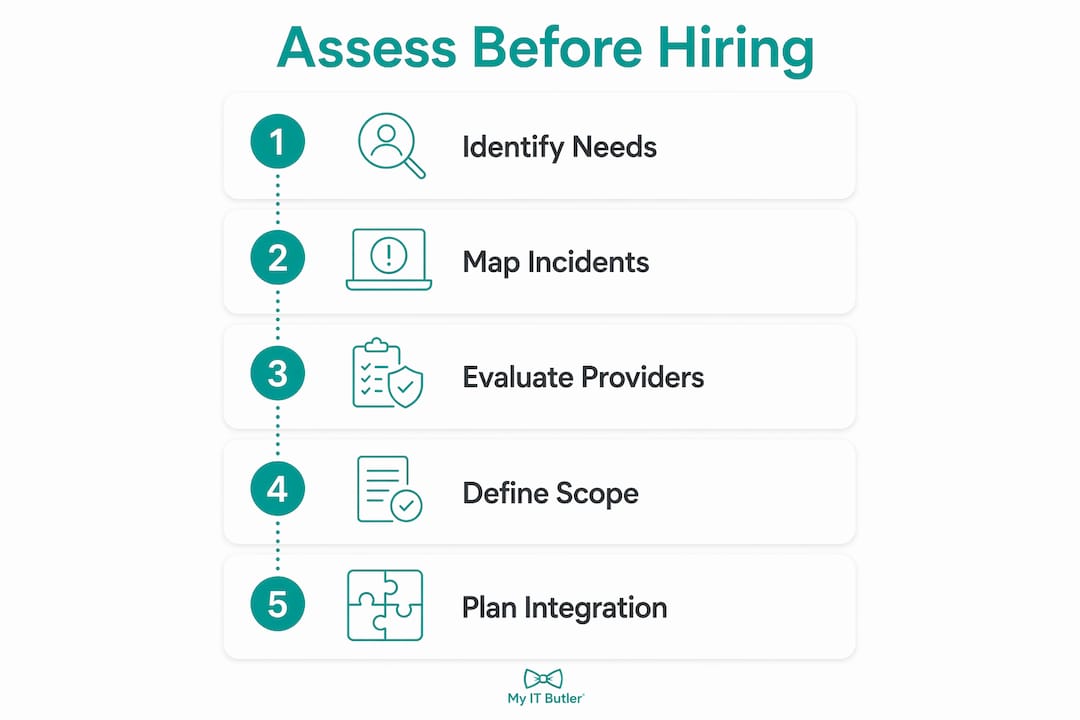
Choosing the wrong provider is almost always the result of skipping this step. Before you contact a single vendor, you need a clear picture of what your business actually requires from IT support.
Outsourced IT support is not one-size-fits-all. Businesses must evaluate whether their needs are primarily remote troubleshooting or whether physical hardware support is also required. A fully distributed team with cloud-based tools has very different needs from a hybrid office with servers, printers, and on-site networking gear.
Work through these questions before approaching providers:
- What is your team size and geographic spread? A 10-person team in one country needs different coverage than a 40-person team across four time zones.
- Do you need break-fix support only, or proactive monitoring? Break-fix means you call when something goes wrong. Proactive management means your provider monitors systems continuously and addresses issues before they affect your team.
- What compliance or security obligations apply to your business? Industries like finance, healthcare, and legal have specific requirements that not every MSP is equipped to meet.
- What is your monthly IT budget? Knowing your ceiling before you request quotes prevents wasted time on both sides.
- Do you already have internal IT staff? If so, a co-managed IT arrangement may suit you better than full outsourcing.
Pro Tip: Map your last six months of IT incidents before speaking to any provider. Categorise them by type: connectivity, software, security, hardware, or user error. This single exercise tells you exactly what expertise you need and gives providers the context to quote accurately.
The co-managed IT model allows businesses to retain one or two internal IT members for strategic work while outsourcing helpdesk, monitoring, and after-hours tasks to a provider. This is worth considering if you have someone internal who understands your business deeply but cannot cover every technical need alone.
How do you find and evaluate remote IT support providers?
Finding a provider is straightforward. Finding the right one takes a structured approach. Follow these steps to avoid the most common mistakes.
-
Define your scope in writing before you search. List the services you need, the hours of coverage required, and any compliance or security standards that apply. This document becomes the basis for every quote you receive.
-
Research providers with relevant specialisations. A generalist MSP may handle basic helpdesk well but lack depth in cloud security or multi-timezone coordination. Look for certifications such as CompTIA Security+, CCNA, or PRINCE2 as indicators of structured expertise.
-
Compare service level agreements (SLAs) carefully. An SLA defines response times, resolution targets, and escalation procedures. A provider promising "fast response" without specific timeframes in writing is not making a commitment you can hold them to.
-
Check references from businesses similar to yours. A provider experienced with retail businesses may not understand the IT environment of a distributed professional services firm. Ask for references from clients with comparable team sizes and structures.
-
Understand the pricing model fully. Flat monthly fees that include monitoring, patching, security tools, and vendor management are the clearest indicator of a mature provider. Per-incident billing can become expensive quickly and creates a disincentive for proactive work.
-
Request a detailed scope of work before signing anything. Vague contracts produce disputes. The scope should specify exactly what is included, what triggers an out-of-scope charge, and how changes are managed.
Here is a quick comparison of the two primary engagement models:
| Model | Best for | Key trade-off |
|---|---|---|
| Fully outsourced MSP | Teams with no internal IT staff | Less institutional knowledge of your business |
| Co-managed IT | Teams with 1-2 internal IT staff | Requires clear role boundaries to avoid overlap |
For businesses with remote teams facing IT challenges, the co-managed model often delivers the best of both worlds. Your internal person handles context and relationships; the external provider handles depth and coverage.
How do you implement remote IT support in a distributed team?
Getting the contract signed is the beginning, not the end. Poor implementation is the most common reason businesses feel let down by outsourced IT support, and it is almost always avoidable.
-
Set up communication channels before day one. Your provider needs clear paths to reach your team and vice versa. Define whether support requests go through a ticketing system, WhatsApp, email, or a dedicated portal. Ambiguity here creates delays during incidents.
-
Document your environment thoroughly at the start. Provide your provider with a full inventory of devices, software licences, cloud accounts, and network configurations. A managed service provider operates as a team with backup coverage, but that team needs accurate documentation to work effectively from day one.
-
Define escalation procedures explicitly. Who gets called if a critical system goes down at 2am? What constitutes a critical incident versus a standard request? Write this down and share it with both your team and your provider.
-
Integrate with existing internal IT staff if applicable. In a co-managed arrangement, role clarity prevents duplication and friction. Your internal person should own strategy and vendor relationships; the external provider should own monitoring, helpdesk, and security patching.
-
Establish security protocols from the outset. Consistent security across distributed teams requires agreed standards for password management, multi-factor authentication, device encryption, and software update policies. Do not leave this to be sorted out later.
-
Review performance monthly for the first quarter. Track ticket volumes, resolution times, and any recurring issues. The first 90 days reveal whether the scope was defined correctly and whether the provider is delivering against their SLA.
Pro Tip: Ask your provider to deliver a written environment report at the 30-day mark. This report should document what they found, what they fixed, and what risks remain. If a provider cannot produce this, that tells you something important about their working standards.
Defining clear scope upfront between reactive and proactive services avoids unexpected bills and clarifies service levels. The businesses that get the most from outsourced IT support are the ones that treat the provider as a partner, not a vendor they call when things break.
Key takeaways
Outsourced IT support delivers cost savings, broader expertise, and operational consistency that a single full-time hire cannot match, making it the practical choice for most remote and distributed teams.
| Point | Details |
|---|---|
| Cost advantage is substantial | Outsourcing typically costs 40% to 60% less than an equivalent in-house team annually. |
| Co-managed IT suits hybrid teams | Retaining one internal IT person alongside an MSP combines context with technical depth. |
| Scope definition prevents disputes | Clearly separating break-fix from proactive management avoids unexpected out-of-scope charges. |
| Consistency is the core benefit | Standardised policies across all devices and locations reduce security risk for distributed teams. |
| Assessment before selection matters | Mapping your IT incidents and compliance needs before approaching providers produces better outcomes. |
Why the co-managed model is the one I keep recommending
I have worked with enough distributed businesses to know that the debate between "hire full-time" and "fully outsource" is usually the wrong frame. Most businesses I speak with do not need one or the other. They need a capable internal person who understands the business, backed by a provider with the depth and coverage that no single hire can replicate.
The co-managed IT model is not a compromise. It is a deliberate design. Co-managed IT costs less than hiring a second full-time IT employee at $130,000 to $150,000 per year, while delivering broader expertise across cybersecurity, compliance, and cloud. That is not a marginal improvement. That is a structural advantage.
What I find most businesses underestimate is the resilience argument. A single internal hire gets sick, resigns, or simply does not know what they do not know. An MSP brings a bench of specialists with documented processes and backup coverage. When something goes wrong at an inconvenient hour, that bench matters enormously.
My honest advice: do not select a provider based on price alone. Select based on their documentation standards, their SLA specifics, and whether they have worked with businesses at your level of complexity. A provider with managed IT tools suited to SMBs and a clear onboarding process will outperform a cheaper generalist every time.
— Thomas
See how Myitbutler supports remote teams globally

Myitbutler delivers remote IT support for small businesses and distributed teams from an Australian base with over 15 years of enterprise experience. Their services cover on-demand troubleshooting, proactive monitoring, vendor liaison, and security management, all on transparent fixed monthly pricing with no lock-in contracts. Whether you need fully outsourced IT support or a co-managed arrangement that works alongside your existing team, Myitbutler tailors the scope to your actual needs. Certifications including CCNA, CompTIA Security+, and PRINCE2 underpin every engagement. Book a consultation to discuss your team's requirements and receive a clear, no-obligation proposal.
FAQ
What does outsourced IT support actually cost per month?
Managed IT per-user monthly fees typically range from $125 to $250 depending on service level and complexity. For a 20-person team, that translates to roughly $2,500 to $5,000 per month for comprehensive coverage including monitoring, helpdesk, and security patching.
Is remote IT support secure enough for my business data?
Remote IT support uses encrypted connections to access devices, and reputable providers apply standardised security policies across every endpoint they manage. Providers holding certifications such as CompTIA Security+ operate to defined security frameworks that meet or exceed what most small businesses could implement internally.
What is the difference between break-fix and managed IT support?
Break-fix support means you contact a provider when something goes wrong and pay per incident. Managed IT support means your provider monitors your systems continuously, addresses issues proactively, and charges a flat monthly fee. Failing to define this distinction upfront is the most common source of unexpected charges in outsourced IT contracts.
Can remote IT support work for teams spread across multiple time zones?
Remote IT support resolves issues in a single session without site visits, making it well suited to geographically distributed teams. Providers with 24/7 coverage or follow-the-sun support models handle multi-timezone teams without requiring local technicians in each country.
How do I know if a co-managed IT model suits my business?
Co-managed IT suits businesses that already have one or two internal IT staff but need broader coverage, after-hours support, or specialist expertise in areas like cybersecurity or cloud. If your internal person is handling strategic work but struggling with helpdesk volume or security monitoring, a co-managed arrangement fills that gap without replacing them.