

Finding remote managed IT services with transparent pricing, certified Australian support, and fast issue resolution remains a challenge for remote teams, expats, and small businesses. Many services hide fixed rates, lack certified local staff, or drop the ball on end-to-end remote supervision. This comparison lines up price, response benchmarks, and support scope so you can choose a provider that actually meets your real-world needs.
Table of Contents
- My IT Butler
- Lookup Managed IT and Cybersecurity Services
- OutTask
- Emerge IT
- Comparison of alternatives
My IT Butler
At a Glance
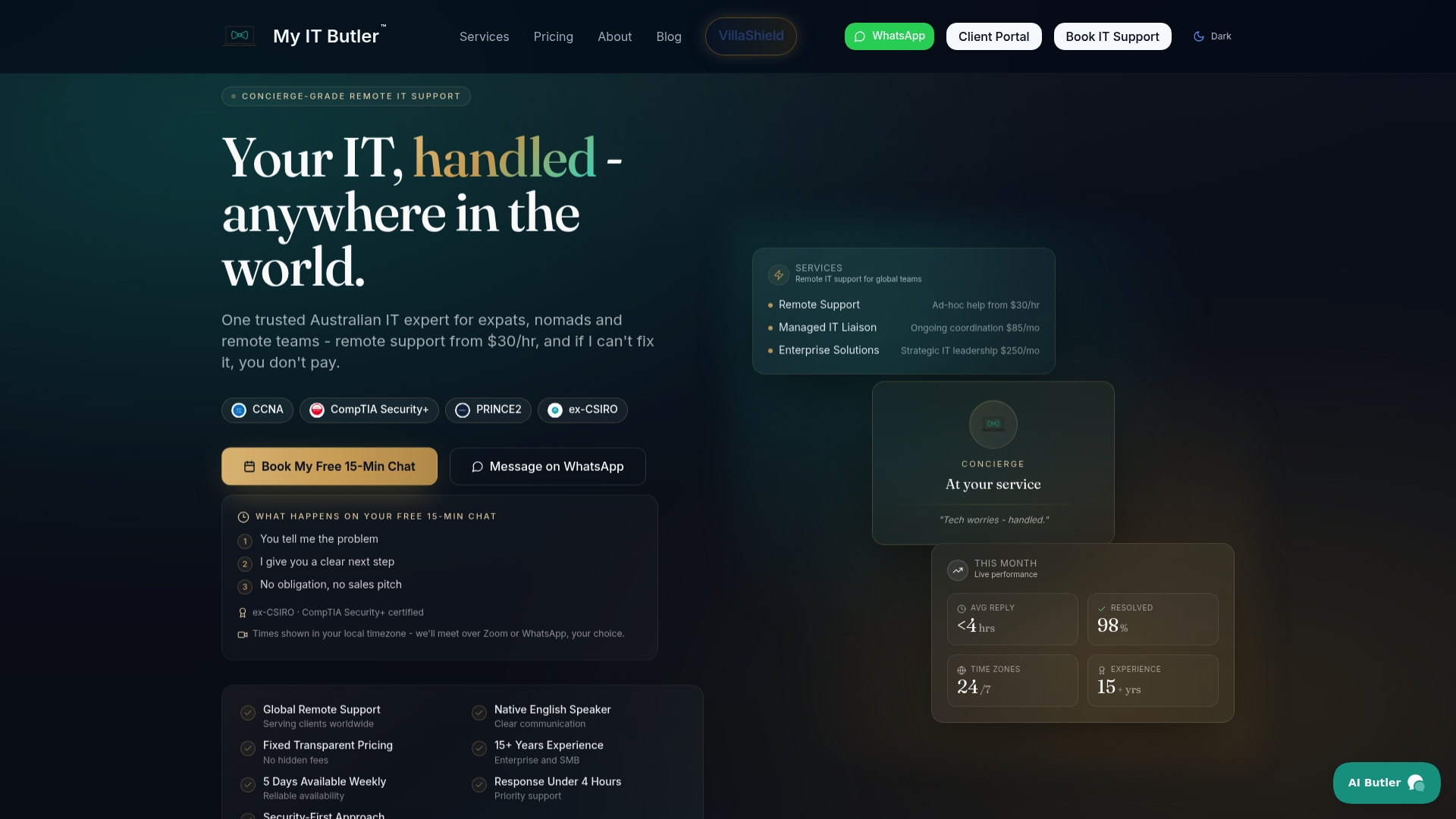
Remote IT support from $30/hr with a no fix, no fee policy is the standout offer here. The team reports more than 15 years of enterprise experience and holds CCNA, CompTIA Security+, and PRINCE2 credentials. The service also includes VillaShield, a property security assessment aimed at international property owners and short term rental operators.
Core Features
My IT Butler handles on demand troubleshooting and ongoing IT liaison work across Windows, macOS, iOS, Android, Microsoft 365, and Google Workspace. They provide managed IT supervision, vendor coordination, and enterprise strategic guidance, while supporting clients across multiple time zones. Communication channels include WhatsApp, email, and direct messaging for rapid coordination.
Key Differentiator
Australian certified expertise combined with an explicit security first approach tailored to global remote teams sets this service apart.
Pros
The vendor advertises transparent fixed pricing and no hidden fees, which simplifies monthly budgeting for distributed teams. The vendor also advertises fast response times under 4 hours for enterprise plans, which helps reduce downtime for time sensitive operations. Certified Australian technicians and native English communication make handovers and vendor conversations straightforward for expats and international staff.
Cons
- No on site support is available.
Who It's For
Remote teams, expatriates, and international organisations that need a single Australian based point of contact for dispersed IT environments. This suits companies that prefer certified technicians and predictable billing rather than ad hoc local contractors. It is less suitable for businesses that require engineers on site.
Unique Value Proposition
Fixed, transparent rates combined with a no fix, no fee policy let you estimate support cost before committing. That pricing model reduces procurement friction for small IT budgets while preserving access to certified Australian expertise. For teams spread across time zones, the predictable billing and a named liaison reduce administrative overhead and speed vendor escalations.
Real World Use Case
A distributed software team with staff in three countries uses My IT Butler as their Australian based IT coordinator. The liaison manages Microsoft 365 tenant changes, raises vendor support tickets, and performs remote troubleshooting during overlapping business hours. VillaShield helps a team member who manages short term rentals assess network security before guests arrive.
Pricing
On demand support starts at $30 USD/hr. Managed IT liaison begins at $85 USD/month. Enterprise solutions start at $250 USD/month and include elevated response options and strategic planning.
Website: https://myitbutler.com
Lookup Managed IT and Cybersecurity Services
At a Glance
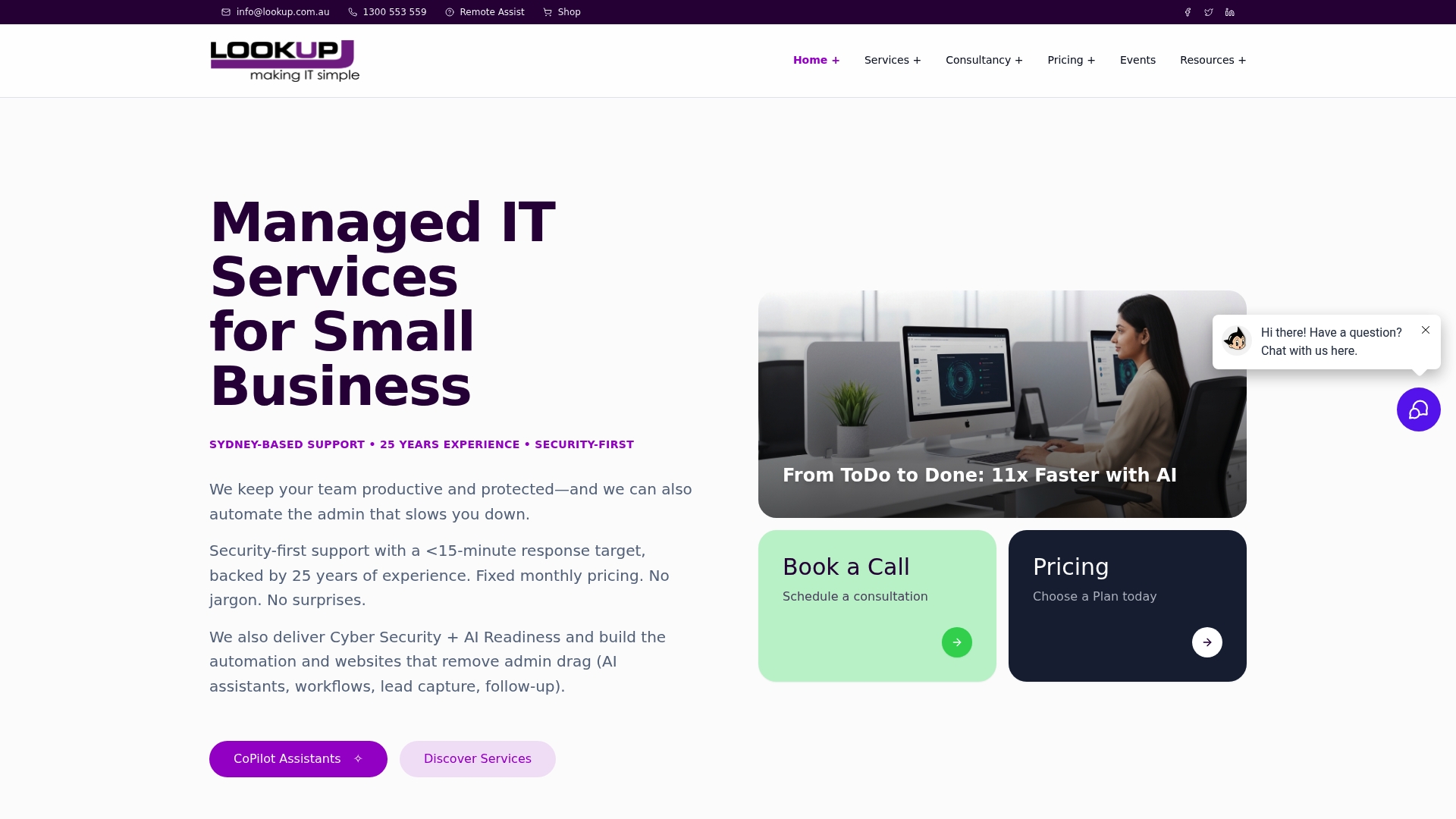
Lookup reports an average support response time of 13 minutes, a concrete metric that matters for time-sensitive incidents. The team offers local senior engineers rather than offshore juniors. Their focus pairs managed IT with cybersecurity and AI automation to help SMBs scale securely.
Core Features
Lookup bundles managed IT with fixed monthly pricing, cybersecurity aligned to recognised frameworks, AI assistants for workflow automation, and website lead capture automation. The vendor states cybersecurity aligns with ISO 27001 and NIST. Strategic IT and AI roadmap services help plan rollouts and control expansion.
Key Differentiator
Lookup combines strategic IT planning and security expertise with hands-on AI automation delivered by local senior engineers. That mix helps multi-site operators adopt automated workflows while keeping security and governance central to each rollout.
Pros
Experienced local senior engineers reduce the need for internal technical oversight and cut the coordination burden for multi-site projects. The vendor reports a fast average response time, and that responsiveness supports urgent fixes and onboarding. Transparent per-user pricing simplifies forecasting, and the security-first design plus roadmap advice helps organisations plan AI adoption without sacrificing compliance.
Cons
- No full pricing matrix published for every service, so final costs can vary by plan or custom work.
- AI functionality requires clients to structure and upload internal documents for effective customisation.
- Integrating with bespoke or legacy systems can involve additional setup time and engineering effort.
When It May Not Fit
If your organisation cannot provide organised internal documentation, the AI assistants will need more vendor time to reach useful accuracy. Large enterprises with highly customised legacy systems may face longer integration windows and higher setup costs. If you need fully public, line-by-line pricing for every module, Lookup does not publish that level of detail.
Who It's For
Small to medium businesses and multi-site operators that want strategic, security-focused IT and AI automation from local engineers. Teams that prioritise predictable per-user costs and hands-on vendor guidance will find the model suitable. Organisations planning standardised rollouts across several locations benefit most.
Real World Use Case
A franchise chain used Lookup to standardise technology for new outlets. The vendor provided managed services, security policies aligned to recognised frameworks, and automation to capture leads and onboarding steps. That approach sped deployments and kept each location to consistent security standards.
Pricing
Fixed monthly plans start at $100 per user for Managed Services. CyberProtect begins at $65 per user and CyberSecure at $125 per user. AI CoPilot services start at $150 per user, with custom quotes for tailored solutions and larger rollouts.
Website: https://lookup.com.au
OutTask
At a Glance
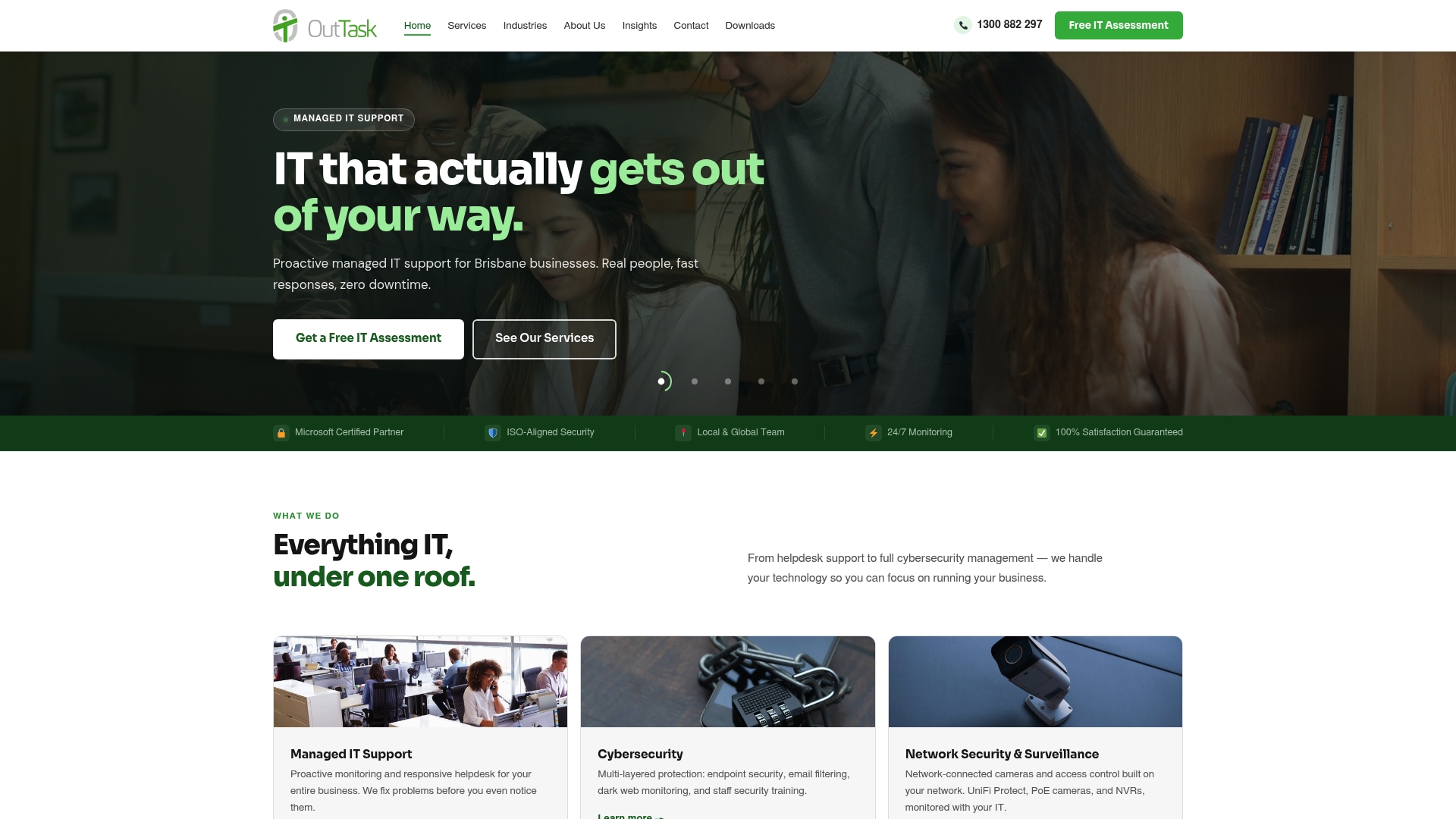
From $100 per user, per month for managed IT with flat-rate plans and clearly listed ad-hoc rates. The vendor states its security is aligned with ACSC Essential 8, and the team offers 24/7 monitoring and local account management. That combination targets Brisbane businesses that want local accountability and predictable billing.
Core Features
OutTask combines proactive managed IT support and a helpdesk with layered cybersecurity that includes endpoint protection, email filtering, dark web monitoring, and staff security training. They manage and migrate Microsoft 365 tenants, design enterprise network infrastructure, and deliver cloud phone systems and backup and disaster recovery. Local account management, industry-specific configurations, and flat-rate pricing complete the service mix.
Key Differentiator
A local Brisbane team takes primary responsibility for operations and client contact. That local focus pairs with region-aware services for South East Queensland businesses and places emphasis on on-site vendor liaising and face-to-face account reviews. Unlike Myitbutler, which targets global remote teams, OutTask concentrates on local responsiveness and Queensland industry needs.
Pros
Local presence gives clear accountability and makes vendor escalation faster than purely remote providers. Proactive monitoring and a helpdesk reduce visible downtime by catching issues before they affect staff. Flat-rate pricing removes surprise bills and bundles Microsoft 365 management, network design, VoIP, and backup under one contract so single-vendor procurement becomes practical for SMBs.
Cons
- Some customers report occasional delays in response during peak periods or for complex issues. This can affect urgent incident handling.
- Large migrations and custom configurations may feel complex for businesses without in-house IT knowledge. That raises the onboarding effort.
- Flat-rate pricing may still be expensive for very small businesses that only need basic breakfix support. The service suits SMBs with moderate to rich IT demands.
When It May Not Fit
OutTask may not be cost-effective for sole traders or microbusinesses with minimal IT needs. Organisations that require fully remote, multi-time-zone coverage or an international helpdesk will find OutTask too locally focused. Businesses needing instant global scale should consider a national or international provider instead.
Who It's For
Small to medium businesses in Brisbane and South East Queensland that want a local managed IT partner. Ideal for firms that need Microsoft 365 support, network design for multiple sites, and ongoing cybersecurity aligned to national guidance. Suits sectors that require industry-specific controls such as legal, healthcare, and construction.
Real World Use Case
A Brisbane legal firm uses OutTask for Microsoft 365 tenancy management, endpoint protection, and network upgrades. The local team manages compliance checks and trains staff on email security. That set of services keeps remote lawyers connected and helps maintain client confidentiality during remote hearings.
Pricing
Pricing starts from $100 per user, per month with tailored plans available. Ad-hoc and project work is billed at $175/hr, and after-hours support at $260/hr ex GST. The company publishes clear hourly rates and offers flat-rate bundles for ongoing management.
Website: https://outtask.com.au
Emerge IT

At a Glance
Emerge IT has served regional and remote Australian communities for over 25 years, with a local warehouse that speeds hardware deployment. The company focuses on health, mining, defence, and community organisations across dispersed locations. That long local presence shapes how it prioritises support and logistics.
Core Features
Emerge IT bundles managed IT, help desk support, and cybersecurity aligned to ACSC Essential Eight controls so organisations can meet Australian baseline practices. The agency offers cloud services, hosted phone systems and Hosted VoIP, and manages document workflows through managed print solutions with Canon equipment. Staff based across capital cities and remote regions support on-the-ground hardware logistics.
Key Differentiator
Emerge IT’s defining trait is its local footprint in remote and regional Australia, combined with a warehouse to dispatch hardware quickly. That local presence lets the agency match technical work to community schedules and limited-connectivity environments. The emphasis on long-term community partnerships shapes its service priorities rather than enterprise centralised data centre offerings.
Pros
Emerge IT reports a team of over 70 professionals, giving it visible capacity for multi-site rollouts and ongoing field support. The team mixes help desk staff, on-site technicians and logistics personnel so a hardware order can move from warehouse to site without multiple vendors. Its alignment with ACSC guidance and experience across healthcare, mining and defence means the agency understands sector-specific compliance and uptime needs in remote contexts.
Cons
- Limited public pricing information suggests quotes are likely tailored to each client rather than fixed tiers. This reduces price transparency for quick budget comparisons.
- The vendor does not publish detailed technical limitations or independent performance data, so third-party references are useful before committing.
- Strong focus on regional operations may mean less attention to multinational enterprise requirements or large-scale data centre projects.
When It May Not Fit
If your organisation needs global data centre resilience, carrier-neutral colocations, or enterprise networking across multiple countries, Emerge IT may not match that scale. Clients requiring standardised, global managed hosting or a single pane of glass across dozens of overseas sites should look elsewhere. Metropolitan enterprises seeking exclusively high-end, campus-style networking could find the agency’s regional emphasis a poor fit.
Who It's For
Regional health providers, mining operations, government field offices and community organisations in Australia that need reliable local support will find Emerge IT appropriate. The agency suits organisations that value on-the-ground logistics, rapid hardware dispatch, and a partner familiar with limited-connectivity sites. It is less well suited to firms needing global infrastructure or enterprise-only services.
Real World Use Case
A regional Aboriginal health service relies on Emerge IT to manage endpoints, roll out secure printing, and meet baseline cybersecurity practices while staff work from remote clinics. The agency handles hardware provisioning from its warehouse and provides remote help desk support for nurses and administrative teams. That model keeps clinicians connected without adding vendor complexity.
Pricing
Pricing is not publicly listed and is described as customised to client needs. Expect project quotes or tailored managed service agreements rather than off-the-shelf monthly tiers. Contact the vendor for a scoped proposal and a site-based assessment.
Website: https://emergeit.com.au
Comparison of alternatives
Selecting the right remote IT service depends on finding a match that aligns with your team’s operational priorities and technical requirements. This analysis highlights the strengths of four services to assist in an informed decision.
Accessibility and responsiveness
Lookup Managed IT Services provides a leading 13-minute average response time. For organisations requiring immediate support resolutions, this feature maximises uptime. While My IT Butler provides exceptional transparency and communication tools for international clients, its planned response time may not meet the needs of high-urgency scenarios efficiently addressed by Lookup.
Localisation and on-the-ground support
OutTask is distinct in its focus on Brisbane-based organisations with sector-specific expertise and in-person account management. For small-to-medium enterprises requiring local presence and familiarity with Queensland’s industry guidelines, OutTask exceeds the capacity of more globally oriented vendors like My IT Butler. Conversely, Emerge IT, with its embedded regional focus and hardware provisioning warehouses, renders it an partner for logistical operations across Australia’s remote communities.
Best fit
- Teams operating across international time zones requiring a predictable, globally coordinated liaison without variable billing—choose My IT Butler.
- Small enterprises prioritising immediate response times for high-stakes scenarios—opt for Lookup Managed IT Services.
- South East Queensland businesses demanding a strong in-person vendor relationship combined with flat-rate, bundled services—engage OutTask.
- Organisations in regional Australia with logistical or specific regulatory requirements—Emerge IT facilitates customised, logistics-specialised IT support.
Our pick
My IT Butler is our recommended choice for international teams prioritising transparent pricing, unified communication channels, and security-conscious remote support across diverse time zones. Although other providers such as Lookup feature direct-response strength, My IT Butler’s emphasis on global liaison makes it indispensable for distributed businesses seeking consistent, certified support. If your operation’s needs are better aligned with immediate availability or regional expertise, one of the competitors mentioned would better serve your requirements.
When evaluating remote managed IT services, consider the following comparison of prominent providers:
| Service Provider | Key Feature | Unique Strength | Pricing | Limitation |
|---|---|---|---|---|
| Myitbutler | Remote IT support and vendor coordination | Certified Australian expertise with predictable fixed rates | From $30 USD/hr | No on-site support available |
| Lookup | Managed IT with cybersecurity integration | Rapid response time within 13 minutes | From $100 per user/month | Relies on organised client documentation for AI setup |
| OutTask | Local Brisbane IT support and on-site operations | Focus on South East Queensland with flat-rate pricing | From $100 per user/month | No international or time-zone spanning support |
| Emerge IT | Regional and remote Australian IT logistics | Strong presence in remote locations with quick hardware dispatch | Pricing not published | Less suited to global enterprise scalability |
Finding reliable remote IT support beyond solvemyit.com.au alternatives
Many small businesses, expats, digital nomads, and remote teams struggle to find an Australian-based IT partner who provides clear pricing, certified expertise, and support across multiple time zones. Common pain points include unpredictable costs, slow responses, and difficulty coordinating IT tasks remotely. Myitbutler meets these needs with fixed, transparent rates and a no fix, no fee promise, backed by certified Australian technicians experienced in enterprise-level standards.
Myitbutler helps international organisations with on-demand troubleshooting, IT supervision, vendor liaison, and strategic planning tailored to global remote teams. Fast communication via WhatsApp, email, and direct messaging reduces delays and eases teamwork across dispersed locations.
For a trusted Australian-standard partner who understands your global IT challenges, visit Myitbutler to book a consultation and start managing your IT support with clear costs and expert service that spans continents.
FAQ
What makes Myitbutler a suitable choice for remote managed IT services?
Myitbutler offers remote IT support starting at $30/hr with a no fix, no fee policy. This approach ensures you know your costs upfront, making budgeting easier for remote teams. Consider booking a consultation via Myitbutler.
How does Lookup compare to Myitbutler in terms of response times?
Lookup reports an average support response time of 13 minutes, highlighting its speed for urgent requests. Myitbutler, while not as fast in this particular metric, excels in providing expert support with a focus on a no fix, no fee policy, making it ideal for businesses that appreciate predictable billing over immediate response times.
Which platform is more focused on cybersecurity alongside IT management: OutTask or Myitbutler?
OutTask aligns its security measures with the ACSC Essential 8, which is a significant advantage for ensuring compliance. Myitbutler’s primary focus is on providing reliable IT support with certified experts but does not emphasise cybersecurity to the same extent, making it suitable for teams looking for versatile IT management without the advanced security focus.
Are there limitations to using Emerge IT compared to Myitbutler?
Emerge IT primarily caters to regional and remote Australian communities, which may not suit international businesses needing a broader reach. Myitbutler, by contrast, serves global clients with its remote support tailored for expatriates and digital nomads, ensuring accessibility across borders.
How can I expect Myitbutler's pricing structure to benefit my business?
Myitbutler's transparent pricing and no fix, no fee guarantee help you predict costs effectively. This is beneficial for small businesses and remote teams that need straightforward budgeting without unexpected charges. The easily understood pricing model encourages teams to utilise IT support without financial anxiety.