
TL;DR:
- Remote desktop support models include attended, unattended, and hybrid configurations, each suited for different operational needs and security requirements. Choosing the correct model depends on mapping workflows, ensuring strict security controls, and maintaining clear role boundaries to prevent governance gaps. Proper tool selection and governance practices are essential to avoid credential exposure, audit issues, and operational inefficiencies.
Remote desktop support solutions are defined by three core access models: attended, unattended, and hybrid, each designed to meet distinct IT support scenarios, security requirements, and operational constraints. Choosing the wrong model does not just slow your help desk. It creates credential exposure, audit gaps, and frustrated end users across your distributed workforce. This article maps each model clearly, compares the leading tools that exemplify them, and gives IT managers a practical framework for selecting the right remote support approach for their business.
1. What is attended remote desktop support and when is it best used?
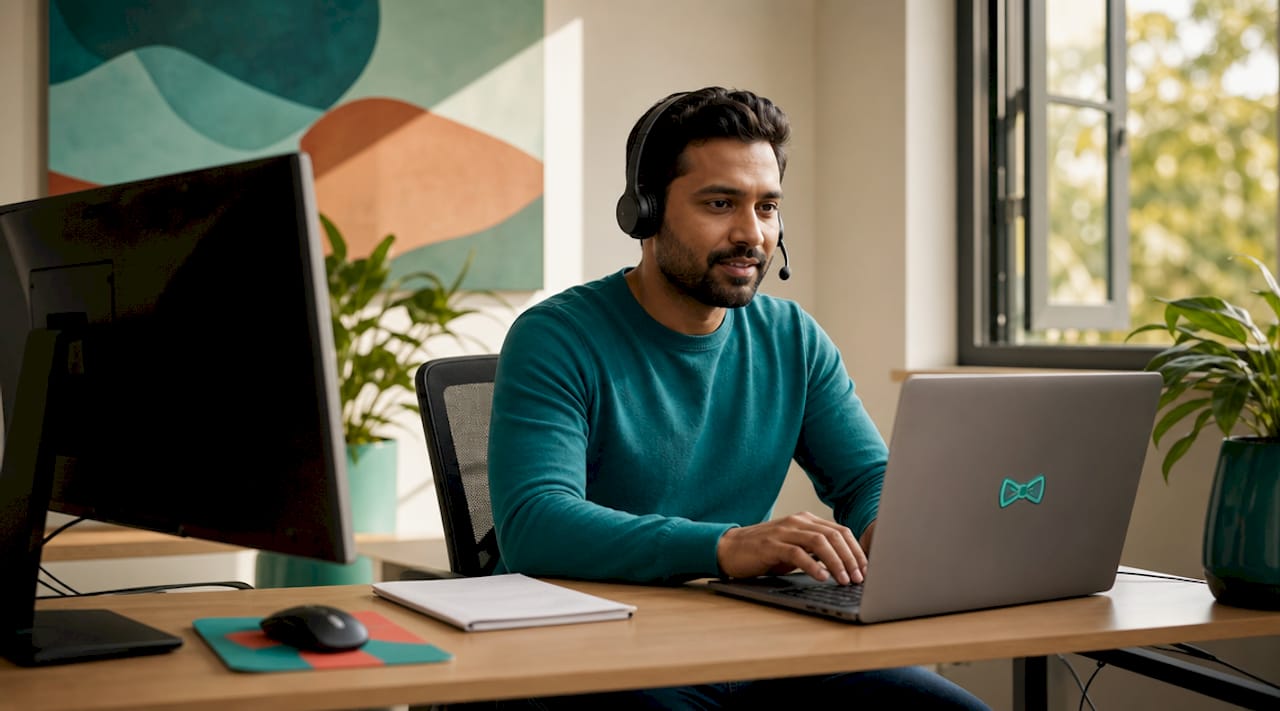
Attended remote support is defined as a live, interactive session where the end user must be present, consent to the connection, and actively approve the technician's access. The session authority is transient. Once the user closes or revokes the session, the technician's access ends immediately. This model is the standard for help desk operations, customer-facing support, and any scenario where a person is sitting at their device with a problem to solve right now.
The security profile of attended support is strong precisely because of its temporary nature. Attended session authority is scoped to the duration of the interaction, which limits credential exposure and reduces the attack surface compared to persistent access methods. Microsoft Intune Remote Help is a clear example of this model done well. It requires both the helper and the sharer to sign in with corporate Entra ID accounts, enforcing tenant-scoped session security with defined role distinctions between the two parties.
Common use cases for attended support:
- Help desk calls where a user cannot resolve a software error independently
- Onboarding sessions where a technician walks a new employee through configuration
- Customer support for SaaS products requiring screen-share troubleshooting
- Compliance-sensitive environments where every access event must be user-approved
The main limitation is dependency on user availability. If your team spans multiple time zones, scheduling attended sessions across a 12-hour gap becomes operationally painful. Attended support also cannot address issues on locked, unattended, or offline devices.
Pro Tip: When deploying attended support tools, confirm that your chosen platform enforces role-based access control (RBAC) at the session level, not just at the account level. Microsoft Intune Remote Help separates helper and sharer roles explicitly, which is the governance standard worth benchmarking against.
2. How does unattended remote desktop support work?
Unattended remote access allows a technician to connect to a device without the end user being present or approving the session. This is made possible by a persistent background agent installed on the endpoint. Unattended access relies on installed agents that maintain connectivity independent of whether anyone is logged in, making it possible to perform maintenance at the login screen or during off-hours windows.
The operational value is significant. Server patching at 2am, endpoint configuration pushes across 200 machines, and post-incident forensic access all require unattended capability. Without it, your team is blocked until a user is available, which is not a viable model for infrastructure management.
Security, however, demands serious attention. Endpoint agents become control points that require stringent deployment, hardening, and ongoing monitoring. An unmanaged or poorly configured agent is an open door. Treating agent security as an afterthought rather than a core deployment requirement is one of the most common mistakes IT teams make when rolling out unattended access at scale.
Best practices for unattended remote support deployment:
- Restrict agent installation to managed, domain-joined or Intune-enrolled devices only
- Apply least-privilege permission scopes so agents cannot escalate beyond their defined role
- Log every unattended session with timestamps, technician identity, and actions taken
- Review and rotate agent credentials on a defined schedule, not ad hoc
- Monitor for anomalous connection patterns using your SIEM or endpoint detection tools
Pro Tip: Separate your unattended access permission groups from your attended support roles in your identity provider. Technicians who handle live help desk calls do not automatically need persistent access to servers. Keeping these scopes distinct limits blast radius if an account is compromised.
3. Hybrid remote desktop support: combining both models
The hybrid model combines attended and unattended access within a single governance framework, allowing IT teams to handle live troubleshooting and autonomous background maintenance without switching platforms or compromising security controls. Most enterprise-grade remote support solutions for businesses now offer hybrid capability as a standard feature set.
A typical hybrid deployment workflow looks like this:
- A user submits a ticket for a recurring application crash.
- The technician initiates an attended session to observe the issue in real time and gather context.
- After the call, the technician schedules an unattended maintenance task to apply a patch and reconfigure the affected service overnight.
- The next morning, the technician reviews session logs from the unattended task before the user starts their day.
- If the issue recurs, the attended session history provides an audit trail for escalation.
Governance is the critical design consideration in hybrid environments. Roles must be clearly separated: attended support technicians and unattended infrastructure administrators should operate under distinct permission scopes, even if they are the same person in a small team. Mixing these roles without clear boundaries creates audit ambiguity and increases the risk of privilege misuse. Auditability is not optional in hybrid deployments. Every session, attended or unattended, must be logged with enough detail to reconstruct what happened, when, and why.
4. Comparison of popular remote desktop support solutions
Selecting from the available types of remote desktop support solutions requires understanding how each tool maps to the access models above. Dedicated remote support tools differ significantly from generic remote desktop clients, particularly in how they handle permission prompts, session scoping, and technician workflows.
| Solution | Access model | Authentication | Platform support | Notable feature |
|---|---|---|---|---|
| Microsoft Intune Remote Help | Attended | Microsoft Entra ID (tenant-scoped) | Windows, Android | RBAC, elevated session control |
| TeamViewer | Hybrid | Account-based, MFA optional | Windows, macOS, Linux, iOS, Android | Broad platform reach, policy management |
| AnyDesk | Hybrid | Account-based, access control lists | Windows, macOS, Linux, mobile | Low-latency performance, custom branding |
| Splashtop | Hybrid | SSO, MFA, device authentication | Windows, macOS, iOS, Android, Chromebook | Strong SMB pricing, compliance logging |
| Windows App (RDP) | Unattended | Windows credentials, network-level auth | Windows, macOS, iOS, Android | Native OS integration, no additional cost |
Microsoft Intune Remote Help is the strongest choice for organisations already operating within the Microsoft 365 ecosystem. Its tenant-scoped authentication prevents cross-tenant access, which is a deliberate security boundary. That same boundary becomes a constraint when you need an external vendor or managed service provider to assist your users, since helpers must be provisioned within your own Entra ID tenant.
TeamViewer and AnyDesk both offer hybrid models with broad platform support, making them practical for mixed-OS environments. Splashtop is worth serious consideration for SMBs that need compliance-grade logging without enterprise-level pricing. Windows Remote Desktop Protocol (RDP) remains the most widely deployed unattended solution, but it requires careful network hardening and should never be exposed directly to the internet without a VPN or zero-trust network access layer in front of it.
Pro Tip: Remote desktop access and secure remote access frameworks like VPN or ZTNA are not interchangeable. Your remote support tool selection and your network access strategy must be governed separately, with distinct controls for each.
5. How to choose the right remote support solution for your business
Many organisations oversimplify remote support tool selection by focusing on interface speed or price rather than mapping their actual support workflows to the access patterns and permission models each tool provides. The result is a tool that works in demos but creates governance gaps in production.
Work through these decision factors before committing to a platform:
- Map your workflows first. Identify whether your primary need is live user-facing support, background infrastructure management, or both. This determines whether attended, unattended, or hybrid is your baseline requirement.
- Assess your security posture. Organisations with strict compliance requirements (ISO 27001, SOC 2, HIPAA) need session logging, MFA enforcement, and RBAC as non-negotiable features, not optional add-ons.
- Check platform compatibility. If your workforce uses a mix of Windows, macOS, and mobile devices, a Windows-only tool creates immediate gaps. Confirm support for every endpoint type in your environment.
- Evaluate ease of use for both sides. A tool that technicians love but confuses end users will generate resistance and workarounds. Test the end-user experience, not just the technician console.
- Consider cloud-based versus agent-based deployment. Cloud-based desktop support tools reduce infrastructure overhead but depend on internet connectivity. Agent-based solutions offer more control but require active management of the agent fleet.
- Scale your cost model honestly. Per-technician licensing suits small teams. Per-device or concurrent-session models suit larger operations. Calculate total cost of ownership across your expected growth trajectory, not just your current headcount.
The right remote IT management tools for your business are the ones that match your actual support patterns, not the ones with the most features on a comparison page.
Key takeaways
Effective remote desktop support requires matching the access model to the workflow: attended for live user support, unattended for infrastructure management, and hybrid for organisations that need both under a single governance framework.
| Point | Details |
|---|---|
| Access model defines security posture | Attended sessions are transient; unattended sessions are persistent. Each carries a distinct audit and credential exposure profile. |
| Agent security is non-negotiable | Unattended access agents are control points that require hardening, monitoring, and least-privilege scoping from day one. |
| Hybrid needs clear role separation | Mixing attended and unattended permissions without defined boundaries creates audit gaps and increases privilege misuse risk. |
| Tool selection must follow workflow mapping | Choosing a tool based on UX or price before mapping support workflows leads to governance failures in production environments. |
| Tenant-scoped tools have real constraints | Microsoft Intune Remote Help's Entra ID requirement is a security strength, but it complicates external vendor support scenarios. |
What I've learned from watching businesses get this wrong
After more than 15 years working across enterprise and SMB IT environments, the pattern I see most often is not a bad tool choice. It is a good tool deployed against the wrong mental model. A business selects TeamViewer because it is fast and familiar, configures it for unattended access across the entire device fleet, and then assigns those credentials to every technician on the team. Six months later, they cannot tell you who accessed which machine, when, or why.
The uncomfortable truth is that most remote support deployments are under-governed from the start. The attended versus unattended distinction is not just a technical category. It is a governance decision that determines how you audit access, how you scope credentials, and how you respond when something goes wrong. Organisations that treat it as a checkbox on a procurement form pay for that decision later.
I am also sceptical of the assumption that cloud-based desktop support tools automatically solve the complexity problem. They reduce infrastructure overhead, but they shift the governance burden to identity management. If your Entra ID or SSO configuration is not tight, a cloud-based tool is just as exposed as an on-premises one. The zero-trust framework conversation is worth having before you deploy, not after your first incident.
The businesses that get this right share one habit: they map their support workflows on paper before they open a vendor comparison page. That discipline separates teams that deploy well from teams that spend 18 months fixing what they rushed.
— Thomas
How Myitbutler can help you choose the right solution

Myitbutler is an Australian remote IT support provider with over 15 years of enterprise experience, serving distributed businesses, international teams, and organisations operating across multiple time zones. If you are working through which combination of attended, unattended, or hybrid remote support fits your environment, the answer depends on your workflows, your security posture, and your team structure. Myitbutler offers on-demand IT consultation to help you map those factors clearly and select a solution that holds up under real operational pressure. No long-term contracts, transparent fixed pricing, and support delivered to Australian standards globally. Visit Myitbutler to find out more.
FAQ
What are the main types of remote desktop support solutions?
Remote desktop support solutions are categorised into three access models: attended (requiring user presence and approval), unattended (persistent agent-based access without user involvement), and hybrid (combining both under a single governance framework). Each model suits different IT support scenarios and carries distinct security implications.
How does unattended remote desktop support work?
Unattended remote support uses a persistent background agent installed on the endpoint, allowing technicians to connect without the user being present or approving the session. This enables after-hours maintenance, server patching, and endpoint management independent of user availability.
Is Microsoft Intune Remote Help suitable for external vendor support?
Microsoft Intune Remote Help enforces tenant-scoped authentication via Microsoft Entra ID, meaning both the helper and the sharer must be provisioned within the same tenant. This makes it unsuitable for external vendor or managed service provider support scenarios without additional identity provisioning.
What security controls should I require in a remote support tool?
At minimum, require multi-factor authentication, role-based access control, full session logging with technician identity and timestamps, and least-privilege permission scoping. For unattended access, add agent hardening and anomaly monitoring as mandatory requirements, not optional features.
How is remote desktop support different from a VPN?
Remote desktop support gives a technician direct control of a specific endpoint for troubleshooting or maintenance purposes. A VPN provides network-level access to resources. These are distinct frameworks that require separate governance and should not be treated as interchangeable solutions.