

TL;DR:
- Remote IT response time is crucial for minimizing business downtime and maintaining productivity across distributed teams. Fast support, especially within 90 seconds, leads to higher resolution rates and improved employee trust. Measuring key metrics like TFMA and setting appropriate SLAs enhance overall IT service quality and operational resilience.
Remote IT response time is the single biggest factor determining whether a technical issue becomes a minor inconvenience or a full-scale operational crisis. For distributed organisations managing teams across cities, countries, or time zones, the gap between a problem appearing and a technician responding can cost thousands of dollars per hour. This article explains the real financial and productivity stakes behind IT response speed, the benchmarks that separate good support from great support, and the practical steps business leaders and IT managers can take to protect their operations in 2026.
Why remote IT response time matters: the core business case
Response time in remote IT support is defined as the elapsed time between a user reporting an issue and a qualified technician beginning active work on it. This is not the same as resolution time, and the distinction matters enormously for distributed teams.

The importance of remote IT response shows up most clearly in downtime costs. Mid-sized businesses lose between $5,000 and $25,000 per hour of unplanned downtime, with financial services, e-commerce, and healthcare sitting at the higher end of that range. That figure does not include the softer costs: missed client deadlines, damaged trust, and the time managers spend coordinating workarounds instead of running their business.
Beyond direct financial loss, knowledge workers lose 10–20% of productive time due to technology friction and slow IT support. Across a team of 20 people, that is the equivalent of two to four full-time employees producing nothing. For remote teams already navigating time zone complexity, that loss compounds quickly.
The business case for fast IT support is not about comfort. It is about protecting revenue, retaining staff, and keeping clients.
What are the measurable impacts of slow remote IT response?
Slow IT response creates damage in three distinct layers: financial, operational, and cultural. Most business leaders see only the first layer.
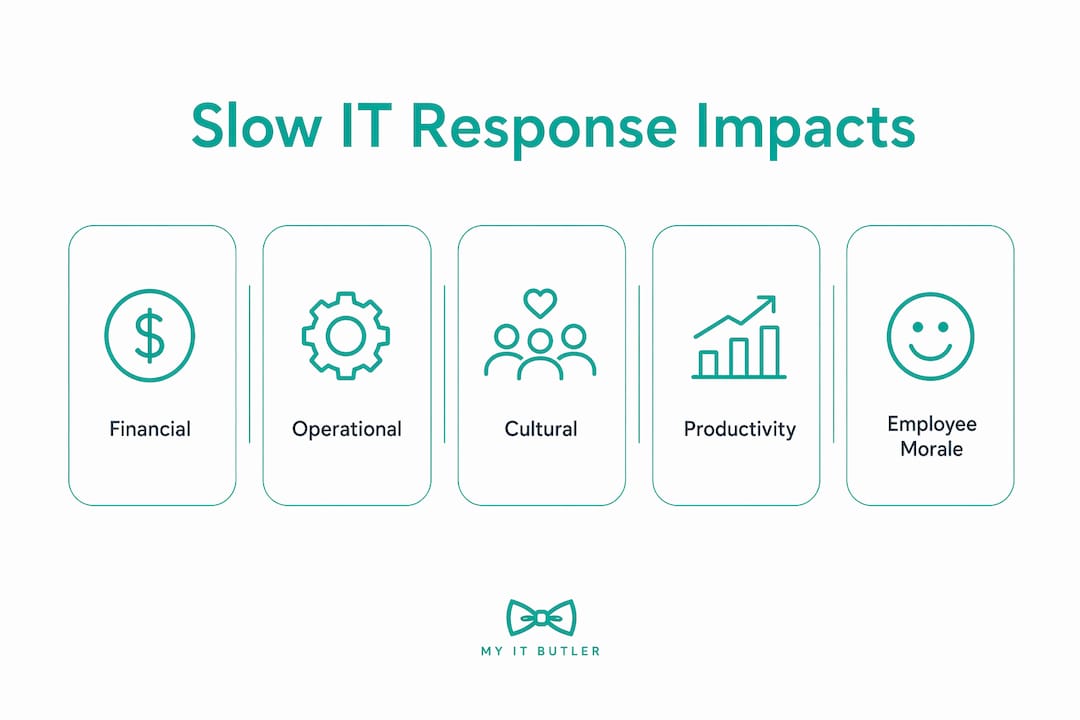
Financial losses are larger than they appear
The hourly downtime cost figures above are averages. For a financial services firm processing transactions or an e-commerce business during a peak sales period, losses can exceed $25,000 per hour within minutes of an outage. These numbers assume a single incident. Repeated slow responses across a quarter add up to a material drag on profitability that rarely appears as a line item in any budget review.
Operational disruption spreads fast in distributed teams
When IT support is slow to respond, employees do not sit and wait. They find workarounds. Slow IT response encourages risky workarounds and escalates minor issues into major incidents. A staff member locked out of a secure system might share credentials with a colleague. A broken VPN connection might prompt someone to use an unsecured public network. These are not hypothetical risks. They are the predictable behaviour of people under pressure with no fast path to help.
The hidden cost of poor IT response culture
Slow IT support also erodes morale. Remote employees who regularly wait hours for basic technical help feel deprioritised. That feeling translates into lower engagement, higher turnover, and a reluctance to report future issues promptly. The impact of IT response time on distributed team culture is one of the most underestimated costs in remote work management.
Key operational impacts of slow IT response include:
- Revenue loss from system downtime during business-critical hours
- Productivity drain as staff wait for fixes or attempt unsafe workarounds
- Security exposure from improvised solutions that bypass standard controls
- Escalation risk as minor faults grow into major incidents without early intervention
- Staff disengagement from repeated experiences of slow, frustrating support
How does fast IT response improve efficiency and employee satisfaction?
The benefits of fast IT support go well beyond simply fixing things quickly. Speed changes the entire dynamic between employees and their technology environment.
First-response time versus resolution time
Fast first-response time builds user trust more than total resolution time does and reduces escalations. This is a counterintuitive but well-supported finding. An employee who receives an acknowledgement within 90 seconds feels heard and supported, even if the full fix takes another 30 minutes. An employee who waits two hours for any response, even if the issue is then resolved in 10 minutes, feels abandoned.
This distinction has direct operational consequences. Fast acknowledgement reduces the likelihood of the employee escalating the issue to a manager, attempting a workaround, or simply giving up and losing productive time.
The 90-second benchmark and what it delivers
A 90-second response time benchmark correlates with a 93% same-day resolution rate. That is a remarkable figure. It means that when a support team commits to acknowledging issues within 90 seconds, nearly all problems are resolved before the end of the working day. For distributed teams operating across time zones, same-day resolution is the difference between a minor disruption and a problem that carries over into the next business day in another region.
Pro Tip: When evaluating remote IT providers, ask specifically for their first-response time metric, not just their average resolution time. The first-response figure tells you far more about day-to-day service quality.
Benefits of fast IT support that show up consistently in distributed organisations include:
- Fewer escalations to senior management or external vendors
- Higher staff confidence in reporting issues early, before they worsen
- Reduced back-and-forth during troubleshooting sessions
- Better compliance with security protocols because staff trust the support process
- Stronger overall IT governance across remote locations
What industry standards and tools enable rapid remote IT response?
The gap between slow and fast IT support is not just about staffing levels. It is about the tools, processes, and service model an IT team uses.
Remote support versus traditional on-site response
Remote IT support delivers up to 40% faster incident resolution than traditional on-site support. That figure reflects the elimination of travel time, the ability to begin diagnosis immediately, and the use of remote monitoring tools that often detect issues before users even notice them. For distributed organisations with staff in multiple locations, on-site support is not just slower. It is structurally incompatible with the pace of modern operations.
| Support model | Typical first-response time | Resolution speed | Coverage |
|---|---|---|---|
| Traditional on-site | 2–4 hours | Slower (travel dependent) | Single location |
| Remote IT support | Under 15 minutes | Up to 40% faster | Global, multi-timezone |
| Proactive managed IT | Near-instant (automated alerts) | Fastest (pre-emptive) | Global, continuous |
The TFMA metric: a smarter way to measure IT speed
Time to First Meaningful Action (TFMA) is the industry term for the moment a technician takes the first substantive diagnostic step after receiving a ticket. TFMA within 3 minutes predicts a median resolution time under 25 minutes. When TFMA extends beyond 3 minutes, resolution times climb significantly. This metric is more useful than raw response time because it measures actual progress, not just the moment someone says "we've received your ticket."
Outcome-focused remote IT goes beyond simple availability. It combines proactive monitoring, secure remote access tools, and structured escalation paths to deliver resolutions, not just responses. Providers holding certifications like CompTIA Security+ and CCNA are equipped to operate at this level.
Pro Tip: Ask your IT provider to report TFMA alongside first-response time in their monthly service reviews. If they cannot produce this metric, their reporting is not detailed enough to drive improvement.
How can business leaders measure and improve IT response times?
Improving IT response speed starts with measuring what you currently have. Most organisations are surprised by how little data they hold on their own IT support performance.
Key metrics every IT manager should track
- First-response time — the elapsed time from ticket creation to first human contact
- Time to First Meaningful Action (TFMA) — the elapsed time to the first diagnostic step
- Same-day resolution rate — the percentage of tickets closed within the business day they were opened
- Escalation rate — the percentage of tickets that require involvement beyond the first-line technician
- Repeat incident rate — the percentage of issues that recur within 30 days, indicating incomplete resolution
Setting SLAs that reflect business reality
A Service Level Agreement (SLA) is a formal commitment between a business and its IT provider defining expected response and resolution times. SLAs should be tiered by incident criticality. A complete system outage affecting 50 staff warrants a different response target than a single user's printer issue.
Realistic SLA tiers for distributed organisations typically look like this:
- Critical (system-wide outage, security breach): first response within 15 minutes, resolution target within 4 hours
- High (key staff unable to work): first response within 30 minutes, resolution target within 8 hours
- Standard (single user issue, non-urgent): first response within 2 hours, resolution target within 24 hours
Choosing the right remote IT partner
The cost of delayed IT response often exceeds any saving from choosing cheaper support, due to hidden productivity losses. This is the false economy trap that catches many growing businesses. A provider charging half the rate but responding in four hours costs more in lost productivity than a premium provider responding in 90 seconds. Understanding how to reduce IT downtime is as much about choosing the right partner as it is about internal process. Faster remote support also reduces the frequent handoffs and back-and-forth loops that frustrate users and consume technician time.
Key takeaways
Remote IT response time is a direct driver of business productivity, cost control, and operational continuity for distributed organisations.
| Point | Details |
|---|---|
| Response time drives revenue | Unplanned downtime costs $5,000–$25,000+ per hour, making fast response a financial priority. |
| First response beats resolution time | Acknowledging issues within 90 seconds builds trust and correlates with 93% same-day resolution. |
| TFMA predicts outcomes | Time to First Meaningful Action within 3 minutes predicts median resolution under 25 minutes. |
| Remote support is faster | Remote IT resolves incidents up to 40% faster than traditional on-site support models. |
| Cheap support costs more | Delayed response generates hidden productivity losses that outweigh any savings on support fees. |
The silent advantage most distributed businesses overlook
I have worked with distributed organisations across Australia, Southeast Asia, and Europe, and the pattern is consistent. The businesses that treat IT response time as a strategic metric outperform those that treat it as a helpdesk metric. The difference is not dramatic on any single day. It accumulates.
The conventional wisdom is that fast IT support is a premium you pay for when you can afford it. I think that is exactly backwards. Slow IT support is the premium you pay, in lost productivity, staff frustration, and security incidents that could have been caught early. The businesses that wait until they can "afford" fast IT support are already paying for slow IT support. They just cannot see the invoice.
What I have also noticed is that the first-response experience shapes everything that follows. When a staff member in Singapore or London submits a ticket and receives a human response within 90 seconds, their entire relationship with the IT function changes. They report issues earlier. They follow security protocols more carefully. They trust the system. That trust is worth more than any single resolved ticket.
The practical advice I give every IT manager is this: stop measuring your support by average resolution time and start measuring it by TFMA and same-day resolution rate. Those two numbers will tell you more about your team's actual performance than any other metric in your dashboard.
— Thomas
How Myitbutler supports distributed teams with rapid response

Myitbutler delivers remote IT support built specifically for distributed businesses, international teams, and organisations operating across multiple time zones. With over 15 years of enterprise experience and certifications including CCNA, CompTIA Security+, and PRINCE2, Myitbutler operates to Australian standards while serving clients globally. The team targets a 90-second first-response time and uses proactive monitoring to catch issues before they affect your staff. Fixed pricing, no long-term contracts, and direct communication via WhatsApp and email mean you get expert support without the overhead of a full-time hire. Book a consultation to discuss a remote IT response strategy tailored to your team's locations and criticality tiers.
FAQ
What is a good response time for remote IT support?
A 90-second first-response time is the benchmark associated with a 93% same-day resolution rate. For critical incidents, most well-structured SLAs target a first response within 15 minutes.
How does IT response speed affect business continuity?
Slow IT response allows minor faults to escalate into major incidents, with unplanned downtime costing mid-sized businesses $5,000–$25,000 per hour. Fast response limits the blast radius of any single incident and keeps operations running.
What is TFMA and why does it matter?
TFMA stands for Time to First Meaningful Action. It measures how quickly a technician takes the first active diagnostic step after receiving a ticket. TFMA within 3 minutes predicts a median resolution time under 25 minutes, making it a stronger predictor of support quality than response time alone.
Is remote IT support faster than on-site support?
Remote IT support resolves incidents up to 40% faster than traditional on-site support, primarily because it eliminates travel time and enables immediate diagnosis using secure remote access tools.
How do I set IT support SLAs for a distributed team?
Tier your SLAs by incident criticality. Critical outages should target a first response within 15 minutes, high-priority single-user issues within 30 minutes, and standard requests within 2 hours. Align each tier to the actual business impact of the incident type.