
TL;DR:
- Effective remote IT support for international teams requires a structured model with help desks, secure access, session logging, and proactive monitoring to ensure reliability and compliance. Implementing thorough policies and tools like RMM, MFA, and contracts like DPAs mitigates cross-border data risks and maintains service quality. Building scalable workflows, documenting protocols, and partnering with experienced providers ensure seamless, compliant support across time zones.
When a critical system goes down at your Singapore office and your IT support team is based in Melbourne, every minute of delay costs money, productivity, and client trust. Distributed businesses face this reality constantly, and the risks compound when support staff are operating across borders, time zones, and regulatory environments. This guide walks you through exactly how to structure remote IT support for international operations, covering the tools, security requirements, compliance obligations, and operational frameworks you need to keep your global teams running without interruption.
Table of Contents
- Core requirements for remote IT support from abroad
- Step-by-step: Setting up your remote IT support model
- Managing compliance risks in cross-border remote support
- Scaling and verifying your remote IT support operations
- Why structured remote IT support beats ad hoc troubleshooting abroad
- Next steps: Partner with experts for seamless remote IT support
- Frequently asked questions
Key Takeaways
| Point | Details |
|---|---|
| Secure remote model | Combine help desk, secure access, oversight, and session logging for robust remote support. |
| Compliance is critical | Manage GDPR risks for cross-border support and ensure contracts plus technical safeguards. |
| Proactive monitoring | Use RMM tools for ongoing maintenance and quick detection of issues across international teams. |
| Scalable operations | Move to structured ticketing, runbooks, automation, and support pods for 24/7 coverage. |
| Know remote limits | Establish clear criteria for remote-only incidents versus when on-site support is required. |
Core requirements for remote IT support from abroad
Before you configure a single tool or write a single policy, you need to understand what a reliable remote IT support model actually requires. Many organisations jump straight to downloading a remote access application and calling it done. That approach creates invisible gaps that only surface during a crisis.
A practical remote IT support model for distributed and international teams typically combines four essential components: a help desk entry point and triage function, secure remote access with end-user consent and oversight, session logging and auditability, and proactive monitoring and maintenance via Remote Monitoring and Management (RMM) tooling. Each component serves a distinct purpose. Remove one, and the whole system becomes fragile.
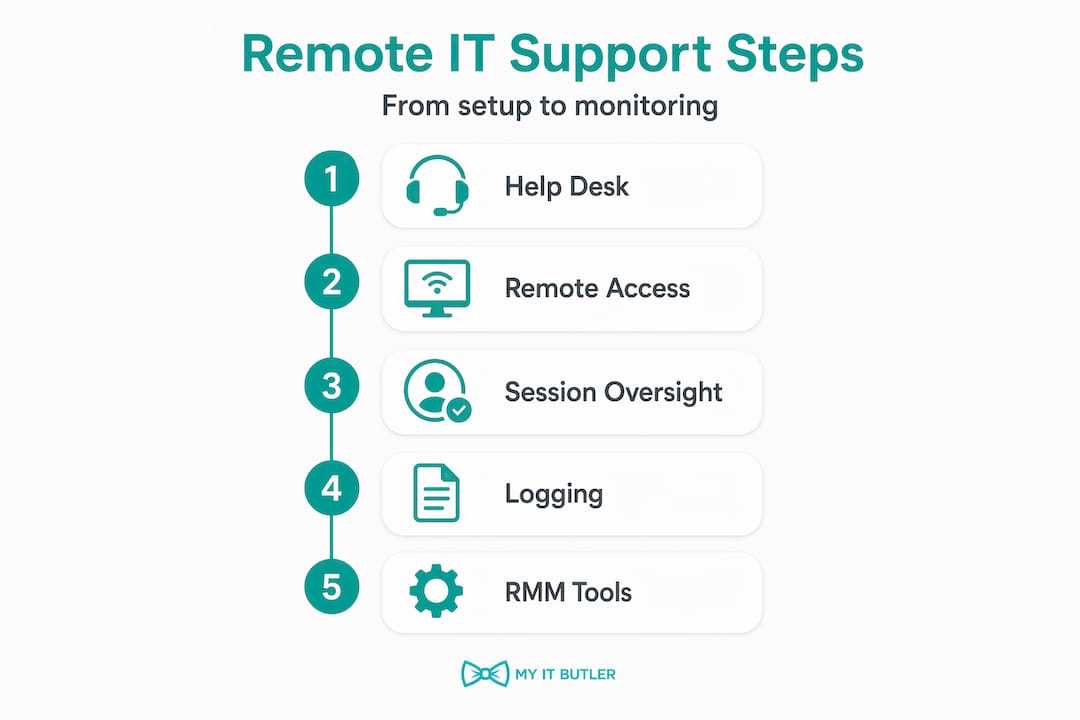
RMM tools, for instance, allow your IT team to monitor endpoint health, deploy patches, and detect anomalies before they escalate into outages. Without RMM, you are essentially waiting for users to report problems rather than catching them early. For international teams, that reactive posture is particularly costly because time zone differences mean a problem reported at end of business in London might not reach your IT team in Sydney until the following morning.
Compliance is the other non-negotiable. When your IT staff access systems remotely from a different country, cross-border data protection risk applies immediately. GDPR obligations, international transfer rules for personal data, and local data sovereignty laws all come into play the moment a remote session crosses a national border. Ignoring this is not a minor oversight. It is a regulatory exposure that can result in significant fines.
Here is a summary of the core tools and compliance requirements you need to have in place:
| Component | Key tools or features | Compliance relevance |
|---|---|---|
| Help desk and triage | Ticketing system, SLA tracking, escalation paths | Audit trail, incident documentation |
| Secure remote access | MFA, session encryption, device verification | GDPR Article 32, data minimisation |
| Session logging | Audit logs, screen recording, access reports | GDPR Article 28, accountability |
| RMM and monitoring | Endpoint agents, patch management, alerting | Proactive risk reduction |
| Data transfer controls | Standard Contractual Clauses (SCCs), DPAs | GDPR third-country transfer rules |
Before you proceed with setup, confirm you have addressed the following prerequisites:
- A signed Data Processing Agreement (DPA) between your organisation and any IT support provider
- Documented user consent processes for remote session access
- Identified which jurisdictions your endpoints and data reside in
- Reviewed whether your remote access tool vendor has security and trust features that meet your compliance needs
- Confirmed that your secure remote access solutions include encryption at rest and in transit
Step-by-step: Setting up your remote IT support model
With your requirements clearly defined, you can now build out the actual infrastructure. The following steps are sequenced deliberately. Skipping ahead creates dependencies that break later.
Step 1: Set up a central help desk and ticketing portal
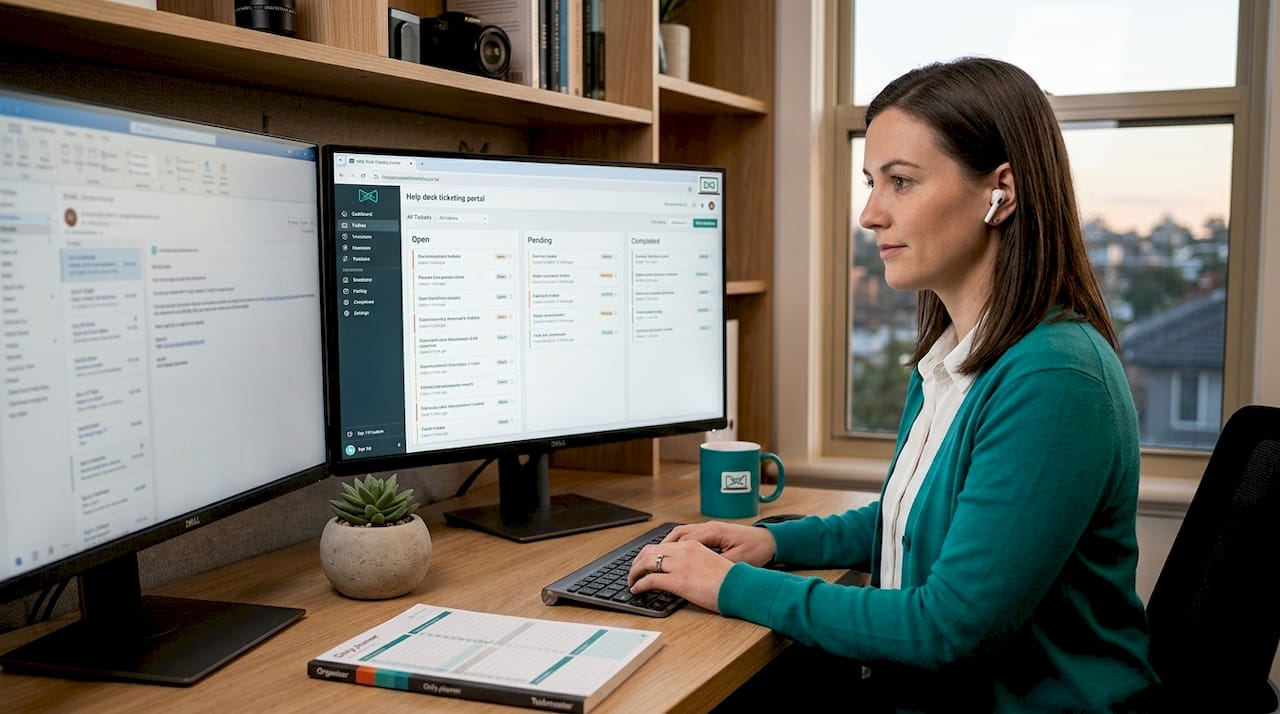
Every support request must enter a single, trackable system. This is non-negotiable for distributed teams. Without a ticketing system, requests get lost in email threads, WhatsApp messages, and verbal conversations. Structured ticketing workflows give you visibility, accountability, and the audit trail you need for compliance. Consider AI-powered ticketing workflows that can auto-classify and route tickets based on urgency and category.
Step 2: Choose remote access tools with the right security controls
Security requirements for remote IT support commonly include multi-factor authentication (MFA), encryption of remote sessions, and device verification, because remote access tools introduce serious security risks when not configured properly. Select a tool that enforces all three by default, not as optional add-ons. MFA alone blocks the vast majority of credential-based attacks.
Step 3: Establish user consent and session oversight
Your end users must know when a remote session is active and must be able to terminate it. This is both a security best practice and a legal requirement under many privacy frameworks. Build a clear consent process into your help desk workflow so that every session is explicitly authorised before it begins.
Step 4: Implement session logging and auditing
Every remote session should generate a log that captures who accessed what, when, and for how long. Some environments also benefit from screen recording for high-sensitivity systems. These logs serve dual purposes: they protect your organisation in the event of a dispute, and they satisfy the auditability requirements under GDPR and similar frameworks.
Step 5: Deploy RMM tools for proactive monitoring
RMM agents sit on each managed endpoint and report health metrics back to your IT team in near real time. This allows you to identify failing hardware, detect malware activity, manage software updates, and resolve many issues before users even notice them. For international teams, this proactive layer is what separates reactive firefighting from genuine IT management.
Pro Tip: When evaluating whether to use remote or on-site support, remember that remote vs on-site IT support is typically a hybrid decision. Remote support handles software incidents and routine troubleshooting efficiently, but hardware failures and physical security requirements still demand someone on the ground. Build both options into your response plan from day one.
Here is a quick reference table for the setup process:
| Step | Key action | Tools involved | Compliance check |
|---|---|---|---|
| 1. Help desk | Deploy ticketing system | Helpdesk platform | Audit trail enabled |
| 2. Remote access | Configure MFA and encryption | Remote access tool | Article 32 controls |
| 3. User consent | Build consent into workflow | Ticketing, comms | Lawful basis documented |
| 4. Session logging | Enable audit logs | Remote access tool | Article 28 DPA in place |
| 5. RMM deployment | Install endpoint agents | RMM platform | Data residency confirmed |
Managing compliance risks in cross-border remote support
Setting up the infrastructure is only half the job. The compliance dimension of cross-border remote IT support is where many organisations get caught out, often because they treat it as an IT problem rather than a legal and operational one.
Cross-border remote access can trigger GDPR third-country transfer considerations. If your IT support staff are accessing endpoints that process personal data from a country outside the European Economic Area (EEA), that access is potentially an international transfer of personal data. You need an appropriate transfer mechanism in place, most commonly Standard Contractual Clauses (SCCs), along with a Transfer Impact Assessment (TIA) for countries without an EU adequacy decision.
"GDPR guidance emphasises that processor and controller contracts under Article 28 and appropriate technical and organisational measures under Article 32 apply directly to IT consultants and managed service providers accessing client systems containing personal data." Remote.it Data Processing Agreement
This means your IT support provider is not just a vendor. They are a data processor, and the relationship must be governed by a formal DPA that specifies what data they can access, how it is protected, and what happens in the event of a breach.
To mitigate compliance risks effectively, work through the following steps:
- Review all contracts with your IT support provider to confirm a GDPR-compliant DPA is in place covering Article 28 obligations
- Conduct a Transfer Impact Assessment for any support staff located in non-adequate third countries, assessing the legal environment and risks to data subjects
- Implement technical safeguards including end-to-end session encryption, access controls, and data minimisation practices to limit what personal data is visible during a remote session
- Document your lawful basis for each type of remote access, particularly where sensitive personal data is involved
- Audit regularly to confirm that access controls are functioning as intended and that logs are being retained for the required period
Compliance is not a one-time exercise. As your team grows, as you add new endpoints, or as you expand into new jurisdictions, your compliance posture must be reassessed. Build a review cycle into your IT governance calendar.
Scaling and verifying your remote IT support operations
Once your infrastructure is operational and your compliance framework is in place, the focus shifts to scale and quality assurance. Many organisations start with a workable setup that gradually degrades as the team grows and request volumes increase.
Scaling remote IT support operations typically involves moving from ad hoc requests to structured ticketing combined with documented runbooks and Standard Operating Procedures (SOPs), with automation reducing the manual triage load. Automation tools can handle ticket classification, priority assignment, and even first-response messages, freeing your engineers to focus on resolution rather than administration.
For true 24/7 coverage, you need to think about team structure as much as technology. A 24/7 remote IT support pod can be operationalised by structuring teams across time zones with tiered triage and escalation per shift, integrated within standard IT Service Management (ITSM) and ticketing tools, and anchored by explicit first-response SLA targets. For example, a team covering Australia, Europe, and the Americas can provide follow-the-sun support without requiring anyone to work overnight.
Remote support quality depends not only on the remote tool itself, but on operational discipline: ticketing visibility, session logging, training and shadowing programmes, and well-maintained playbooks and runbooks to keep consistency across distributed agents and time zones. Without this discipline, quality degrades as the team scales.
Key scaling strategies and verification steps include:
- Transition all requests to a ticketing system and retire informal channels for support requests
- Document runbooks for your 20 most common incident types so any agent can resolve them consistently
- Use AI triage for outages to accelerate classification and reduce mean time to resolution
- Structure support shifts to cover your primary time zones with defined handover processes
- Review structured ticketing workflows to identify bottlenecks and optimise escalation paths
- Conduct monthly SLA audits against your incident handling criteria to verify performance
Pro Tip: Assign a dedicated quality reviewer to shadow remote sessions at least once per month per agent. This is the fastest way to identify knowledge gaps, inconsistent practices, and compliance drift before they become systemic problems.
Why structured remote IT support beats ad hoc troubleshooting abroad
Here is something that many IT managers only learn the hard way: the biggest risk in remote IT support is not a security breach or a compliance violation. It is the slow erosion of reliability that happens when your support model is built on informal processes.
Ad hoc support feels fast. Someone messages the IT contact directly, gets a quick fix, and moves on. But that interaction leaves no record, no audit trail, and no way to identify whether the same issue is recurring across different users. Over time, these invisible gaps accumulate and your SLAs start breaking not because of dramatic failures, but because of dozens of small, untracked incidents that were never properly resolved.
Structured ticketing and documented runbooks solve this by creating clear escalation paths. When an engineer in a different time zone picks up a ticket, they know exactly what has already been tried, what the expected resolution path is, and when to escalate. That consistency is what protects your SLAs under pressure.
The edge cases matter too. Defining what qualifies for remote-only handling versus when to dispatch on-site is critical. Hardware damage, physical server-room checks, and complete network outages cannot be resolved remotely, and if your response plan does not account for this, your SLAs and client expectations will break precisely when the stakes are highest.
We have seen organisations with sophisticated remote tooling completely stall during a physical network failure because no one had documented the process for dispatching a local technician. The technology was fine. The process was missing. Review your criteria for remote vs on-site support before you need them, not during an incident.
Next steps: Partner with experts for seamless remote IT support
Turning this guidance into a functioning, compliant, scalable IT support operation takes more than good intentions. It takes the right partner.

My IT Butler provides remote IT support for global teams backed by over 15 years of enterprise experience and certifications including CCNA, CompTIA Security+, and PRINCE2. Whether you need to establish a structured help desk, implement RMM monitoring, navigate GDPR compliance for cross-border access, or build a 24/7 support model across time zones, we bring the operational discipline and technical depth to make it work. You can book an IT support consultation to discuss your specific requirements, or access our client support portal to get started immediately. No long-term contracts. Fixed pricing. Australian standards, delivered globally.
Frequently asked questions
What tools are best for secure remote IT support from abroad?
Choose tools with multi-factor authentication, session encryption, device verification, and comprehensive logging to protect company data and satisfy compliance requirements. MFA, encryption, and device verification are the baseline security controls every remote support tool must enforce.
Do remote IT support sessions count as cross-border data transfers under GDPR?
Yes, remote access from abroad is frequently treated as an international transfer of personal data and must follow GDPR mechanisms such as SCCs. GDPR third-country transfer guidance also requires a Transfer Impact Assessment for countries without an EU adequacy decision.
Can all IT problems be solved remotely or is on-site support still needed?
Remote IT support handles software incidents and routine troubleshooting very effectively, but physical hardware failures, network outages, and server-room issues require on-site attention. Remote vs on-site support is a hybrid decision that should be documented in your response plan before incidents occur.
How can remote IT support teams ensure 24/7 incident coverage?
Structure teams across time zones with tiered triage and escalation per shift, integrated within your ITSM and ticketing tools, and anchored by defined first-response SLA targets. Structuring teams across time zones with clear handover processes is the most reliable path to genuine follow-the-sun coverage.