
TL;DR:
- Business email security involves layered controls, policies, and user practices to prevent phishing, spoofing, malware, and data leaks. A single breach can result in financial loss, regulatory penalties, and damaged trust. Implementing MFA, DMARC, and regular training significantly reduces these risks for Australian organizations.
Business email security is the layered set of technical controls, policies and user practices that keep an organisation's mailboxes, messages and attachments safe from phishing, spoofing, malware and data leakage. Get this wrong and the consequences land fast: a single successful business email compromise (BEC) attack can drain a company bank account, trigger a regulatory notification under Australia's Notifiable Data Breaches scheme, and shred customer trust in one afternoon.
Three quick wins you can act on this week:
- Enforce multi-factor authentication (MFA) on every mail account — this single control stops the majority of account takeover attempts cold.
- Enable DMARC in monitoring mode so you can see who is sending email on your domain before locking anything down.
- Run a phishing simulation with your team to establish a baseline click rate and identify who needs targeted follow-up training.
Table of Contents
- What does business email security actually cover?
- Why email security matters for Australian organisations
- What are the most common email threats businesses face?
- Core technical controls every business should implement
- How do policies and training make technical controls work?
- How do you detect, respond to and report an email incident?
- Prioritised implementation checklist for Australian businesses
- When should you hire a managed IT or email security provider?
- Key takeaways
- The part most businesses get backwards
- Myitbutler handles the email security work your team does not have time for
- Useful sources and further reading
- FAQ
What does business email security actually cover?
Business email security is not a single product. It is a discipline that spans mailboxes, message content, attachments, sender identity, outbound data flows and the devices people use to access mail. The scope is wider than most business owners realise.
What it protects against:
- Phishing and spear-phishing (credential theft via deceptive messages)
- Business email compromise (BEC) — impersonation of executives or suppliers to redirect payments
- Malware delivered via attachments or malicious links
- Domain spoofing and sender impersonation
- Account takeover (stolen credentials used to access live mailboxes)
- Accidental or deliberate data exfiltration via outbound email
What falls within scope:
- Cloud mail tenants (Microsoft 365, Google Workspace)
- On-premises mail servers
- Webmail accessed from browsers
- Mobile devices with mail apps configured
- Third-party integrations (marketing platforms, payroll tools, CRMs) that send mail on your domain
- Mail-forwarding rules set inside mailboxes
Business email differs from personal webmail in one critical way: your organisation controls the domain, the policy and the compliance obligations. That means when something goes wrong, the accountability sits with you, not a consumer email provider.
Standard email protocols were not designed with security in mind. SMTP, the protocol that moves email between servers, favours deliverability over authentication and confidentiality. Every additional control — SPF, DKIM, DMARC, TLS, filtering — is a layer added on top of a protocol that was never built to stop modern attacks.
Why email security matters for Australian organisations
Email remains the single most exploited entry point for cyber attacks. Industry data puts daily global email volume at approximately 392 billion messages — a scale that gives attackers near-unlimited opportunities to find one person who clicks.
The financial exposure is real. Business email compromise is consistently one of the most financially damaging cyber threats facing Australian organisations. A single successful BEC attack can result in fraudulent wire transfers involving significant amounts, with recovery rates low once funds leave the country.
For Australian businesses, the regulatory stakes compound the financial risk:
- Privacy Act 1988: Organisations subject to the Privacy Act 1988 must protect personal information, including data held in email.
- Notifiable Data Breaches (NDB) scheme: If a data breach involving personal information is likely to cause serious harm, you must notify both the affected individuals and the Office of the Australian Information Commissioner (OAIC) — typically within 30 days of becoming aware.
- ACSC guidance: The Australian Cyber Security Centre (ACSC) at cyber.gov.au provides specific email security guidance and is the primary reporting body for significant cyber incidents.
A typical BEC timeline looks like this: an attacker compromises a supplier's mailbox, monitors conversations for weeks, then steps in at invoice time with updated bank details. The fraud is often discovered only when the legitimate supplier chases payment — sometimes weeks later. By then, notification obligations may already be triggered.
What are the most common email threats businesses face?
Understanding the threat shapes which controls you prioritise. Here are the attacks your team is most likely to encounter.
Phishing is the broadest category: a deceptive email designed to trick the recipient into clicking a link, entering credentials or opening a malicious file. The messages often impersonate well-known brands, banks or government agencies.

Spear-phishing is phishing with research behind it. The attacker uses your name, your manager's name, a current project or a recent invoice number to make the message feel legitimate. Finance teams and executives are the most targeted.
Business email compromise (BEC) is the costliest variant. The attacker either compromises a real mailbox or spoofs a trusted address, then uses it to request urgent payment, redirect payroll or authorise a fraudulent transfer. An Australian property manager receiving a "supplier bank account update" from what looks like a trusted tradesperson is a textbook example.
Malware via attachments arrives as Word documents with macros, PDFs with embedded scripts, or ZIP files containing executables. The payload may be ransomware, a keylogger or a remote access tool.
Domain spoofing involves sending email that appears to come from your domain (or a close variant) without authorisation. Without DMARC enforcement, anyone can send mail that looks like it came from you.
Account takeover happens when an attacker obtains valid credentials — through phishing, credential stuffing or a data breach — and logs into a live mailbox. They can read sensitive data, set up forwarding rules and send convincing messages from a real account.
Accidental data leakage is also worth naming. An employee forwarding a client contract to a personal email account, or CC-ing the wrong person on a sensitive thread, creates a breach without any attacker involved.
Core technical controls every business should implement
Modern email defence layers automated filtering, identity validation and encryption to reduce the attack surface. Here is what each control does and where it sits.
SPF, DKIM and DMARC: your sender authentication stack
These three protocols work together to prove that email claiming to come from your domain actually did.
- SPF (Sender Policy Framework): A DNS record that lists the servers authorised to send mail for your domain. Receiving servers check this and can reject mail from unlisted sources.
- DKIM (DomainKeys Identified Mail): Adds a cryptographic signature to outgoing messages. The receiving server verifies the signature against a public key in your DNS, confirming the message was not tampered with in transit.
- DMARC (Domain-based Message Authentication, Reporting and Conformance): Ties SPF and DKIM together and tells receiving servers what to do when a message fails both checks — monitor, quarantine or reject. It also sends you reports on who is sending mail on your domain.
Start DMARC in monitoring mode (p=none) to collect data before you enforce anything. Many legitimate senders — your marketing platform, payroll tool, CRM — will appear in those reports and need to be added to your SPF record before you move to p=quarantine or p=reject.
Encryption: TLS, at-rest and end-to-end
TLS (Transport Layer Security) encrypts the connection between mail servers, so messages cannot be read in transit. Most modern mail platforms enforce TLS by default, but it is worth confirming.
At-rest encryption protects stored messages in your mail tenant or server from being read if storage is compromised.
End-to-end or message-level encryption (via S/MIME or Microsoft Purview Message Encryption) is appropriate when sending sensitive documents — financial records, legal correspondence, personal health information — where you need to ensure only the intended recipient can read the content.
Secure email gateways, filtering and advanced threat protection
A secure email gateway (SEG) sits in front of your mail tenant and inspects every inbound and outbound message. Key capabilities to look for:
| Capability | What it does | Where it sits |
|---|---|---|
| Anti-spam and reputation filtering | Blocks known-bad senders and IP ranges | Gateway / cloud filter |
| URL rewriting and link protection | Rewrites links so they are checked at click-time | Gateway / tenant |
| Attachment sandboxing | Detonates suspicious files in an isolated environment before delivery | Gateway |
| Anti-phishing / impersonation detection | Flags messages that spoof display names or lookalike domains | Gateway / tenant |
| Outbound DLP filtering | Scans outgoing mail for sensitive data patterns | Gateway / tenant |
| Retrospective remediation | Removes messages from inboxes after delivery if a threat is identified later | Tenant (Microsoft Defender, Proofpoint) |
Microsoft Defender for Office 365 (which includes Exchange Online Protection) provides most of these capabilities natively for Microsoft 365 tenants. Proofpoint is a widely deployed third-party option that adds anti-phishing, URL Defence and targeted threat protection, particularly for organisations wanting a gateway layer independent of their mail tenant.
Outbound filtering matters as much as inbound. A compromised internal account sending bulk phishing to your clients is a reputational and regulatory problem — outbound controls catch it.
MFA and identity controls
MFA is the single highest-return control for preventing account takeover. Even if an attacker obtains a valid password, they cannot access the mailbox without the second factor. Pair MFA with Conditional Access policies (available in Microsoft Entra ID / Azure AD) to enforce additional checks — device compliance, location, sign-in risk — before granting mail access.
Data Loss Prevention basics
DLP policies scan outbound email for patterns that match sensitive data: credit card numbers, tax file numbers, Medicare numbers, contract keywords. When a match is found, the message can be blocked, quarantined or flagged for review. Start with a small set of high-confidence rules rather than trying to catch everything at once.
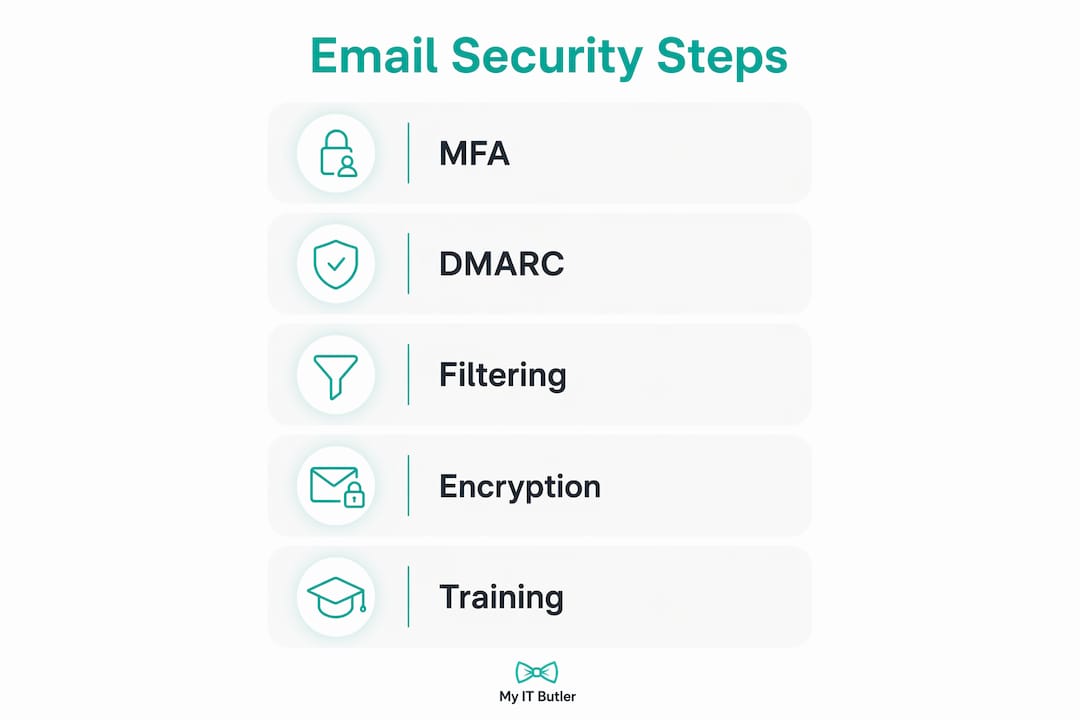
Pro Tip: Deploy controls in this order for the best balance of speed and low disruption: MFA first, then DMARC monitoring with SPF/DKIM corrections, then cloud filtering with URL rewriting, then phishing simulation and reporting workflows. Trying to enforce everything simultaneously creates friction and support tickets that slow adoption.
How do policies and training make technical controls work?
Technology alone does not stop a determined attacker. Combining technical controls with staff training measurably reduces the chance of a successful social engineering attack. The human layer is where most breaches actually happen.
Policy checklist items every business should have in writing:
- Acceptable use: what business email may and may not be used for
- Prohibition on using personal email for business communications (and vice versa)
- Attachment handling: do not open unexpected attachments; verify with the sender via a separate channel
- Vendor payment verification: any change to bank account details must be confirmed by phone using a number from your records, not from the email
- Mail forwarding rules: employees must not set up auto-forwarding to external addresses without approval
- Retention and deletion: how long email is kept and who can delete it
- Incident reporting: how to flag a suspicious message and who to contact
Training cadence that works in practice:
Run phishing simulations at onboarding and then quarterly. After each simulation, provide immediate, non-punitive feedback to anyone who clicked. Target remediation training at repeat clickers rather than blanket re-training for everyone. Organisations that run regular simulations see measurable reductions in click rates and faster reporting of suspicious messages over time.
Build a simple internal reporting path: a dedicated email address or a "Report Phishing" button in your mail client. The easier it is to report, the more reports you get, and early reports let you contain an attack before it spreads.
Pro Tip: Pilot new controls with a small group before rolling out to the whole organisation. A two-week pilot with your finance team lets you catch false positives and refine DLP rules before they start blocking legitimate supplier invoices for everyone.
How do you detect, respond to and report an email incident?
Speed matters. The longer a compromised account stays active, the more damage accumulates.
- Contain immediately. Disable or block the compromised account, revoke active sessions and reset credentials. In Microsoft 365, use the admin centre to sign out all sessions and force a password reset.
- Preserve evidence. Before deleting anything, export mail logs, message headers and any suspicious messages. These are needed for forensic analysis and may be required for regulatory reporting.
- Audit mail rules. Check the compromised account for forwarding rules, inbox rules that move or delete messages, and any new mail clients or app permissions added recently.
- Scan connected systems. If the account was used to access SharePoint, OneDrive or other integrated services, check those for unauthorised access or downloads.
- Remove malicious messages. Use your mail platform's admin tools (Microsoft Purview Content Search, or your gateway's retrospective remediation) to locate and remove phishing messages sent from or to the compromised account.
- Reset and harden. Re-enable the account only after MFA is confirmed active, the password is reset to a strong unique credential, and any suspicious rules are removed.
- Assess notification obligations. Determine whether personal information was accessed or exfiltrated. If a breach is likely to cause serious harm to individuals, notify the OAIC and affected individuals under the NDB scheme. Report significant incidents to the ACSC via cyber.gov.au.
- Document and review. Write up what happened, how it was detected, what was affected and what was changed. Use this to update your policies and controls.
Detection signals to monitor continuously:
- New mail-forwarding rules created in any mailbox
- Anomalous outbound email volume (a mailbox suddenly sending thousands of messages)
- Logins from unfamiliar countries or IP addresses
- New mail clients or OAuth app permissions added to an account
- Failed MFA attempts spiking on a specific account
Prioritised implementation checklist for Australian businesses
This roadmap is designed for small and distributed organisations that need to make progress without a dedicated security team. Assign each item to a responsible person and track it.
| Timeframe | Action | Responsible |
|---|---|---|
| — | Enable MFA on all mail accounts | IT lead / business owner |
| — | Publish SPF record; add DKIM signing; set DMARC to p=none (monitoring) | IT lead |
| — | Audit existing mail-forwarding rules across all mailboxes | IT lead |
| — | Run baseline phishing simulation | IT lead / managed provider |
| — | Review DMARC reports; add legitimate third-party senders to SPF | IT lead |
| — | Enable URL rewriting and attachment sandboxing in mail tenant or gateway | IT lead |
| — | Deploy DLP policy for high-confidence sensitive data patterns (TFN, credit card) | IT lead |
| — | Deliver security awareness training to all staff; establish reporting path | Business owner / IT lead |
| — | Move DMARC to p=quarantine, then p=reject after confirming legitimate senders | IT lead |
| — | Implement Conditional Access / device posture checks for mail access | IT lead / managed provider |
| — | Enable at-rest encryption and message encryption for sensitive data flows | IT lead |
| — | Formalise incident response plan including NDB notification checklist | Business owner / IT lead |
| — | Review remote workforce security controls for distributed team members | IT lead / managed provider |
For distributed teams and remote workers, prioritise endpoint hardening alongside mail controls. A compromised laptop is often the entry point for credential theft that leads to mailbox compromise. The endpoint security guide covers the device-side controls that complement this checklist.
Cloud-based filtering backed by collective threat intelligence reduces on-premises maintenance and scales with your organisation's size — a practical choice for small teams that cannot manage a dedicated on-premises gateway.
When should you hire a managed IT or email security provider?
Some organisations can manage email security in-house. Many cannot — and the gap between what they think they have covered and what is actually monitored is where breaches happen.
Signs you need external help:
- You have experienced a phishing incident or account compromise in the past 12 months
- No one in the business has time to review DMARC reports or investigate mail alerts
- You have regulatory obligations (Privacy Act, industry-specific requirements) but no documented incident response plan
- Your team is distributed across time zones with no consistent IT oversight
- You are growing quickly and onboarding new staff faster than your security policies can keep up
Questions to ask any prospective provider:
- What does your managed filtering cover, and how is it updated for new threats?
- Do you provide 24/7 monitoring and alerting, or business-hours only?
- How do you handle incident response — do you have a defined SLA for containment?
- Can you manage our DMARC records and provide monthly reporting?
- Do you run phishing simulations and provide training, or is that a separate engagement?
- What is your pricing model — fixed monthly fee, per-user, or incident-based?
- Are you familiar with Australia's NDB scheme and ACSC reporting requirements?
Typical managed service scope for email security:
- Managed filtering and gateway configuration
- DMARC monitoring, DNS record management and monthly reporting
- 24/7 alerting on anomalous mail activity
- Phishing simulation campaigns and staff training coordination
- Incident response coordination and forensic preservation support
- Vendor liaison for mail platform issues (Microsoft 365, Google Workspace)
The benefits of managed IT services for small businesses extend well beyond email — but email is consistently the highest-risk surface and the best place to start a managed security conversation.
Key takeaways
Business email security requires MFA, DMARC enforcement, layered filtering and regular phishing simulations working together — no single control is sufficient on its own.
| Point | Details |
|---|---|
| MFA is the highest-return control | Enabling MFA on all mail accounts stops most account takeover attempts before they start. |
| DMARC monitoring comes before enforcement | Start with p=none to identify legitimate senders, then move to quarantine and reject. |
| People and policy close the gap | Regular phishing simulations and clear payment-verification policies reduce the risk that technical controls cannot catch. |
| Australian regulatory obligations are real | The NDB scheme requires notification to the OAIC when a breach is likely to cause serious harm — email incidents often trigger this. |
| Myitbutler provides managed support | Myitbutler offers DMARC management, phishing simulations, incident response coordination and 24/7 monitoring for distributed Australian teams. |
The part most businesses get backwards
Most organisations treat email security as a one-time setup task. They enable MFA, tick a compliance box, and assume the problem is solved. The attacks that succeed in 2026 are not brute-force credential grabs — they are patient, researched campaigns that exploit the gap between what your policies say and what your staff actually do.
The businesses I see recover fastest from email incidents are not the ones with the most sophisticated tools. They are the ones with a documented incident response plan, a clear reporting path for staff, and someone who actually reviews the DMARC reports each month. The technology is table stakes. The operational discipline is what separates a contained incident from a notifiable data breach.
One practical tip from the field: before you move DMARC to enforcement, pull three months of monitoring reports and map every sending source. Marketing platforms, payroll vendors, automated notifications — they all send mail on your domain and most are not in your SPF record yet. Skipping this step and jumping straight to p=reject will break legitimate mail flows and create an emergency that undermines confidence in the whole programme.
Myitbutler handles the email security work your team does not have time for
Managing DMARC records, reviewing mail logs, running phishing simulations and coordinating incident response takes consistent time and expertise — the kind most small and distributed businesses do not have sitting idle on the bench.

Myitbutler is a remote IT support provider operating to Australian standards, with over 15 years of enterprise experience and certifications including CompTIA Security+. For distributed teams, expats and SMEs, Myitbutler provides managed email security as part of a broader IT coordination service: DMARC monitoring and monthly reporting, phishing simulation campaigns, incident response coordination, and vendor liaison with Microsoft 365 or Google Workspace. No long-term contracts, transparent fixed pricing, and support delivered across time zones via WhatsApp, email and Zoom.
If your team is distributed, your IT oversight is thin, or you have had an email incident in the past year, a free discovery call is the fastest way to understand where your gaps are. Or visit myitbutler.com to learn more about managed IT services for small and growing businesses.
Useful sources and further reading
- ACSC email security guidance (cyber.gov.au) — The Australian Cyber Security Centre's primary email security page; start here for government-aligned guidance and incident reporting pathways.
- Canadian Centre for Cyber Security — Email Security Best Practices (ITSM.60.002) — A thorough technical reference covering SPF, DKIM, DMARC, TLS, S/MIME and gateway controls; directly applicable to Australian organisations.
- Microsoft Security — What is email security? — Microsoft's overview of email threats and defences, with guidance specific to Microsoft 365 and Defender for Office 365.
- IBM — What is email security? — Covers the case for combining technical controls with workforce training and policy; useful for building a business case.
- Cisco — What is email security? — Explains outbound filtering, retrospective remediation and the role of gateways in a layered defence.
- Sophos — What is email security? — Practical explainer on layered filtering, AI/ML detection and the role of user awareness.
- Myitbutler — How to secure customer data: small business essentials — Practical steps for protecting customer data that overlap directly with email security controls, written for Australian SMEs.
- Myitbutler — Managed IT Services for Small Businesses: A Practical Guide — Describes how managed IT services can provide the ongoing monitoring and vendor liaison that email security requires.
FAQ
Are business emails secure by default?
No. Standard email protocols were not designed with security in mind, so business email requires additional controls — SPF, DKIM, DMARC, TLS, MFA and filtering — to be genuinely secure.
What is the difference between business email and personal email for security purposes?
Business email uses an organisation-owned domain and is subject to regulatory obligations, internal policies and compliance requirements that personal webmail accounts are not. That means the business bears responsibility for breaches, not the consumer email provider.
Who needs to worry about email security?
Any organisation that uses email for business communications — which is effectively every business in Australia. SMEs, distributed teams and remote workers are frequently targeted precisely because attackers assume their defences are weaker than those of large enterprises.
What should an Australian business do after an email compromise?
Contain the account immediately by revoking sessions and resetting credentials, preserve mail logs for forensic use, remove malicious messages, and assess whether the incident triggers notification obligations under Australia's Notifiable Data Breaches scheme. Report significant incidents to the ACSC at cyber.gov.au.
Can a managed IT provider handle email security for a small business?
Yes. A managed provider can handle DMARC monitoring, phishing simulations, gateway configuration and incident response coordination — the tasks that require consistent attention but rarely justify a full-time internal hire. Myitbutler offers this as part of its remote managed IT services for Australian and distributed businesses.