
Business internet failover means your network switches to a backup connection automatically when the primary one fails, so staff, phones and payment terminals keep working without anyone touching a router. For most small and medium businesses, the right immediate move is a secondary cellular (4G/5G) or secondary ISP connection with automatic switching built in. If calls or transactions genuinely cannot drop for even a second, look at managed bonding instead.
- Check your current provider's SLA today. If there's no uptime guarantee in writing, you don't have one.
- If you run VoIP or card payments, book a short design review before your next outage, not after.
TL;DR:
- Most small businesses should prioritize cellular backup or a secondary fixed-line ISP with automatic switching to maintain continuity during outages.
- For real-time sessions like VoIP or card payments, bonded SD-WAN or managed failover solutions are necessary to prevent drops, unlike probe-based failover.
- Testing failover systems under realistic conditions, including latency and packet loss, is crucial to prevent failures during actual outages.
- Clear SLA guarantees, 24/7 monitoring, and response times are critical signals when selecting a failover provider, not marketing claims.
- Costs depend on the chosen solution, with cellular backups being affordable and bonding or SD-WAN costing more but offering more session persistence.
Table of Contents
- What is business internet failover, and how does it differ from redundancy and bonding?
- Why does an internet outage matter more than most owners assume?
- What are the main failover options: cellular, secondary ISP, bonding and satellite?
- How do you set up failover the right way?
- How do you choose the right equipment and provider?
- What does business internet failover actually cost, and how long does setup take?
- What Myitbutler checks during a failover engagement
- The gap between failover marketing and failover reality
- Key Takeaways
- Sources
- FAQ
What is business internet failover, and how does it differ from redundancy and bonding?
These three terms get used interchangeably, and that's where a lot of confusion (and bad purchasing decisions) starts.
- Failover is the automatic switch itself. A device or router notices your primary connection has died and reroutes traffic to a backup, usually within seconds to a couple of minutes.
- Redundancy is the broader system design choice. It's the decision to have a second path at all, whether that's a second physical line, a cellular SIM, or a satellite dish sitting idle until needed.
- Bonding goes further. Instead of one connection sitting dormant, bonding actively combines multiple links so traffic flows across both simultaneously, preserving open sessions during a switch.
The practical difference shows up the moment something fails. Reactive, probe-based failover works fine for email and web browsing. It might drop a video call for a few seconds while it switches. Bonding or SD-WAN platforms are built for session persistence, so a live phone call or an in-progress card payment doesn't notice the primary link went down at all. If your business lives or dies on real-time sessions, that distinction decides which option you actually need.
Why does an internet outage matter more than most owners assume?
Most outages aren't dramatic. They're a fibre cut from roadworks three suburbs away, an ISP-side routing fault, or a modem that quietly dies on a Tuesday morning.
- ISP-side outages and maintenance windows
- Physical fibre or cable damage during construction work
- Modem, router or switch hardware failure
- Power interruptions at the exchange or on-site
- Congestion or capacity issues during peak demand
Even a short outage carries real cost. A retail store that can't process card payments for 40 minutes, a call centre that drops inbound lines, or a professional services firm locked out of cloud accounting software all bleed money quietly. A simple way to estimate your own exposure: take your average hourly revenue, add the labour cost of staff sitting idle, and multiply by how many outages you've had this year. Most owners are surprised by the number.
When you're vetting a failover provider, three signals matter more than marketing copy: a written SLA with an actual uptime figure, 24/7 NOC (network operations centre) monitoring, and a stated response time for when something goes wrong.
What are the main failover options: cellular, secondary ISP, bonding and satellite?
There's no single "best" backup connection. The right choice depends on how much downtime you can tolerate and what's actually available at your address.
- Secondary fixed-line ISP. Works best when you can get genuine physical diversity, meaning the second line enters your building via a different path or exchange to the first. If both "separate" services run through the same street pit, you haven't bought redundancy, you've bought a false sense of it.
- Cellular backup (4G/5G). The fastest and cheapest option to deploy. A SIM-enabled router can be installed in an afternoon, which makes it the practical entry point for many small businesses that just need something better than nothing. Check the data allowance carefully. A generous plan for occasional failover, a tighter one, and you can burn through your quota during a single extended outage. Choose your SIM carrier based on the network with the strongest local signal, not necessarily your primary provider's mobile arm.
- Bonding, SD-WAN and managed continuity platforms. These combine multiple links (fibre, cellular, sometimes a second fixed line) into one always-on service that steers traffic intelligently and keeps active sessions alive during a switch. Businesses running VoIP phone systems, EFTPOS terminals or remote desktop access for staff tend to need this tier, because a probe-based failover that takes even 15 seconds to react can drop a call or void a transaction mid-stream.
- Satellite (LEO). Genuinely useful for remote or regional operations where terrestrial and cellular options are limited or absent. Latency is higher than fibre, so it suits general connectivity better than latency-sensitive VoIP.
- Hybrid designs. A retail chain might pair fixed-line primary with cellular backup at each store. A professional services firm running client video calls might pair two fixed lines with a managed bonding layer. The pairing should match the failure mode you're actually trying to protect against.
Pro Tip: Don't buy backup bandwidth to match your primary connection's speed. Buy enough to keep critical systems (phones, payments, core cloud apps) running, and let everything else queue until the main line's back.
How do you set up failover the right way?
A failover project fails for one of two reasons: the hardware is wrong for the job, or nobody tested it before the first real outage. Here's the sequence that avoids both.
- Buy the right hardware. A dual-WAN router with a SIM slot covers most single-site setups. If session persistence matters, you'll need a bonded appliance or a managed SD-WAN device instead of a standard dual-WAN box.
- Configure health probes and priority routing. The router needs to know how to detect a dead primary link (not just "no signal", but slow or unstable performance too) and which traffic gets priority once it switches over.
- Sort out NAT, VPN rules and IP handling. This is where DIY setups usually stumble. If your business hosts anything (a web server, a remote access portal), you need a plan for how the public-facing address behaves during a switch, which often means SmartDNS or a multi-homed setup rather than assuming it'll just work.
- Lock down security before you need it. Encrypted site-to-site tunnels, firewall rules on both connections, and a firewall configuration for VPN behaviour during failover need reviewing now, not during an outage. Our guide to small business firewall basics covers what to check.
- Test it properly. Simulate a total primary failure, but also test degraded performance, meaning packet loss and added latency rather than a clean cutover, because that's what reveals codec and jitter problems that a simple up-down test misses entirely.
- Confirm your monitoring. Ask any provider directly: is there 24/7 NOC coverage, and what's the notification SLA if something goes down at 2am on a Sunday?
Pro Tip: Test failover on a Friday afternoon, not during your busiest trading hours. You want to find the gaps in a controlled test, not live in front of customers.
How do you choose the right equipment and provider?
Reading a spec sheet won't tell you which provider actually delivers. Ask these questions before signing anything.
- What's the actual uptime figure in the SLA, and what happens (credits, remedies) if it's missed?
- Does the connection preserve IP address and active sessions during a switch, or does everything reconnect from scratch?
- Is monitoring genuinely 24/7, with a named escalation path, or is it business-hours only with an answering service after that?
- What's included in the quoted price: hardware, SIM data, installation, ongoing support, all four, or just one?
Watch for a few red flags specifically: probe-only failover marketed as "seamless" when it clearly drops sessions, SLAs written vaguely enough to mean nothing, and any provider that can't tell you who monitors the connection outside business hours.
What does business internet failover actually cost, and how long does setup take?
Pricing varies more by service tier than by provider, so it pays to know roughly what you should be paying for before you get a quote.
- SIM-based cellular backup for a single site typically runs as a modest monthly add-on on top of hardware, with the router itself the main upfront cost.
- Managed bonding or SD-WAN services cost meaningfully more per month, but the price usually bundles hardware, monitoring and support.
- Multi-site rollouts scale mostly on hardware and installation, since centralised cloud controllers let providers provision each new site quickly rather than configuring every router by hand.
- Most reputable providers offer a short consultative review that ends in a written network design and fixed quote, which is worth asking for before committing to any single option.
Run the payback calculation the same way you assessed your outage cost earlier: compare the monthly failover cost against what even one prevented outage would have cost you in lost trade.
What Myitbutler checks during a failover engagement
When Myitbutler scopes a failover setup for a client, the review always covers the same ground: the actual SLA wording, how firewall and VPN rules behave mid-switch, whether the business needs true IP persistence or can live with a short reconnect, and who's watching the connection once it's live.
With over 15 years of enterprise IT experience and certifications including CCNA, CompTIA Security+ and PRINCE2, Myitbutler applies the same standards to a five-person remote team as to a larger distributed business. Pricing is fixed and disclosed upfront, with no long-term contracts.
A rough rule for whether to DIY or hire help: if your setup is one site, one backup line and no VoIP or payment systems, a competent IT-literate staffer can configure it. Anything involving multiple sites, session persistence or compliance obligations is worth a professional design review.

The gap between failover marketing and failover reality
Most advice on this topic treats failover as a binary: you either have it or you don't. That's misleading. A router with a SIM slot sitting in a cupboard, never tested, is not failover. It's a false sense of security dressed up as one.
The bigger issue I see in how this topic gets discussed is the assumption that any backup connection is equivalent to any other. It isn't. A business running a call centre and a business running a single retail till have completely different failure tolerances, yet both get sold the same "just add 4G backup" advice by generic guides.
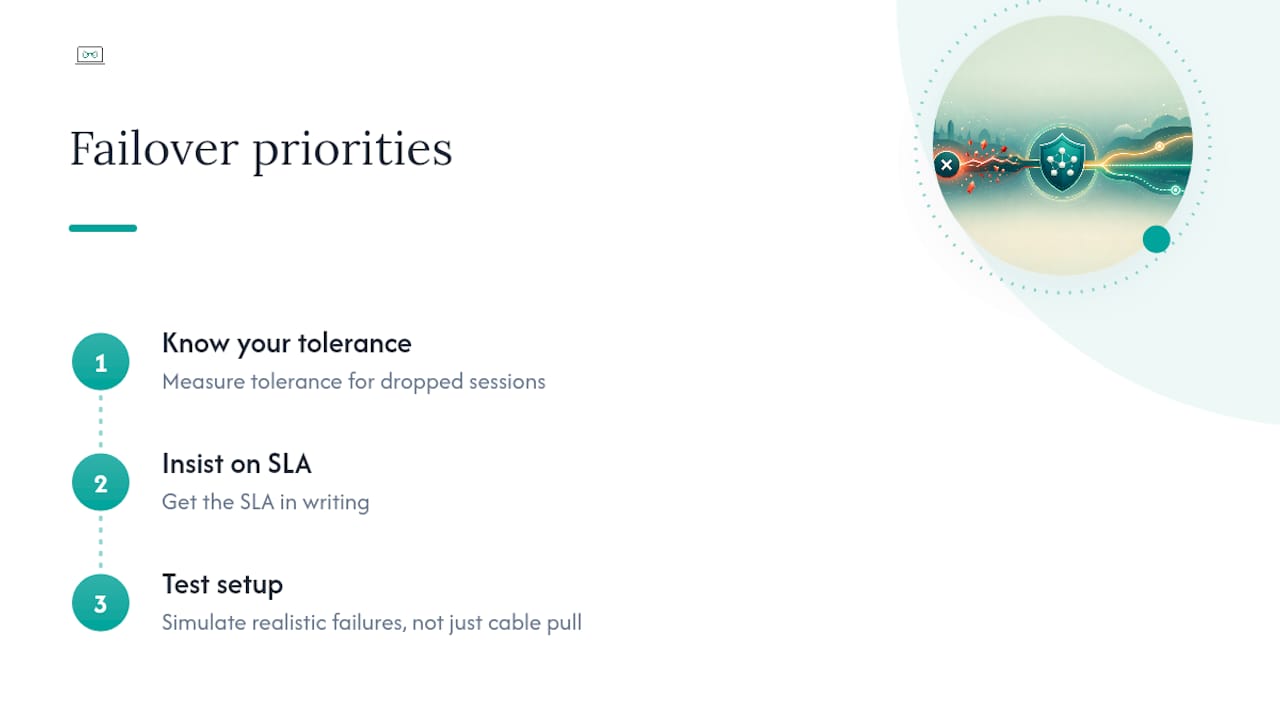
What actually matters, in order: know your real tolerance for dropped sessions before you shop, insist on seeing the SLA in writing rather than taking a sales pitch's word for it, and test the setup under realistic failure conditions (not just a clean cable pull) before you need it for real. Most businesses get the hardware right and skip the testing entirely, which is exactly backwards. The router doesn't fail you. The untested assumption about how it behaves does.
— Thomas
How Myitbutler can help with your failover setup
There are DIY router kits and self-managed bonding boxes out there, and for some businesses they're genuinely fine. But if you'd rather have someone who's done this before design it properly, liaise with the ISP or hardware vendor, configure the firewall and VPN rules correctly the first time, and then actually monitor it, that's the gap Myitbutler fills.

A typical engagement starts with a short design review, covering your current connections, what needs session persistence and what doesn't, and what the SLA should actually guarantee. You walk away with a written network design and a fixed quote, no obligation to proceed, and no long-term contract if you do. For distributed teams and businesses across time zones, coordination happens over WhatsApp, Zoom or email, whichever suits you. If you're ready to stop guessing whether your backup connection would actually hold up during a real outage, book a consultation or start with a free chat to scope what you need.
Key Takeaways
Reliable business internet failover depends on matching the switching method (probe-based, bonded, or managed SD-WAN) to how much session disruption your operations can actually tolerate.
| Point | Details |
|---|---|
| Define your tolerance first | Decide whether dropped calls or transactions during a switch are acceptable before choosing hardware. |
| Cellular backup suits most SMBs | A SIM-enabled router is the fastest, cheapest way to add automatic failover for general connectivity. |
| Bonding protects live sessions | VoIP, payments and remote desktop access need session persistence, which reactive failover alone doesn't guarantee. |
| Test under real failure conditions | Simulate packet loss and latency, not just a clean cutover, to catch issues before an outage does. |
| Myitbutler offers a scoped starting point | A short design review with Myitbutler delivers a written network design and fixed quote with no long-term contract. |
Sources
See bonded connectivity platforms, multi-site failover services, and Myitbutler's managed IT services guide.
- Contrivian Lighthouse - Contrivian - Global Network Service Provider for Enterprise - Connectivity for when it really matters.
- Internet Failover: Multi-Site Business Networking | SUMOFIBER
- Waveform Internet | Bonded 5G Internet & Failover
FAQ
What is an internet failover?
It's an automatic switch from your primary internet connection to a backup one (cellular, a second ISP, or a bonded link) when the primary connection fails, so your network stays online without manual intervention.
How much does it cost to have a failover router service?
Costs vary by tier: SIM-based cellular backup adds a modest monthly cost on top of router hardware, while managed bonding or SD-WAN services cost more but typically bundle monitoring and support into the price.
Which routers offer failover capabilities?
Dual-WAN routers with a SIM slot handle basic reactive failover for most single-site businesses, while bonded appliances or managed SD-WAN devices are needed where calls or payment sessions can't drop during a switch.
What's the difference between failover and backup?
Failover is the automatic switching mechanism itself, triggered the moment your primary connection fails, while a "backup connection" simply refers to the secondary line or SIM sitting ready to be used, whether it switches automatically or not.