
TL;DR:
- Effective IT continuity relies on a Business Impact Analysis to set recovery priorities aligned with critical business functions. A comprehensive disaster recovery plan includes documented procedures, testing, clear roles, and tailored strategies for various disruption scenarios. Ongoing review, validation, and governance are essential to maintain resilience and ensure rapid recovery during incidents.
The role of IT in business continuity is to maintain or rapidly restore the technology services, data, and communications that critical business functions depend on. Without a structured IT recovery capability, even a short outage can cascade into significant financial and reputational damage. Frameworks like ISO 22301 and guidance from Ready.gov and Cyber.gc.ca define how IT recovery objectives, including Recovery Time Objectives (RTO) and Recovery Point Objectives (RPO), must align with a Business Impact Analysis (BIA) to protect operations. This guide explains how IT disaster recovery planning works in practice, and what business leaders and IT managers can do right now to build genuine resilience.
How does IT align with business continuity frameworks?
IT continuity does not exist in isolation. It sits inside a broader Business Continuity Management System (BCMS), and the BIA is where the two connect. A BIA identifies which business functions are most critical, quantifies the harm caused by disruption, and sets the recovery targets that IT must meet.

ISO 22301 defines the international standard for BCMS. It requires organisations to establish governance structures, document recovery plans, define RTOs and RPOs, and conduct regular management reviews. IT's job within this system is to deliver the technical capability that makes those targets achievable.
Here is how IT recovery priorities flow from the BIA into the BCMS:
- Identify critical functions. The BIA maps which business processes cannot tolerate extended downtime, such as payment processing, customer communications, or supply chain management.
- Set RTOs and RPOs. Cyber.gc.ca advises conducting a BIA to predict operational and financial impacts and prioritise IT recoveries accordingly. RTO defines how quickly a system must be restored; RPO defines how much data loss is acceptable.
- Assign IT recovery priorities. Systems supporting the most critical functions get restored first. Lower-priority systems follow in a defined sequence.
- Establish governance. Roles, responsibilities, and activation criteria must be documented. Governance structures are as important as technical design for a successful recovery.
- Review and improve. ISO 22301 requires management reviews and audits to sustain BCMS effectiveness over time.
The practical takeaway is this: IT recovery planning that is not anchored to a BIA is guesswork. You may restore systems in the wrong order, miss your RTO, and still fail the business even though your backups worked perfectly.
What makes an effective IT disaster recovery plan?
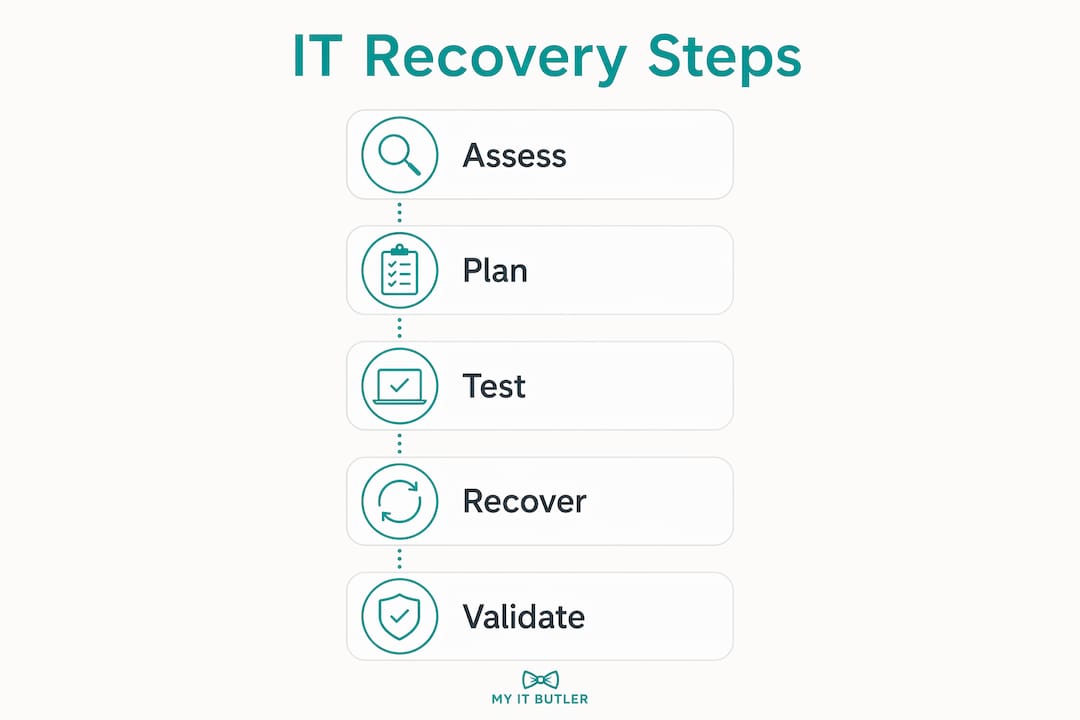
An IT disaster recovery plan is not a backup policy. Disaster recovery is distinct from backups. It requires documented, step-by-step processes to restore IT services within defined RTOs. That distinction matters enormously in a real incident.
A complete IT disaster recovery plan contains six core components.
- Asset inventory. Document every hardware device, software application, and data set. Ready.gov emphasises inventorying hardware, software, and data as a foundation for any recovery plan. You cannot recover what you have not catalogued.
- Backup strategy. Define what gets backed up, how often, and where copies are stored. Offsite and cloud-based backups protect against site-level failures. For a practical starting point, the 2026 backup guide from Myitbutler covers backup options suited to small and distributed businesses.
- Recovery procedures. Write step-by-step instructions for restoring each critical system. Include dependencies: identity services and network infrastructure must come back before business applications can function. Application recovery prioritisation is a dependency management challenge that many organisations underestimate.
- Sequencing and priorities. Order your recovery tasks by business impact. Restore the systems your BIA ranked highest first.
- Roles and responsibilities. Name the people responsible for each recovery task. Ambiguity during an incident costs time you cannot afford.
- Testing and validation. Validate backup integrity and measure actual restoration times against your RTOs. Untested plans are assumptions, not capabilities. Schedule tabletop exercises, simulation tests, and full recovery drills at least annually.
Pro Tip: After every test, document what broke or took longer than expected. Those lessons are the most valuable output of any exercise, and they drive the improvements that make your next recovery faster.
Post-recovery steps matter too. Once systems are restored, teams must validate that data is intact, deactivate any temporary recovery modes, and establish fresh backup baselines to prepare for the next event. Skipping this step leaves the organisation exposed immediately after a recovery.
How does IT continuity address cyber attacks, outages, and disasters?
Different disruptions demand different recovery strategies. A ransomware attack requires a completely different response to a data centre power failure or a flood. Cyber.gc.ca lists disruption types and mandates identification of critical data and processes to inform tailored recovery strategies.
Here is how IT continuity planning differs across the three most common scenarios:
- Cyber attacks (ransomware, data breaches). Recovery must include isolating affected systems before restoration begins. Clean backups stored offline or in immutable cloud storage are the only reliable recovery path. Security validation must occur before any system is brought back online.
- Infrastructure failures (power outages, hardware failures, ISP disruptions). Redundancy is the primary defence. Uninterruptible power supplies, failover internet connections, and geographically distributed cloud hosting reduce single points of failure. The managed IT services guide from Myitbutler outlines how proactive monitoring catches infrastructure risks before they become outages.
- Natural disasters (floods, fires, severe weather). Physical site access may be lost entirely. Cloud-first architectures and remote work capabilities allow staff to operate from alternate locations. Recovery plans must include communication trees so teams know where to work and who to contact when the office is inaccessible.
Pro Tip: Map your critical applications to specific disruption scenarios during your next BIA review. A single recovery plan that tries to cover every scenario often covers none of them well.
Cloud services and hybrid IT architectures have changed the resilience equation for smaller organisations. Platforms like Microsoft Azure and AWS offer geo-redundant storage and compute that would have required enterprise-grade infrastructure budgets a decade ago. Technology and business resilience are now more accessible than ever for distributed and remote teams.
What steps can business leaders take to strengthen IT continuity?
Knowing the theory is one thing. Putting it into practice requires a structured approach that connects IT recovery capability to real business priorities. Here are the steps that make the biggest difference:
- Conduct and update your BIA regularly. Business functions change. A BIA completed two years ago may not reflect your current critical systems or acceptable downtime thresholds. Review it at least annually or after any significant change to your operations.
- Document IT recovery plans aligned to business needs. Plans must be written, accessible offline, and understood by the people who will execute them. A plan that lives only in one person's head is not a plan.
- Test recovery procedures on a schedule. Reducing IT downtime requires validating that your restoration times actually meet your RTOs, not just assuming they will. Test results give you evidence, not estimates.
- Establish clear governance. Define who activates the recovery plan, who owns each system's restoration, and who communicates with the business during an incident. Clear recovery roles prevent improvised responses that slow recovery.
- Measure the right things. IT continuity performance shows up in restoration speed and reduced downtime, not IT spend or backup frequency. Track RTO achievement and mean time to recovery as your primary KPIs.
- Partner with a managed IT support provider. For many small and mid-sized organisations, maintaining internal IT continuity expertise across all scenarios is not realistic. A trusted managed services partner fills that gap with consistent, documented support.
IT compliance requirements also intersect with continuity planning. Regulations in many industries require documented recovery plans, regular testing, and evidence of governance. The IT compliance guide from Myitbutler covers how these obligations apply to smaller organisations operating across multiple jurisdictions.
Key takeaways
IT continuity requires a tested, governed, and BIA-aligned recovery capability, not just working backups.
| Point | Details |
|---|---|
| BIA drives IT priorities | Recovery targets like RTO and RPO must come from a Business Impact Analysis, not IT assumptions. |
| Plans need procedures, not just backups | Documented step-by-step recovery processes are what get systems back within RTOs during a real incident. |
| Test results replace guesswork | Validate actual restoration times against RTOs through scheduled exercises, not one-off checks. |
| Governance is non-negotiable | Named recovery roles and activation criteria prevent improvised responses that cost time and money. |
| Scenario-specific strategies matter | Cyber attacks, infrastructure failures, and natural disasters each require tailored recovery approaches. |
IT continuity is not a set-and-forget exercise
I have worked with organisations across multiple industries, and the most common mistake I see is treating IT continuity as a project with a finish line. A plan gets written, backups get configured, and then nothing changes for three years. Meanwhile, the business adds new cloud applications, moves to a hybrid workforce, and onboards new vendors. The plan becomes fiction.
The second most common mistake is confusing backups with recovery capability. Backups are a component. Recovery is the full process of restoring services in the right order, within the time the business can tolerate, with the right people doing the right tasks. IT continuity is a coordinated, validated capability defined by business priorities. That is a very different thing to a nightly backup job.
What I have found actually works is treating continuity planning as an ongoing operational discipline. Quarterly reviews of the BIA, annual recovery exercises with documented results, and a governance structure that puts named individuals in charge of specific systems. When an incident happens, and it will, the difference between a two-hour recovery and a two-day recovery almost always comes down to preparation and clarity of roles.
Cloud and hybrid IT architectures have genuinely improved the situation for smaller organisations in 2026. The cost of geo-redundant storage and failover compute has dropped significantly. But technology alone does not create resilience. The organisations that recover fastest are the ones that combined good technology with documented plans and practised teams.
If you are a business leader reading this and you are not sure whether your IT recovery plan has been tested in the last 12 months, that is your answer. Start there.
— Thomas
Build your IT continuity capability with Myitbutler

Myitbutler provides remote IT support for small and distributed businesses across Australia and globally, with over 15 years of enterprise experience behind every engagement. Whether you need help conducting a BIA, documenting your IT recovery plan, or testing your backup and restoration procedures, Myitbutler delivers structured, standards-based support without long-term contracts. The team holds certifications including CCNA, CompTIA Security+, and PRINCE2, so you get professional-grade continuity planning tailored to your business size and risk profile. Book a consultation to discuss your IT continuity readiness and get a clear picture of where your gaps are.
FAQ
What is the role of IT in business continuity?
IT's role in business continuity is to maintain or rapidly restore the technology services, data, and communications that critical business functions depend on. Recovery targets like RTO and RPO, defined through a BIA, set the performance standard IT must meet.
What is the difference between RTO and RPO?
RTO (Recovery Time Objective) defines how quickly a system must be restored after a disruption. RPO (Recovery Point Objective) defines the maximum amount of data loss the business can tolerate, measured in time.
How often should an IT disaster recovery plan be tested?
IT disaster recovery plans should be tested at least annually through exercises such as tabletop simulations or full recovery drills. Results must be documented and used to update the plan.
Is a backup the same as a disaster recovery plan?
No. Backups are one component of a disaster recovery plan. A complete plan includes documented recovery procedures, sequencing, defined roles, and validated restoration times that meet business RTOs.
How does IT support business continuity during a cyber attack?
During a cyber attack, IT isolates affected systems, restores from clean offline or immutable backups, and validates system integrity before bringing services back online. Security checks must occur before restoration to prevent reinfection.