
TL;DR:
- Managing remote devices and distributed teams on a limited budget is challenging for SMBs due to overlapping tools and complex vendor options. Choosing tools based on mapped pain points, workflows, and integration needs ensures operational efficiency and cost-effectiveness. Integrated platforms and expert support help SMBs build reliable IT environments that adapt as their needs grow.
Managing remote devices and distributed teams on a tight budget is one of the most frustrating challenges for small and medium-sized businesses today. The market is flooded with overlapping tool categories, vendor jargon, and pricing models that make it genuinely difficult to know where to start. RMM, PSA, MDM, ITSM, remote access — each acronym promises to solve your problems, yet many SMBs end up with a fragmented stack that creates more headaches than it prevents. This guide cuts through the noise and gives you a practical framework for matching the right tool types to your actual operational needs.
Table of Contents
- How to choose: Key criteria for remote IT tool selection
- Core types of remote IT management tools for SMBs
- How each tool type supports SMB operations
- Best practice tips for SMBs on a budget
- Why integration and transparency matter more than just tool choice
- Get reliable remote IT support for your SMB
- Frequently asked questions
Key Takeaways
| Point | Details |
|---|---|
| Match tools to business needs | Choose tool types based on where your business does its IT work to avoid wasted spend and complexity. |
| Consider unified platforms | All-in-one solutions can simplify management and integrations for SMBs with limited IT resources. |
| Watch out for automation pitfalls | Verify that automation and compliance reporting work as expected to avoid errors and missed requirements. |
| Look for affordable entry options | Many vendors provide free or capped plans that let you start small without sacrificing essential features. |
| Integration is critical for scaling | Proper integration between tool types prevents data silos and errors as your business grows. |
How to choose: Key criteria for remote IT tool selection
Now that we've established why tool choice matters, let's outline how to make the decision process manageable.
The single biggest mistake SMBs make is shopping for tools before they've mapped their pain points. Buying a feature-rich platform because it looks impressive in a demo is a reliable path to wasted budget and low adoption. Instead, start with your workflows.
Here is a practical four-step framework for evaluating which tool categories your business genuinely needs:
- Identify your primary pain points. Is your team constantly troubleshooting endpoint issues remotely? Are you losing track of support tickets? Are mobile devices going unmanaged across multiple countries? Each pain point maps to a specific tool category.
- Map where work happens. As ConnectWise outlines, start by mapping where work happens — endpoint health and automation versus ticketing and billing versus live support versus mobile enforcement — then look for integration between RMM and PSA to avoid brittle silos.
- Assess integration requirements. A tool that doesn't talk to your other systems creates data silos. Before committing to any platform, ask vendors directly how their product integrates with the tools you already use.
- Define your scale, budget, and ease-of-use thresholds. A five-person team has very different needs from a 150-person distributed workforce. Be honest about your IT maturity level and choose tools your team will actually use.
"The right tool is the one your team will use consistently, not the one with the longest feature list."
Pro Tip: Before you book a vendor demo, write down your top three IT frustrations in plain language. Bring that list to every conversation and ask vendors to show you specifically how their product addresses each one. If they can't, move on.
If you're unsure where your gaps are, an IT support consultation with an experienced provider can save you months of trial and error.
Core types of remote IT management tools for SMBs
With your selection criteria clear, let's break down the major remote IT management tool types available.
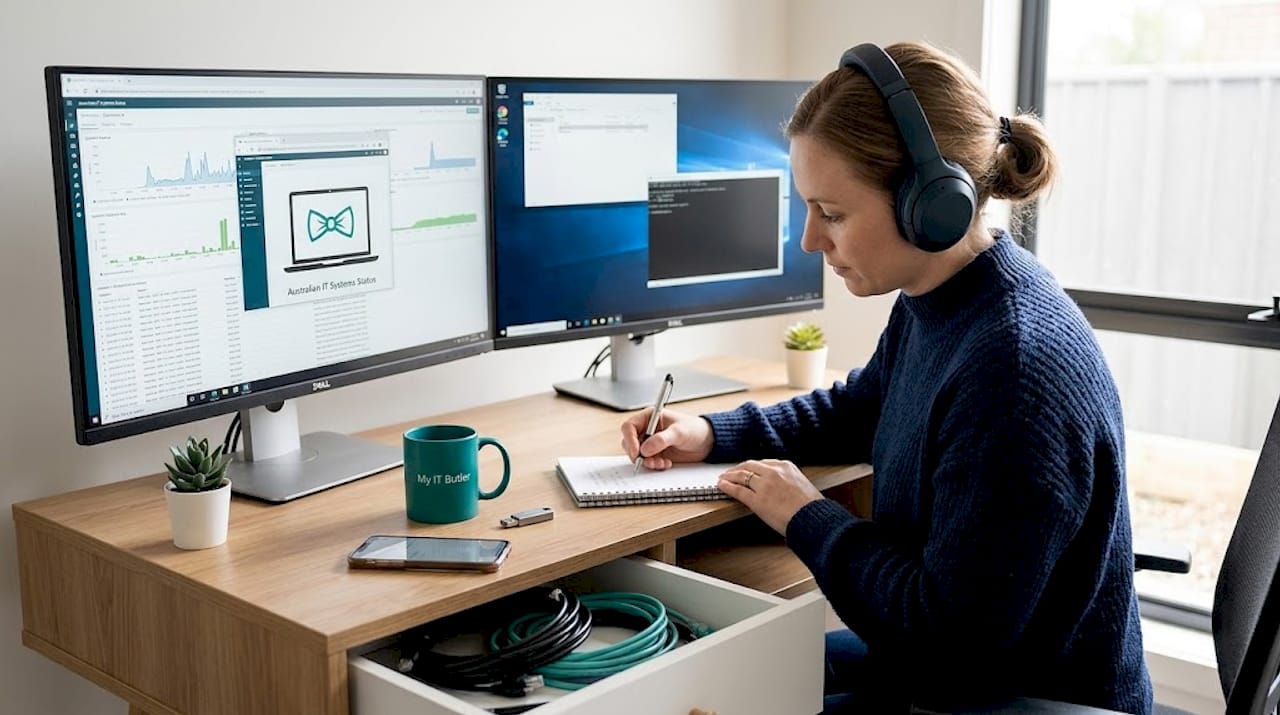
The core remote IT management tool categories are Remote Desktop and remote access, Remote Monitoring and Management (RMM), Mobile Device Management (MDM), Professional Services Automation (PSA), and IT Service Management (ITSM). Each serves a distinct function, though modern platforms increasingly blend several of these together.
Remote Desktop and remote access tools These are your frontline support instruments. Remote access tools focus on live technician access, and often include file transfer and unattended access capabilities to support endpoints. When a staff member in Singapore can't open their accounting software, a remote access tool lets your IT person take control of that machine from anywhere in the world within seconds.
Key features to look for:
- Unattended access (connect without the user being present)
- Multi-monitor support
- File transfer and session recording
- Cross-platform compatibility (Windows, macOS, Linux, iOS, Android)
Remote Monitoring and Management (RMM) RMM platforms sit quietly in the background, watching your endpoints for problems before they become outages. They automate patch management, run scripts, monitor disk health, and alert your team when something goes wrong. For SMBs with limited IT staff, RMM tools are often the highest-leverage investment available.
Mobile Device Management (MDM) MDM tools enforce security policies across smartphones, tablets, and laptops. They let you remotely wipe a lost device, push app updates, and ensure staff aren't using personal devices to access sensitive company data without encryption. For distributed teams and businesses with remote workers across multiple time zones, MDM is non-negotiable.
Professional Services Automation (PSA) PSA tools handle the business side of IT operations: ticketing, billing, time tracking, and reporting. They're particularly valuable for businesses that outsource IT or work with managed service providers, because they create accountability and visibility into what work is being done and at what cost.
IT Service Management (ITSM) ITSM platforms manage the full lifecycle of IT services, from request to resolution. They often include self-service portals, change management workflows, and knowledge bases. Larger SMBs with internal IT teams benefit most from ITSM platforms.
| Tool type | Primary function | Best suited for |
|---|---|---|
| Remote access | Live technician support | All SMBs with remote staff |
| RMM | Automated monitoring and patching | SMBs with multiple endpoints |
| MDM | Mobile and device policy enforcement | Teams using mobile or BYOD |
| PSA | Ticketing, billing, time tracking | Outsourced IT or MSP clients |
| ITSM | Full service lifecycle management | SMBs with internal IT teams |
Pro Tip: Many vendors now offer bundled platforms that combine RMM with remote access or PSA. If you're starting fresh, a unified platform often costs less and creates fewer integration headaches than buying three separate tools. Explore the remote IT support tools landscape before committing to point solutions.
How each tool type supports SMB operations
Now, let's dig into how these tools perform for SMBs in the real world, including important trade-offs.
Remote access in practice Imagine a sales manager in Dubai whose laptop freezes during a critical client presentation. With a remote access tool, your IT person can connect within two minutes, restart the stuck process, and have the manager back online before the client even notices. That's the real-world value of remote access. It's immediate, visible, and directly tied to business continuity.
RMM in practice RMM tools shine in preventive care. Rather than waiting for a server to crash, your RMM platform alerts you that disk usage has hit 85% and automatically runs a cleanup script. Patch management is another major win: instead of manually updating 40 laptops, the RMM pushes updates overnight when no one is working. Unified remote management platforms can integrate multiple capabilities, so SMBs and MSPs may buy unified stacks rather than separate point tools, which reduces complexity significantly.
However, RMM tools are not foolproof. Automation failures are a genuine risk: silent failures in automation and patch reporting, as well as legacy RMM scale bottlenecks, can leave you thinking a task completed when it hasn't. Always verify endpoint state after automated jobs run. Don't assume the job log means the job worked.
MDM in practice A retail business with 30 staff using company iPads needs MDM. When an employee leaves, the IT team remotely wipes the device and removes access within minutes. When a new app policy rolls out, MDM pushes it to all devices simultaneously. Without MDM, each of those tasks would require someone to physically handle every device.
PSA in practice PSA tools create structure around support requests. Instead of staff emailing the IT person directly (and those emails getting lost), every request becomes a ticket with a priority, an assignee, and a resolution time. This visibility is essential for SMBs that want to understand where IT time is being spent and whether their support provider is delivering value.
The unified platform argument The Howe Tech and TeamViewer case study is instructive: combining remote access with RMM and managed detection and response increased service capacity by 344%. That's not a marginal improvement. It demonstrates what happens when tools are designed to work together rather than being bolted together after the fact.
| Tool type | Key benefit | Common trade-off |
|---|---|---|
| Remote access | Fast live support, anywhere | Requires user availability for attended sessions |
| RMM | Proactive, automated endpoint care | Automation can fail silently without verification |
| MDM | Centralised mobile policy control | Initial enrolment can be time-consuming |
| PSA | Accountability and billing clarity | Adds admin overhead for very small teams |
| ITSM | Full service lifecycle visibility | Can be over-engineered for SMBs under 50 staff |
For SMBs managing distributed teams, the client support portal can provide a centralised point of contact that complements whichever tool stack you choose.
Best practice tips for SMBs on a budget
With the main types compared, here's how you can maximise value for your IT budget when choosing tools.
Budget constraints are real, but they don't have to mean poor IT management. The key is sequencing your investments intelligently and avoiding the trap of buying everything at once.
Follow these five steps to get the most from a limited IT budget:
- Start with remote access. It's the lowest-cost, highest-impact tool for most SMBs. Even a basic plan lets you support staff anywhere in the world without paying for on-site visits.
- Trial free or capped RMM plans. Some RMM offerings provide free or capped endpoint plans for SMBs that deliver core monitoring and automation. MSP360 RMM Community Edition, for example, is free up to 50 endpoints. This is an excellent way to build RMM capability without upfront cost.
- Prioritise MDM if you have mobile workers. A single lost, unmanaged device containing client data can cost far more in regulatory penalties and reputational damage than a year's MDM subscription.
- Delay PSA until you have volume. If you're logging fewer than 20 tickets per month, a shared spreadsheet or simple helpdesk tool may suffice. PSA platforms earn their value at higher ticket volumes.
- Choose scalable platforms from day one. The cheapest option today may cost you a painful migration in 18 months. Look for platforms with clear upgrade paths and transparent pricing tiers.
Pro Tip: Many vendors offer non-profit or startup discounts that aren't advertised publicly. It's always worth asking directly. A five-minute email can save you hundreds of dollars per year.
The difference between free and paid plans often comes down to automation depth, reporting quality, and support responsiveness. Free plans are excellent for learning a platform, but they typically cap the features that deliver the most value at scale. For remote IT support advice tailored to your specific situation, speaking with an experienced provider can help you avoid costly missteps.
Why integration and transparency matter more than just tool choice
Here is the uncomfortable truth that most tool comparison articles won't tell you: the tool you choose matters less than how well it integrates with everything else you're running.
We've seen SMBs spend months evaluating feature lists, only to discover after purchase that their new RMM platform doesn't sync properly with their ticketing system. The result is manual data entry, missed alerts, and a support team that loses faith in the technology they're supposed to rely on.
Automation success is not guaranteed by job submission. You must verify endpoint state and ensure the platform's reporting matches compliance expectations. This is a lesson that applies equally to RMM, MDM, and ITSM platforms. The job log saying "completed" and the endpoint actually being patched are two different things. Build verification steps into your processes.
Unified platforms reduce this risk because they're designed to share data internally. But best-of-breed tools, where you choose the best RMM, the best PSA, and the best remote access tool separately, can still outperform unified platforms if the integrations are solid and your team has the expertise to manage them. The honest answer is that it depends on your team's IT maturity.
Transparency in reporting is equally critical. Your tools should give you clear, auditable records of what happened, when, and on which device. This isn't just about compliance, though that matters enormously for businesses handling sensitive data. It's about being able to diagnose problems quickly and demonstrate to stakeholders that IT is functioning as it should.
If you're ready to move beyond guesswork and build a genuinely integrated IT environment, get expert IT advice from a provider who understands both the technical and strategic dimensions of remote IT management.
Get reliable remote IT support for your SMB
Choosing the right remote IT management tools is only half the challenge. The other half is having the expertise to configure, monitor, and adapt those tools as your business evolves. That's where remote IT support for SMBs from My IT Butler makes a genuine difference.

My IT Butler brings over 15 years of enterprise-grade IT experience to distributed businesses, remote teams, and international organisations. Whether you need help selecting the right tool stack, managing your existing platforms, or troubleshooting complex cross-timezone issues, the team operates to Australian standards with transparent fixed pricing and no lock-in contracts. You can schedule a consultation to discuss your specific needs, or access ongoing support directly through the support portal. The goal is simple: give your business the IT foundation it needs to operate confidently, wherever your team is located.
Frequently asked questions
What is the difference between RMM and PSA for SMBs?
RMM focuses on technical execution, monitoring and managing devices, while PSA focuses on administrative and financial workflow including ticketing, billing, and time tracking. Most growing SMBs eventually need both, but RMM typically delivers value first.
Do SMBs need both remote access and RMM tools?
Many SMBs benefit from both because remote access serves different needs from monitoring and automation. Remote access handles live support sessions, while RMM manages ongoing endpoint health in the background.
Are there affordable remote IT management options for very small businesses?
Yes, several RMM tools offer free or low-cost plans. MSP360 RMM Community Edition is free with a cap of 50 endpoints, making it a practical starting point for businesses with limited budgets.
What are the risks of poor tool integration?
Disjointed tools create brittle silos and sync delays between platforms, leading to missed alerts, reporting gaps, and compliance failures that become increasingly costly as your business scales.
How do unified platforms benefit SMBs?
Unified remote management platforms integrate multiple capabilities internally, reducing the friction and errors that come from managing several single-purpose tools. For SMBs with limited IT staff, this simplicity often outweighs the feature advantages of best-of-breed alternatives.