
TL;DR:
- Startup IT infrastructure focuses on managed services and custom components that enable reliable product deployment from day one. It emphasizes choosing the right tools, such as hosted databases and automation platforms, and only building what is unique to the product to reduce operational complexity.
Startup IT infrastructure is defined as the combination of managed services and custom components that enable a technology business to build, deploy, and operate its product reliably from day one. Getting this right is not about having the most sophisticated setup. It is about choosing the right tools at the right time so your team can ship product, not manage servers. Many early-stage SaaS startups can launch with infrastructure costs under a few hundred dollars per month using managed platforms like Vercel, Supabase, and Cloudflare. That figure shows how far managed services have shifted the economics of building a technology business. The core principle of startup IT infrastructure explained simply: buy what exists, build only what is unique to your product.
What are the essential components of startup IT infrastructure?
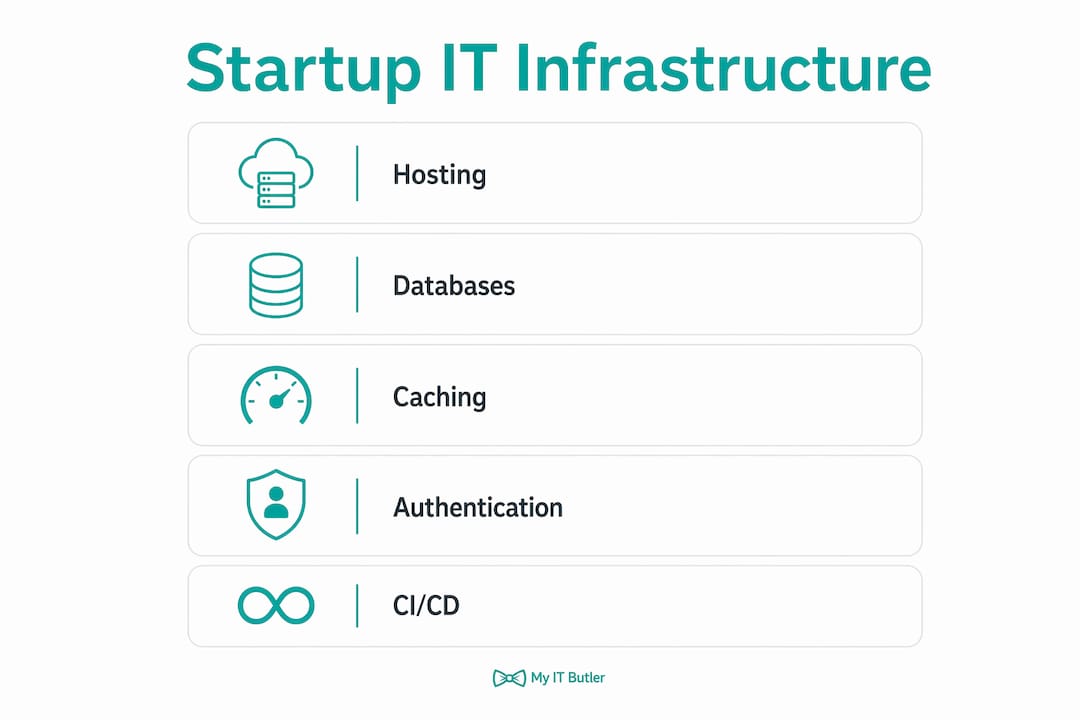
Every startup's IT setup shares a common set of building blocks, regardless of the product being built. Understanding these components helps founders make confident decisions without needing a full-time infrastructure engineer on day one.
Compute and hosting
Your application needs somewhere to run. Managed hosting platforms handle server provisioning, scaling, and deployment pipelines automatically. Vercel suits frontend and full-stack JavaScript applications. Render and Railway cover backend services and background workers. These platforms remove the need to configure and patch virtual machines manually.

Databases and backups
The production database is the single most critical component in your entire setup. Point-in-time database recovery is not optional. Without tested backups, a startup cannot claim stable business operations. Managed PostgreSQL services from providers like Supabase, Neon, or Railway include automated backups and restore capabilities. Run a full restore test before your first user signs up, not after a crisis.
Caching and background jobs
Caching reduces database load and speeds up response times for users. Redis is the standard choice for in-memory caching and session storage. Background job queues, handled by tools like BullMQ, let your application process tasks asynchronously. This separation keeps your web server fast and your users happy.
Authentication and secrets management
Authentication is one area where building from scratch creates unnecessary risk. Standard authentication providers handle password hashing, session management, multi-factor authentication, and OAuth integrations. Secrets such as API keys and database credentials must never live in source code. Use a dedicated secrets manager or environment variable service from the start.
Observability and monitoring
- Error tracking: Tools like Sentry capture application errors in real time and link them to specific code changes.
- Uptime monitoring: A simple uptime monitor alerts you when your service goes down before your users report it.
- Analytics: Privacy-focused tools like Plausible give you product usage data without the compliance overhead of heavier platforms.
- Logging: Centralised log aggregation lets you trace what happened when something breaks.
CI/CD and version control
A continuous integration and continuous deployment (CI/CD) pipeline automates testing and deployment every time code is pushed. GitHub Actions is the most common starting point. This means a developer pushes code, tests run automatically, and the application deploys without manual steps. Version control through Git is non-negotiable from the first line of code.
Should startups build custom infrastructure or buy managed services?
The answer is clear: buy managed services aggressively and build only what is core to your product. This is the single most important infrastructure decision an early-stage team makes. A two-person startup that self-hosts its database, builds its own authentication, and manages its own servers is spending engineering hours on problems that vendors have already solved.
Managed services push operational complexity to vendors. Your team does not patch operating systems, manage SSL certificates, or respond to disk-full alerts at 2:00 AM. That time goes back to building the product. Small startup teams can operate at the scale of much larger firms precisely because managed platforms absorb the operational burden.
What to build versus what to buy
Build your deployment configuration, your domain-specific business logic, and any CI/CD workflows that reflect how your team works. Buy your database, caching layer, authentication, email delivery, file storage, and monitoring. The rule is simple: if a vendor solves it reliably and cheaply, do not rebuild it.
Vendor lock-in is a real risk, but it is manageable. Before adopting any platform-specific solution, verify clear migration paths for both your logic and your data. Ask the vendor directly: how do I export everything if I leave? If the answer is unclear, that is a warning sign.
Pro Tip: Before committing to any managed platform, test the data export process. Download a full backup and restore it to a local environment. If you cannot do this in under an hour, the migration risk is higher than you think.
The IT support options available to startups have expanded significantly. Founders no longer need to choose between hiring a full-time infrastructure engineer or going without support entirely.
What are the common pitfalls in startup IT infrastructure?
Most infrastructure mistakes in early-stage startups share a common cause: complexity added before it is needed. These are the traps that turn a manageable setup into a maintenance burden.
- Over-engineering too early. Premature adoption of Kubernetes or multi-region deployments burns resources before product-market fit. A single-region deployment on a managed platform is the right starting point for almost every startup.
- Untested backups. Having a backup configured is not the same as having a working backup. Test your database restore process before you have users. The database is the company's durable state. Losing it means losing the business.
- Mixing business logic with infrastructure. When application code becomes tightly coupled to a specific platform's proprietary features, migrating later becomes extremely expensive. Keep your core logic portable.
- No cost tagging. Cloud bills grow silently. Tagging resources from day one and setting up a kill switch for non-production workloads prevents billing surprises that can genuinely threaten a startup's runway.
- High bus factor. If only one person understands how the infrastructure works, the business is at risk. Standardised, well-known tools reduce this risk because any competent engineer can understand and operate them quickly.
- Ignoring security basics early. Secrets in source code, no multi-factor authentication on cloud accounts, and open database ports are common in early startups. These are easy to fix early and expensive to fix after a breach. The affordable cybersecurity tools available today remove any excuse for skipping the basics.
How to plan startup IT infrastructure for scale and maintainability
Planning for scale does not mean building for scale on day one. It means making choices now that do not block you later.
- Start with a modular monolith. A single deployable application with well-separated internal modules is far easier to operate than a microservices architecture. Move to microservices only when a specific scaling problem demands it.
- Separate synchronous from asynchronous work. Web requests should return fast. Anything that takes more than a second belongs in a background job queue. This pattern scales naturally as volume grows.
- Implement observability from the first deployment. Error tracking, uptime monitoring, and basic logging cost almost nothing to set up. They give you the data needed to make good decisions as the product grows.
- Document your infrastructure as you build it. A single README explaining how to deploy, how to restore a backup, and how to add a new environment is worth more than any internal wiki. Write it for the second engineer who joins, not for yourself.
- Build security and compliance in from the start. Retrofitting access controls, audit logs, and data handling policies into an existing system is painful. Decide your data residency and access model before you have customers, not after.
The table below maps startup growth stages to the infrastructure decisions that matter most at each point.
| Growth stage | Infrastructure priority |
|---|---|
| Pre-launch | Managed hosting, database with backups, basic auth, CI/CD pipeline |
| First 100 users | Error tracking, uptime monitoring, cost tagging, secrets management |
| First 1,000 users | Caching layer, background job queues, load testing, access controls |
| Scaling phase | Dedicated infrastructure review, compliance audit, team ownership documentation |
The role of IT in remote startup teams becomes more complex as headcount grows. Establishing clear ownership and documented processes early makes that transition far less painful.
Infrastructure success is measured not by the technology chosen but by how quickly a second engineer can understand and operate the system. That is the standard worth building toward.
Key takeaways
Startup IT infrastructure works best when it uses managed services for everything non-unique, keeps tools simple and well-documented, and treats the production database as the most critical asset in the business.
| Point | Details |
|---|---|
| Use managed services first | Buy databases, auth, and hosting before building anything custom to reduce operational burden. |
| Test backups before launch | Restore your database to a local environment before your first user signs up, not after a failure. |
| Tag cloud costs from day one | Resource tagging and kill switches for non-production environments prevent unexpected billing. |
| Measure by onboarding speed | Good infrastructure lets a new engineer operate the system on their first day without specialist knowledge. |
| Avoid premature complexity | Skip Kubernetes and multi-region setups until volume and team size genuinely justify them. |
The boring infrastructure principle: why simple wins
The startups I have seen struggle most with their IT setup share one trait: they built impressive-sounding infrastructure before they had a product worth running on it. Kubernetes clusters, custom service meshes, multi-cloud redundancy. All of it before a single paying customer.
The teams that ship fastest and sleep best use what I call boring infrastructure. A managed database on a single cloud provider, a deployment platform that handles scaling automatically, a handful of well-understood tools that any competent engineer can pick up in a day. Most stable startup systems use a small number of well-known tools on a single major cloud. That is not a limitation. That is the goal.
The second thing I have learned is that infrastructure ownership matters enormously. Consultants and contractors who build systems that only they can maintain are creating a liability, not an asset. Infrastructure should be handed over to the founding team in a state they can understand, modify, and extend without ongoing specialist involvement. If you cannot explain your own infrastructure to a new hire, something has gone wrong.
Non-technical founders especially benefit from prioritising standardisation over customisation. Bus factor and standardisation matter more than clever architecture. The goal is a system your team owns, not one that owns your team.
— Thomas
How Myitbutler helps startups get their IT foundation right
Getting your IT foundation right from the start saves months of painful rework later. Myitbutler provides remote IT support for startups backed by over 15 years of enterprise experience and certifications including CCNA, CompTIA Security+, and PRINCE2. The team works with founders and small distributed teams globally, applying Australian standards to real-world infrastructure challenges.

Whether you need a one-off infrastructure review, ongoing managed IT support, or help setting up your first CI/CD pipeline and backup strategy, Myitbutler delivers practical advice without jargon. The managed IT services guide covers exactly what small businesses and startups need to make confident IT decisions. Fixed pricing, no long-term contracts, and support via WhatsApp or email mean you get expert help on your terms.
FAQ
What is startup IT infrastructure?
Startup IT infrastructure is the set of managed services and custom components that support a startup's product delivery and business operations. It includes hosting, databases, authentication, monitoring, and CI/CD pipelines.
How much does startup IT infrastructure cost?
Early-stage startups can run a full production setup for a few hundred dollars per month using managed platforms like Vercel, Supabase, and Cloudflare. Costs scale with usage, not with team size.
Should startups use managed services or build their own infrastructure?
Startups should use managed services for everything that is not unique to their product. Building custom infrastructure for databases, authentication, or hosting adds operational complexity that small teams cannot afford to maintain.
What is the most important part of startup IT infrastructure?
The production database is the most critical component. Without tested point-in-time backups, a startup cannot claim stable operations. A database failure without a working restore process can end the business.
When should a startup move away from managed services?
A startup should consider custom infrastructure only when a specific scaling problem cannot be solved by managed services, or when the cost of managed services exceeds the cost of operating custom infrastructure with a dedicated team.