
Remote managed IT services replace the "call someone when it breaks" approach with prevention-first IT management delivered entirely online: monitoring, patching, backups, security and help desk support, all handled before small problems become expensive ones. If your business has grown past roughly 10 to 15 staff, operates across more than one location, or simply needs predictable monthly costs instead of surprise invoices, this is the point where remote managed IT services usually make more sense than ad-hoc troubleshooting.
Myitbutler positions itself squarely in this space: a remote-first provider built on Australian standards, backed by certified engineers, with fixed pricing and no long-term lock-in contracts.
What you should expect from a genuine managed IT arrangement:
- 24/7 or business-hours monitoring that catches issues before they cause downtime
- A defined help desk with published response times, not vague promises
- Endpoint protection, backup and patching bundled as standard, not add-ons
- Transparent, fixed pricing you can budget against every month
Key Takeaways
Remote managed IT services work best when providers bundle prevention-first monitoring, security and support into fixed, transparent pricing rather than reactive, hourly billing.
| Point | Details |
|---|---|
| Switch threshold | Consider managed IT once headcount reaches roughly 10 to 15 users or downtime costs start outweighing a monthly fee. |
| Core inclusions | Expect help desk, monitoring, patching, EDR, backup and cloud management as standard, not optional extras. |
| Pricing range | Budget roughly $100 to $250 per user monthly, with onboarding often billed separately at $1,000 to $5,000. |
| Vendor vetting | Request sample reports, named tools, written SLAs and verifiable certification listings before signing. |
| Myitbutler fit | Myitbutler offers remote-first support with CCNA, CompTIA Security+ and PRINCE2 certified staff, fixed pricing, and no long-term contracts. |
Table of Contents
- What do remote managed IT services actually include?
- How much do remote IT support services cost?
- How do you choose the right remote IT provider?
- What happens during onboarding and setup?
- What security controls should a managed provider guarantee?
- What response times should you expect from an SLA?
- Why does remote-first suit distributed and global teams?
- What makes My IT Butler a credible remote IT partner?
- What does the research actually tell us about choosing a provider?
- How do you get started with Myitbutler?
- Sources
- FAQ
What do remote managed IT services actually include?
A proper managed IT quote should read like a list of deliverables, not a vague promise of "support." If a provider can't tell you exactly what's covered, that's your first warning sign.
Help desk support is the daily backbone. Ask about coverage hours (business hours only, or genuine 24/7), which channels they support (phone, email, chat, WhatsApp), and how tickets get triaged and escalated. A provider who can't explain their ticket workflow in plain terms probably doesn't have one.
Monitoring and patch management run quietly in the background. Automated tools watch servers, workstations and network devices around the clock, flagging failures and applying security patches before they become entry points for attackers. This is the prevention-first model that separates managed services from reactive break-fix support: issues get caught early rather than after they've caused an outage.

Security basics now form a non-negotiable layer. Endpoint detection and response (EDR), email filtering and multi-factor authentication (MFA) should be standard inclusions, not upsells. Australian vendor guidance consistently lists these alongside help desk and monitoring as core managed IT components.
Backup and disaster recovery matter more than most buyers realise until they need them. Ask what your recovery point objective (how much data you could lose) and recovery time objective (how fast you'd be back online) actually are, in hours, not marketing language.
Cloud, identity and vendor liaison round out the package. This covers managing your Microsoft 365 or Google Workspace tenancy, user identity and access, plus acting as the go-between when you need to deal with your internet provider, software vendors or hardware suppliers.
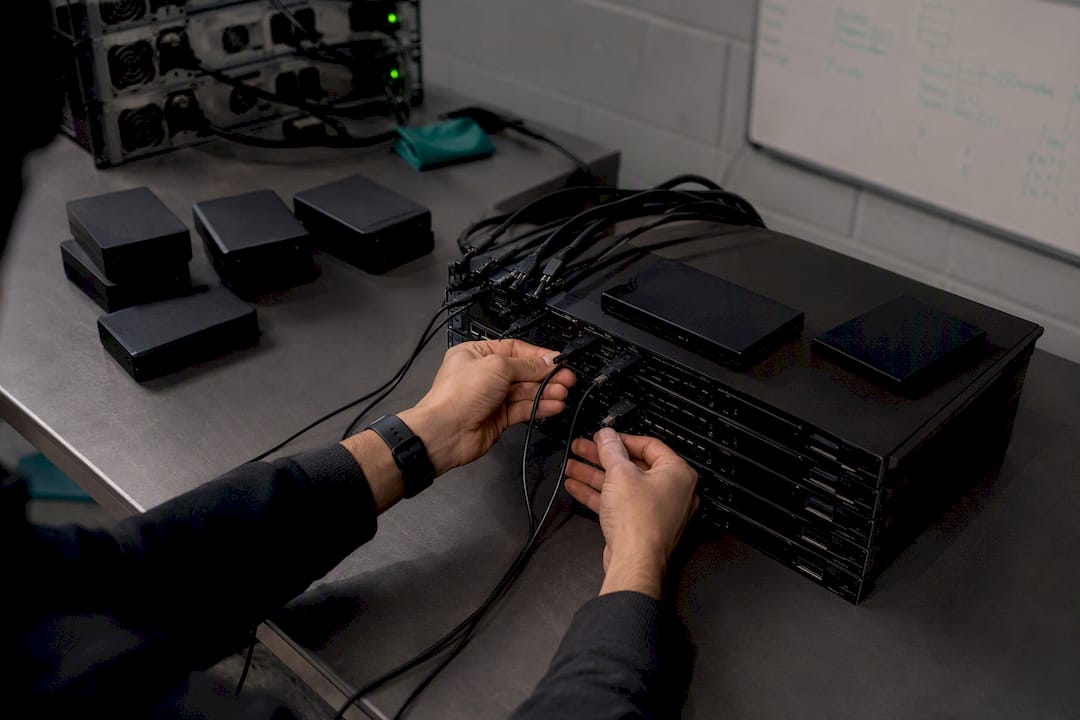
On-site coordination still matters occasionally. Even the best remote provider needs a physical presence sometimes, a failed switch, a new office fit-out, and a good one will coordinate a local partner rather than leaving you to sort it yourself.
Pro Tip: Ask every prospective provider for a sample monthly report before you sign anything. If they can't produce one, they probably aren't tracking the metrics they claim to manage.
How much do remote IT support services cost?
Pricing usually follows one of three models: per user (the most common for office-based teams), per device (better suited to businesses with shared workstations or lots of hardware), or a flat tiered package based on headcount bands.
Published benchmarks put managed IT services in the $100 to $250 per user range per month, though where you land in that band depends heavily on what's included. Entry-level packages often sit toward the bottom and cover help desk plus basic monitoring. Premium tiers add 24/7 coverage, advanced EDR and compliance support, and price accordingly.
Several factors push the number up or down:
- Coverage window. Business hours (often called 8x5) costs less than genuine 24/7 monitoring and response.
- Server and infrastructure complexity. A business running its own servers or complex hybrid cloud setups pays more than a fully cloud-native team.
- Compliance requirements. Industries with audit obligations need extra reporting and evidence trails, which adds cost.
- Onboarding fees. Most reputable providers charge a one-time setup fee, separate from the monthly rate.
Why the onboarding fee exists: a clean quote typically breaks onboarding out as its own line item, often $1,000 to $5,000 depending on environment size, because documenting your network, deploying monitoring agents and establishing baseline policies properly takes real time before the ongoing service can even start. Skipping this step to save money upfront tends to cost more later, when issues emerge that proper discovery would have caught.
Price differences between providers often come down to what security layers are bundled in rather than the labour behind them. The cheapest quote on the table frequently means the lightest security stack, not the most efficient operator.
How do you choose the right remote IT provider?
Choosing a managed IT partner is less about finding the cheapest quote and more about finding the provider whose answers you can actually verify. Work through this before you sign anything:
- Confirm scope in writing. Get an explicit list of what's included, help desk hours, monitoring, backup, security, versus what triggers an extra charge.
- Ask about their tooling. A provider should name their monitoring platform and EDR solution specifically, not just say "we use industry-standard tools."
- Request their SLA in detail. What's the guaranteed response time for a critical outage versus a minor request? Is it in writing, with credits attached if they miss it?
- Ask how onboarding works. A vague answer here almost always means a rushed, undocumented setup later.
- Request references or case studies. A provider with real client history should be able to point to specifics, not just testimonials on a webpage.
- Ask about their field partner network. Even remote-first providers need boots on the ground occasionally, so ask how they handle it.
- Check certifications directly. Don't just take a badge on a website at face value. Providers holding registered certifications should be able to point you to a verifiable listing.
Red flags worth walking away from immediately: no written SLA, reluctance to name their monitoring tools, no sample reporting, and long-term contracts with steep exit penalties.
Buyers who reverse this and lead with price almost always end up switching providers within 18 months.*
What happens during onboarding and setup?
The first 30 to 90 days set the tone for everything after. A rushed onboarding is the single biggest predictor of ongoing headaches.
Days 1 to 30: discovery. The provider should build a full asset inventory and network map, documenting every device, server and cloud service in use. Skipping this step is how "surprise" issues appear six months in.
Days 30 to 60: deployment. Monitoring agents get installed across devices, baseline security policies get applied, and backup systems get configured and tested with an actual test restore, not just a "backup completed" notification.
Days 60 to 90: stabilisation. This is where reporting cadence, escalation paths and support workflows get fine-tuned based on real usage.
Expect onboarding fees to cover documentation and agent deployment as one-time costs. Anything billed monthly should already include ongoing monitoring, patching and standard help desk support, not a recurring charge for work that should have happened during setup.
What security controls should a managed provider guarantee?
At minimum, insist on EDR, managed backup with tested recovery, MFA across all accounts, and automated patch management. These four cover the overwhelming majority of common attack paths and system failures.
Good providers also support compliance work directly: generating audit evidence, maintaining logs, and producing the documentation auditors ask for instead of leaving you to compile it yourself.
Incident response readiness matters just as much as prevention. Ask whether your provider runs tabletop exercises, simulated drills that test how your team and theirs would respond to a real breach or outage before one actually happens. A robust onboarding process should already include a baseline vulnerability scan and a test restore of backups, proving the tooling works before your service agreement even starts charging full rate.
Logging and visibility should be delivered through a dashboard or regular report, not buried in a system only the provider can see. If you can't check your own security posture without calling them, that's a gap worth raising.
What response times should you expect from an SLA?
Response time (how fast someone acknowledges your ticket) and resolution time (how fast the issue actually gets fixed) are different metrics, and providers sometimes blur the two deliberately. Ask for both, in writing.
For critical outages, a response time of under 30 to 60 minutes is a reasonable ask; for routine requests, a few hours is generally fine. Whether you need 24/7 coverage or business-hours support depends on whether your team spans multiple time zones or your systems need to stay up around the clock.
Your SLA should spell out the escalation path, define uptime clearly, and include service credits if targets are missed. Before signing, test it: submit a real (low-stakes) ticket and time the actual response against what they promised.
Why does remote-first suit distributed and global teams?
Distributed teams benefit most from remote-first delivery because policies, patching and monitoring stay consistent no matter where staff are logging in from. A team member in Bali gets the same security baseline as one in Sydney.
- New hires get devices provisioned and shipped, ready to work on day one
- No need to staff local IT in every office or time zone
- Field partner networks handle the rare on-site tasks without you managing separate local contracts
- Total cost typically runs lower than maintaining locally staffed IT in multiple regions
What makes My IT Butler a credible remote IT partner?
Certifications matter because they're verifiable, not just claimed. Myitbutler's team holds CCNA, CompTIA Security+ and PRINCE2 credentials, backed by more than 15 years of enterprise IT experience, and providers with registered certifications should always be able to point you to a checkable listing, the same standard certification registries apply across industries.
The service model is genuinely remote-first: support runs through WhatsApp, email and direct messaging so teams across multiple time zones get consistent coverage without waiting for office hours in one location to open.
Fixed pricing with no long-term contracts means SMEs aren't locked into a provider that stops earning its fee after month three. You pay for what's delivered, and you can leave if the service doesn't hold up.
What this looks like in practice:
- Enterprise-grade certifications applied to businesses that could never justify hiring that expertise in-house
- A detailed managed IT services guide available for readers who want the full breakdown before booking a call
- No multi-year lock-in, so the relationship has to keep earning its place every month
What does the research actually tell us about choosing a provider?
Most guides to choosing managed IT services focus on price comparison. That's the wrong starting point. The providers worth hiring are the ones who can show you a sample report, name their monitoring tools without hesitation, and explain their onboarding process in specific terms, not the ones with the lowest number on page one of the quote.
The conventional wisdom that "bigger is safer" also deserves scrutiny. A large, impersonal provider juggling hundreds of accounts often delivers slower response times than a smaller, genuinely remote-first team that treats your business as a real relationship rather than a ticket queue.
If there's one thing I'd tell a business owner reading this before they sign anything: prioritise verifiable proof over polished promises. Ask for the onboarding checklist. Ask for the SLA in writing. Ask to see a certification listing, not just a badge on a website. Providers confident in their service have no reason to dodge those questions, and the ones who do dodge them are telling you something important before you've even signed.
— Thomas
How do you get started with Myitbutler?
If you've read this far, you already know what a proper managed IT setup looks like: fixed pricing, real certifications, transparent SLAs and remote-first delivery that works across time zones without friction. Myitbutler is built around exactly that model, offering distributed teams, expats and SMEs a way to get enterprise-standard IT management without hiring a full internal team or signing away years to a contract.

The team works remotely across WhatsApp, email and direct messaging, so wherever your business or your staff are based, support doesn't depend on matching someone's office hours in a single city. Pricing stays fixed and transparent, with no long-term lock-in, so the arrangement has to keep earning its place every month rather than coasting on a signed contract.
Before your first call, have a rough device and user count ready, a sense of your current pain points, and your preferred support hours. From there, you can book a free consultation to walk through your setup and get a clear, fixed quote, no obligation attached.
Sources
- Managed IT Services Cost 2026 | $100-250 Per User Pricing
- IT Support Cost Calculator — 2026 Managed IT Pricing Estimator | UseCalcPro
- JAS-ANZ certificate detail
FAQ
Who are the biggest managed IT service providers?
The market includes large global players and a much bigger tier of specialised regional and remote-first providers, with no single provider dominating; buyers generally get better fit and responsiveness from providers matched to their size and location spread rather than sheer scale.
What's the difference between an MSP and SaaS?
A managed service provider (MSP) delivers ongoing IT management, monitoring and support as a service performed by people and tools together, while SaaS (Software as a Service) is a specific application delivered over the internet, like an accounting or CRM platform, with no human management layer included.
What's an example of an MSP?
A managed service provider typically bundles help desk support, 24/7 monitoring, patch management, backup and security into one monthly fee. Myitbutler is one example, offering this remote-first, delivered under Australian standards with fixed pricing and no long-term contracts.
How much should remote IT support cost per user?
Most managed IT packages fall between $100 and $250 per user monthly, with the exact figure depending on coverage hours, security tier and compliance needs.
Do remote IT providers charge onboarding fees?
Yes, most reputable providers charge a separate one-time onboarding fee, typically $1,000 to $5,000, to document your environment and deploy monitoring tools properly before the monthly service begins.