
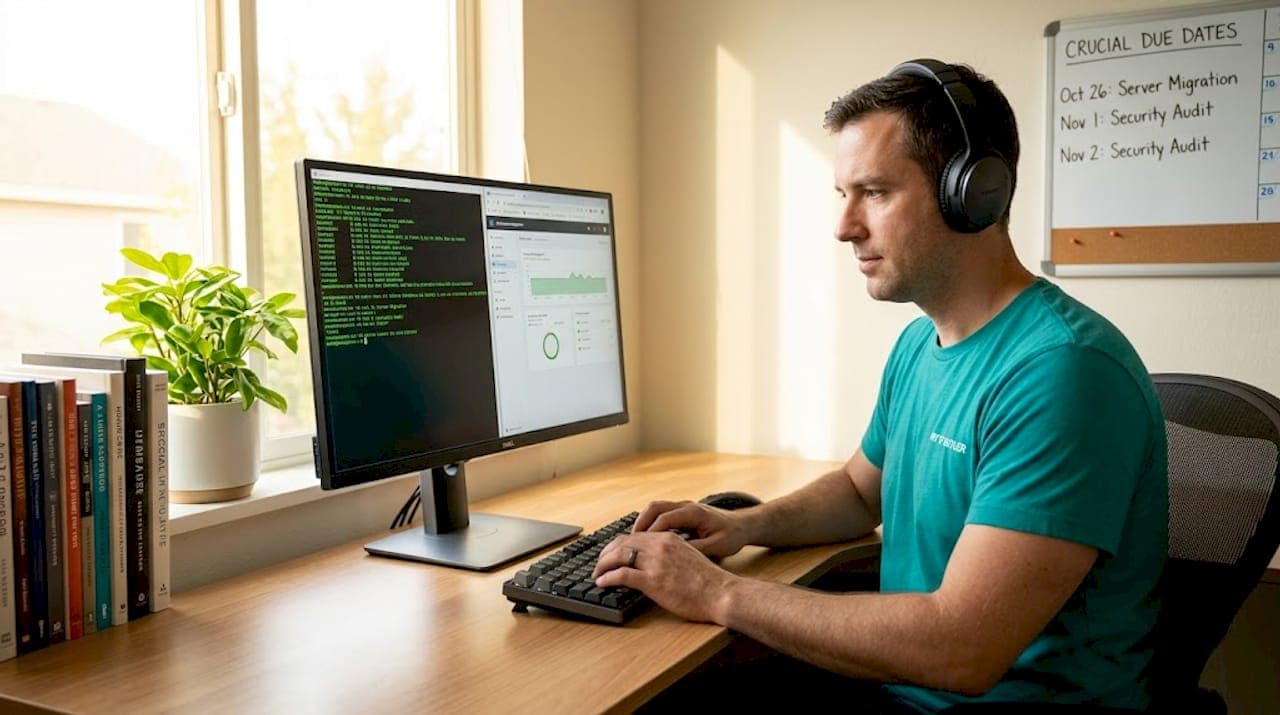
Most IT managers still believe that keeping a technician physically close to the servers is the safest way to run a reliable operation. That belief is expensive, slow, and increasingly wrong. A remote IT pod reduced first-response times from 4.2 hours to just 45 minutes, boosting customer satisfaction scores and cutting organizational churn by 34%. For international organizations managing distributed workloads across multiple time zones, remote system administration is no longer a workaround. It is the primary strategy. This article breaks down exactly how it works, which tools and frameworks matter most, and how to measure whether your approach is actually delivering results.
Table of Contents
- Defining remote system administration
- Core mechanics and tools for remote teams
- Security best practices in remote administration
- Frameworks for managing global remote teams
- Risks, benchmarks, and measuring success
- Our perspective: What most guides miss about remote system administration
- How My IT Butler empowers remote system administration for global teams
- Frequently asked questions
Key Takeaways
| Point | Details |
|---|---|
| Remote system administration defined | Managing IT infrastructure from afar now rivals or exceeds onsite support in speed and reliability. |
| Centralized tools and automation | Agentless, automated platforms ensure consistency and efficiency across global teams. |
| Security best practices | Rigorous security protocols like MFA and VPNs protect against costly breaches. |
| Operational benchmarks matter | Track MTTR, CSAT, and downtime to measure and improve real-world IT outcomes. |
| Hybrid approaches add resilience | Combining remote and onsite strategies ensures business continuity for edge cases. |
Defining remote system administration
Remote system administration is a broad discipline, but the core idea is straightforward. It means managing and maintaining your organization's technology infrastructure without being physically present at the hardware. Remote system administration is the practice of managing and maintaining computer systems, servers, and networks from a distant location without physical access, using tools like SSH, RDP, and centralized management platforms.
The scope covers far more than rebooting a server from a laptop. Remote administrators handle user account provisioning, software deployment, patch management, network configuration, security policy enforcement, performance monitoring, and incident response. All of it happens through encrypted connections and purpose-built platforms rather than a keyboard plugged into a rack.
The key outcomes that drive organizations toward this model are:
- Continuity: Systems are monitored and managed 24/7 regardless of geography or time zone.
- Security: Centralized policy enforcement reduces the risk of inconsistent configurations across distributed environments.
- Productivity: IT staff spend less time traveling and more time resolving actual issues.
- Scalability: Adding a new server in Singapore or a new office in Berlin does not require flying someone there first.
Remote system administration shifts IT from a reactive, location-dependent function into a proactive, globally distributed capability. That shift is the foundation of every modern managed services strategy.
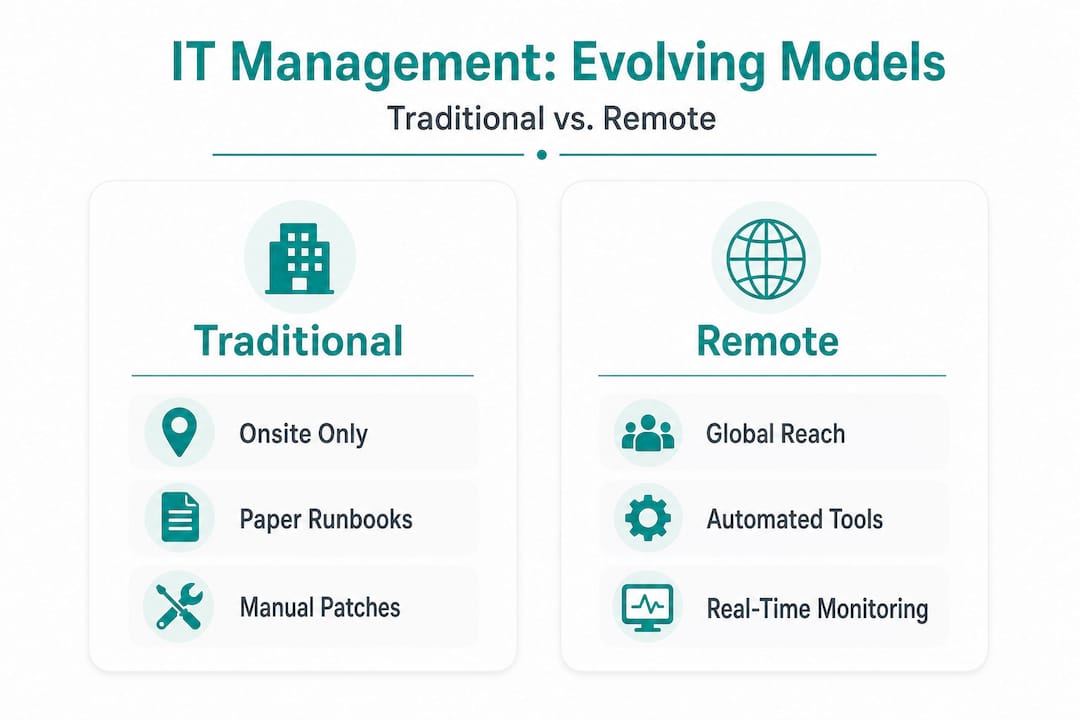
The distinction from traditional onsite IT is not just about geography. It is about operating model. Onsite IT is inherently reactive and bottlenecked by physical presence. Remote administration, done well, is structured, documented, and continuously monitored.
Core mechanics and tools for remote teams
With the definition clarified, next we'll explore the main tools and approaches that make remote administration possible for international teams. Understanding the mechanics separates organizations that manage remote infrastructure confidently from those that struggle with ad-hoc fixes and security gaps.
Core mechanics include secure remote access via SSH with key authentication and MFA, remote command execution, patching, monitoring with tools like top/htop, and automation via platforms like AWS Systems Manager. Each of these components plays a specific role in keeping distributed systems healthy and auditable.
Here is how the main access methods stack up in practice:
- SSH with key-based authentication and MFA: This is the gold standard for Linux and Unix server access. Key pairs replace passwords, and multi-factor authentication (MFA) adds a second verification layer. It is fast, scriptable, and auditable.
- RDP (Remote Desktop Protocol): Used primarily for Windows environments. RDP gives administrators a full graphical desktop session on a remote machine. It should always be placed behind a VPN or a gateway, never exposed directly to the internet.
- VPN-gated management consoles: A virtual private network (VPN) creates an encrypted tunnel between the administrator's device and the target network. Admin consoles accessed through a VPN are far less exposed to opportunistic attacks than those with public-facing endpoints.
- Centralized automation platforms: Tools like AWS Systems Manager allow you to run commands, apply patches, and collect inventory data across hundreds of instances simultaneously. This is where remote administration scales from managing ten servers to managing ten thousand.
| Feature | Manual toolset | Automated platform |
|---|---|---|
| Patch deployment speed | Hours to days | Minutes (scheduled) |
| Consistency across nodes | Variable | Enforced by policy |
| Audit trail | Manual logs | Automatic and centralized |
| Staff time required | High | Low after initial setup |
| Error rate | Higher | Lower |
The difference between manual and automated toolsets is not just efficiency. It is risk. Manual processes depend on individual administrators following the same steps every time. Automation enforces consistency whether it is 2 p.m. on a Tuesday or 3 a.m. on a Sunday.
For organizations using remote IT support strategies across multiple regions, the combination of SSH, VPN-gated access, and a centralized automation platform is the baseline expectation, not an advanced configuration.

Pro Tip: Automate routine patching and performance monitoring as soon as possible. Every hour your IT staff spends on repetitive manual tasks is an hour not spent on architecture improvements, vendor negotiations, or security hardening.
Security best practices in remote administration
Having addressed the operational foundation, let's turn to the security practices every remote system administrator must prioritize. Remote access is also the most common attack surface in distributed environments, so getting security right is not optional.
Security best practices include enforcing MFA on all remote paths, using VPN or gateways over direct exposure, changing default ports, implementing least privilege, enabling session monitoring, and avoiding shared credentials. Each of these controls addresses a specific, documented attack vector.
The most impactful controls to implement first are:
- MFA on every remote access path: This single control blocks the majority of credential-based attacks. No exceptions for "trusted" users or senior staff.
- VPN or zero-trust gateways instead of direct exposure: Exposing RDP or SSH directly to the internet is an open invitation. A VPN or a zero-trust network access (ZTNA) gateway filters who can even attempt a connection.
- Changing default ports: Moving RDP from its default port 3389 to a non-standard port reduces automated scanning noise significantly. It is not a primary defense, but it reduces the volume of low-effort attacks.
- Least privilege access: Every administrator account should have exactly the permissions needed for their role and nothing more. A network engineer does not need write access to the HR file server.
- Session monitoring and recording: Knowing what happened during every privileged session is critical for incident response and compliance audits. Many organizations underestimate how valuable session recordings are until they need them.
MFA combined with VPN adds some latency but cuts security incidents by 50 to 70%. The ROI calculation here is not about tool cost. It is about mean time to resolution (MTTR) reduction and the organizational cost of a breach. Remote breaches cost $1.04 million more per incident than onsite breaches according to field data, and remote IT pods cut downtime by 78% when proper controls are in place.
Pro Tip: Resist the temptation to deploy every security tool you evaluate. Two or three vetted, well-integrated remote access platforms outperform a sprawling toolkit where alerts are missed and configurations conflict. Tool sprawl is a security risk, not a security strategy.
Frameworks for managing global remote teams
Security alone isn't enough. Next, we'll focus on frameworks for consistent operations and collaboration at the international scale. The organizations that struggle most with remote administration are not the ones with bad tools. They are the ones with inconsistent processes.
Centralized tools, automation, documented runbooks, and policy-driven compliance standardize operations for distributed teams. A runbook is a documented set of procedures for handling specific scenarios, from routine maintenance to major incident response. When your team spans Singapore, London, and São Paulo, a runbook ensures that the engineer in any time zone handles the same situation the same way.
The most common operational challenges in global remote teams include:
- Time zone delays: A critical alert at 11 p.m. in Sydney is 2 p.m. in London. Without clear escalation paths and documented runbooks, incidents wait for someone to wake up.
- BYOD (bring your own device) inconsistencies: When team members use personal devices to access admin consoles, endpoint security varies wildly. Policy-driven MDM (mobile device management) and VPN-only access rules are essential.
- Collaborative maintenance collisions: Two administrators making changes to the same system simultaneously can cause outages that neither intended. Change management locks and communication protocols prevent this.
- Admin console vulnerabilities: Timezone-induced delays, BYOD inconsistencies, and admin console vulnerabilities requiring VPN restriction are among the most frequent edge cases that catch global teams unprepared.
| Dimension | Traditional administration | Modern remote administration |
|---|---|---|
| Process consistency | Dependent on individual | Enforced by automation and runbooks |
| Incident response time | Hours (location-dependent) | Minutes (24/7 monitoring) |
| Scalability | Linear with headcount | Scales with tooling |
| Compliance auditability | Manual documentation | Automated logs and session records |
| ROI measurement | Cost per technician | MTTR, incident rate, downtime reduction |
For organizations ready to move from ad-hoc remote access to a structured framework, a hybrid IT consultation helps map current gaps to specific process and tooling improvements. Ongoing visibility into operations is equally important, which is why a managed support portal gives distributed teams a single pane of glass for monitoring and escalation.
Risks, benchmarks, and measuring success
To conclude the technical core, let's assess the real risks, common pitfalls, and how IT leaders can track genuine improvement. Benchmarks matter because they replace opinion with evidence.
The failure scenarios that cause the most damage in remote environments are:
- Hardware failures that require physical intervention: Remote administration cannot replace someone who needs to reseat a drive or replace a failed network card. Hybrid workflows with local hands-on-site partners are essential for these scenarios.
- Administrative collisions: Two engineers patching the same system simultaneously without a change management process can cause cascading failures.
- Inconsistent BYOD endpoints: A personal laptop without endpoint protection connecting to a production admin console is a breach waiting to happen.
The numbers behind these risks are significant. Multi-tool remote access spikes incident rates to 55% compared to 36% when organizations use two to three well-integrated tools. Open-source patching managed manually creates more incidents than commercial auto-patching solutions.
| Metric | Benchmark (field data) | Target for mature teams |
|---|---|---|
| First-response time | 4.2 hours (traditional) → 45 min (remote pod) | Under 30 minutes |
| Downtime reduction | 78% with remote IT pod | 80%+ |
| Incident rate (2-3 tools) | 36% | Under 30% |
| Incident rate (multi-tool) | 55% | Reduce by consolidating |
| Churn reduction | 34% (CSAT-linked) | Measurable per quarter |
The organizations that measure IT support impact by outcome metrics rather than tool costs consistently outperform those that optimize for budget alone. MTTR, incident rate, and CSAT are the numbers that matter.
Tracking these metrics quarterly gives IT managers the evidence they need to justify investment in better tooling, additional automation, or expanded managed services. Without measurement, remote administration strategy is just opinion.
Our perspective: What most guides miss about remote system administration
Most guides on this topic spend the majority of their words on tool lists. Here is what they consistently miss.
The future of enterprise remote administration is agentless platforms, not bastion hosts. A bastion host is a hardened server that acts as a gateway into a private network. It works, but it is a single point of failure and a high-value target. Agentless platforms that authenticate through cloud identity providers and enforce zero-trust policies at every connection are more resilient, easier to audit, and faster to scale. Organizations still building their strategy around bastion hosts are solving a 2015 problem with 2015 tools.
The second thing most guides miss is the measurement framework. Teams that evaluate remote administration success by asking "how much did the tools cost?" are asking the wrong question. The right questions are: How much did MTTR drop? How many incidents did we prevent this quarter? What did the reduction in churn save us? These outcome metrics connect IT operations directly to business performance, which is the only conversation that matters in a boardroom.
The third gap is the hybrid reality. Remote administration handles the vast majority of operational work extremely well. But hardware failures, regional network outages, and physical security incidents still require someone on the ground. The organizations that pretend otherwise eventually face a crisis they cannot resolve remotely. Build hybrid workflows with trusted local partners before you need them, not during an outage.
For real-world IT support lessons from teams managing infrastructure across multiple continents, the pattern is consistent: async-first runbooks, outcome-based metrics, and hybrid escalation paths are what separate organizations that scale from those that scramble.
Pro Tip: Build your runbooks for asynchronous use from day one. If a runbook requires a phone call to interpret, it is not finished. Every procedure should be clear enough for an engineer in a different time zone, working alone at 2 a.m., to execute correctly without asking for help.
How My IT Butler empowers remote system administration for global teams
The strategies in this article are proven, but implementing them across a distributed organization requires expertise, the right tooling, and consistent execution. That is exactly where My IT Butler delivers.
My IT Butler provides expert remote IT support built specifically for international teams, distributed businesses, and organizations operating across multiple time zones. With over 15 years of enterprise experience and certifications including CCNA, CompTIA Security+, and PRINCE2, the team brings structured, security-conscious administration to organizations that cannot afford inconsistency. Whether you need a one-time assessment or ongoing managed services, the approach is the same: transparent fixed pricing, no long-term contracts, and direct communication through WhatsApp, email, or your preferred channel. Schedule a support consultation to map your current environment against best-practice frameworks, or access ongoing support and visibility through the client management portal.
Frequently asked questions
How does remote system administration differ from traditional onsite IT management?
Remote administration uses digital tools like SSH, RDP, and centralized platforms to manage systems from any location, while traditional IT requires physical presence for most maintenance tasks. The remote model enables faster response times and 24/7 coverage that onsite staffing cannot match at scale.
What security measures are critical for remote administration?
Enforce MFA on all remote paths, use VPN or zero-trust gateways instead of direct exposure, change default ports, apply least privilege access, and enable session monitoring. Avoiding shared credentials is equally important for maintaining a clean audit trail.
Which metrics should IT managers track to measure remote system administration success?
Track MTTR, incident rate by toolset, CSAT scores, and downtime reduction as your primary indicators. Field benchmarks show that a well-structured remote IT pod can cut first-response time from 4.2 hours to 45 minutes and reduce churn by 34%.
Are hybrid onsite/remote workflows necessary?
Yes, because hardware failures and regional outages cannot always be resolved remotely. Hardware failures requiring hybrid triage, along with BYOD inconsistencies and time zone delays, are among the most common edge cases that make local on-site partners essential for complete coverage.
What is the risk of using too many remote access tools?
Multi-tool remote access pushes incident rates to 55% compared to 36% when teams standardize on two to three integrated platforms. More tools mean more configuration gaps, more alert fatigue, and more opportunities for security misconfigurations.