

TL;DR:
- Many SMB owners underestimate helpdesk support, considering it too costly and complex for small businesses. Proper helpdesk management improves issue resolution, streamlines workflows, and scales with growth, offering cost-effective, proactive IT support. Choosing a provider with clear scope, SLAs, and experience ensures reliable support that optimizes productivity and reduces downtime.
Most small and medium-sized business owners assume helpdesk support is something only large corporations bother with. Too expensive, too complex, too corporate. That assumption costs them time, money, and staff morale every single week. Understanding what is helpdesk support for an SMB, how it actually works, and what it costs, is the difference between a business that handles IT chaos reactively and one that keeps moving productively. This guide covers the core functions, delivery models, operational essentials, and how to choose the right provider for your size and budget.
Key takeaways
| Point | Details |
|---|---|
| Helpdesk vs service desk | A helpdesk handles reactive break-fix issues; a service desk covers broader requests and proactive support. |
| Typical SMB pricing | Basic helpdesk support generally costs between $50 and $100 per user per month. |
| Outsourcing frees your team | Handing off routine IT issues lets your internal staff focus on higher-value work. |
| Triage discipline matters | Proper incident logging and prioritisation prevents technician overload and user frustration. |
| Scope clarity saves money | Always define what is included in your provider agreement to avoid unexpected charges. |
What is helpdesk support for an SMB?
The term "helpdesk support" gets used loosely, but in IT service management, it has a specific meaning. A helpdesk is a central point of contact where employees or customers log, track, and resolve IT issues. Think of it as the front door to all your IT problem-solving, whether that is a password reset, a software crash, a network issue, or a hardware fault.
For small and medium-sized businesses, SMB IT support services centred around a helpdesk model typically cover:
- Hardware problems: Laptop faults, printer failures, peripheral issues
- Software issues: Application crashes, licence errors, installation failures
- Network access: Wi-Fi connectivity, VPN access, email configuration
- Account management: Password resets, user account lockouts, permission errors
- Basic security incidents: Suspicious emails, potential malware alerts
The helpdesk operates across multiple support channels, including phone, email, live chat, and self-service portals, feeding everything into a centralised ticketing system.
Helpdesk vs service desk: the distinction that matters
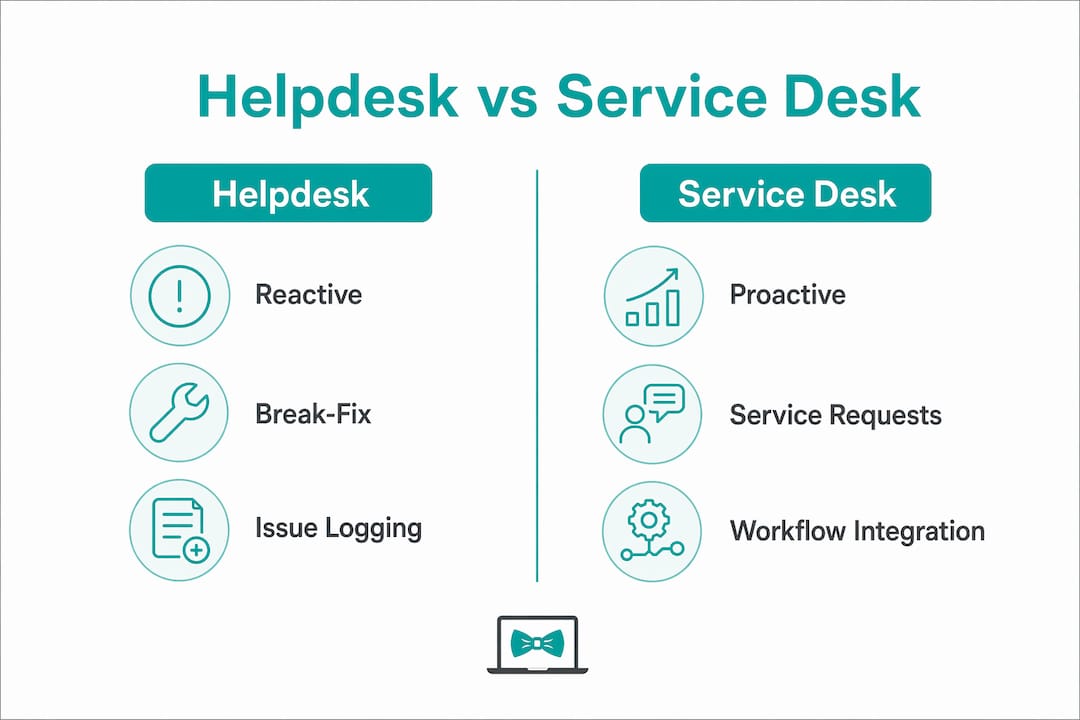
Many providers use these terms interchangeably, but they mean different things. Helpdesk support focuses on reactive incident management, restoring normal function when something breaks. A service desk goes further, handling service requests (new software provisioning, onboarding), change management, and proactive support processes.
| Feature | Helpdesk | Service desk |
|---|---|---|
| Focus | Break-fix incidents | Incidents plus service requests |
| Approach | Reactive | Reactive and proactive |
| Scope | Narrow, user-focused | Broader, business process-focused |
| Best for | Early-stage SMBs | Growing or more complex SMBs |
Most SMBs start with a helpdesk and evolve toward a service desk as their IT complexity grows. Knowing where you sit on that spectrum helps you buy the right level of support from day one.
Helpdesk delivery models and pricing
Understanding your options for SMB IT support services means knowing how helpdesk support gets delivered and what each model actually costs.
In-house helpdesk means hiring IT staff directly. For many SMBs with fewer than 50 employees, this is economically impractical. A single junior IT technician in Australia costs upwards of $60,000 per year in salary alone, before super, leave, and hardware costs.
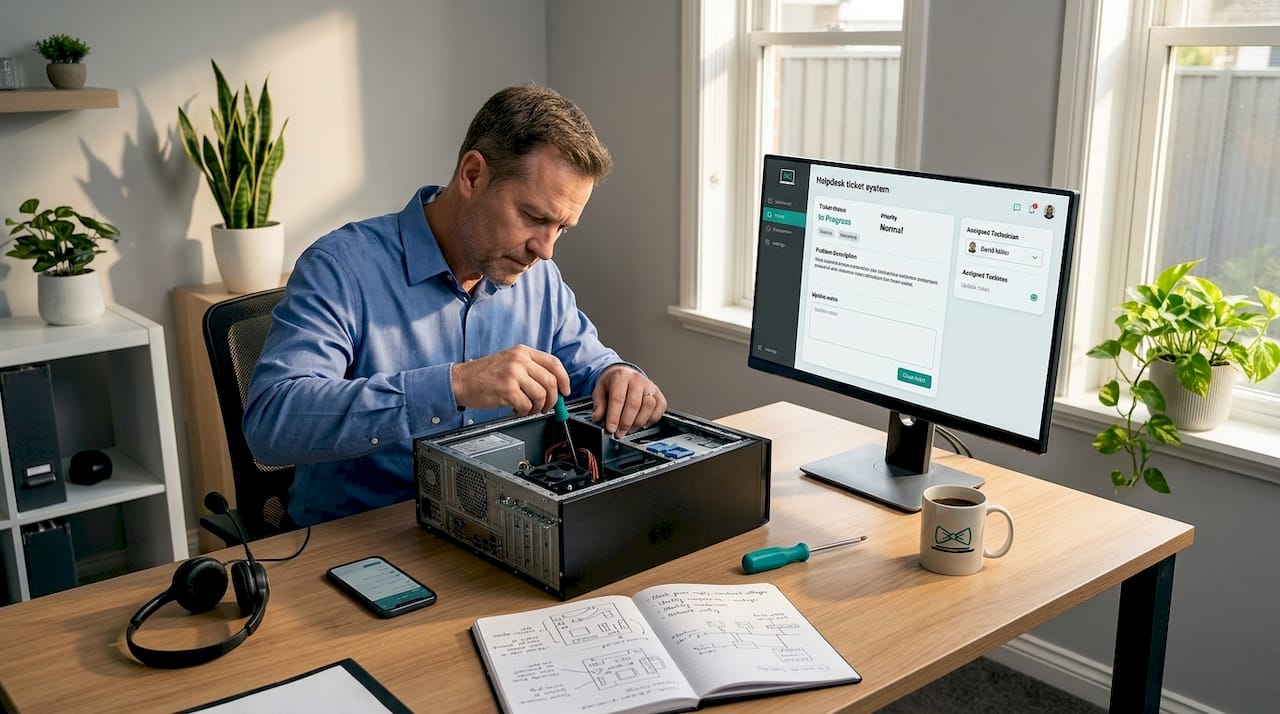
Outsourced helpdesk support means contracting a third-party provider to handle your IT issues. This is the model most SMBs end up choosing, and for good reason.
Remote helpdesk support is the delivery method used by most outsourced providers today. Remote support technicians diagnose and fix the majority of common IT problems virtually, without needing to be on site. This is faster, less disruptive, and significantly cheaper than dispatch-based support.
Pricing for these services is relatively predictable. Basic helpdesk support typically sits between $50 and $100 per user per month, depending on scope and provider. Here is a rough breakdown of what you can expect at each tier:
| Tier | Monthly cost (per user) | Typical inclusions |
|---|---|---|
| Basic | $50–$70 | Password resets, email support, basic troubleshooting |
| Standard | $70–$100 | Above plus endpoint support, ticketing, defined SLAs |
| Advanced | $100–$150+ | Above plus monitoring, patching, strategic planning |
Pro Tip: Ask every provider what is explicitly excluded from their pricing. Monitoring, patching, and after-hours support are commonly left out of base packages and billed as extras. Getting this in writing prevents bill shock.
Pricing also varies by response time guarantees, number of support hours covered, and whether after-hours or weekend support is included. A 24-hour email response package is cheaper than a one-hour phone response SLA. Know what your business actually needs before you compare quotes.
What makes helpdesk support actually work
Having a helpdesk is not the same as having an effective one. The operational discipline behind it determines whether your team gets fast resolutions or just a ticket number and silence. The importance of helpdesk support lies as much in how it is run as in whether it exists at all.
Good helpdesk management for small companies depends on four core operational elements:
-
Standardised incident logging. Every issue gets recorded in a ticket with the same key fields: who reported it, what the problem is, when it started, and what systems are affected. Without this, issues fall through gaps or get handled inconsistently.
-
Accurate categorisation. Tickets need to be sorted by type (hardware, software, network, security) so they route to the right technician. Proper categorisation and triage prevents technician overload and builds user confidence. Sending a networking issue to a software specialist wastes everyone's time.
-
Prioritisation by business impact. Not all issues are equal. A staff member who cannot print is inconvenienced. A staff member who cannot access your cloud accounting system is blocking payroll. Good helpdesks apply a priority matrix based on urgency and business impact, so critical issues get addressed first.
-
Clear escalation paths. Tier 1 support handles common issues. When a problem requires deeper expertise, it must escalate quickly to Tier 2 or Tier 3 without the user needing to re-explain everything. Incident and problem management are both necessary: one restores service fast, the other fixes the root cause to stop recurrence.
Pro Tip: When evaluating a provider, ask them to walk you through what happens when a critical issue is logged after hours. How it handles edge cases tells you far more than any brochure.
Service Level Agreements, or SLAs, formalise all of the above. A well-written SLA defines response time targets (how quickly a technician acknowledges your ticket) and resolution time targets (how quickly the issue gets fixed). For SMBs, a realistic starting SLA is a four-hour response for high-priority issues and a next-business-day response for low-priority ones.
When outsourcing is the right move
Most SMBs start with an informal IT setup. The tech-savvy team member handles issues when they can. Problems get resolved when someone has time. This works until it does not. And when it stops working, it costs far more than a helpdesk contract would have.
Outsourced IT helpdesk services make sense when any of these apply to your business:
- Your team is losing productive hours to recurring IT problems
- There is no consistent process for logging or tracking issues
- IT issues are handled by whoever is available rather than whoever is qualified
- You are growing and cannot afford to hire full-time IT staff
- Your current setup has no after-hours coverage
Outsourced helpdesk services typically handle everyday tasks like password resets, user onboarding, endpoint troubleshooting, email configuration, and basic software support. These are exactly the low-complexity, high-frequency issues that eat up internal time when handled ad hoc.
The deeper benefit is what your team gets back. Outsourcing routine issue resolution frees internal staff to focus on work that actually moves the business forward, rather than hunting down the cause of a VPN dropout. That shift in how people spend their time is felt across the whole organisation.
The transition period matters. A good provider will spend the first two to four weeks documenting your environment, learning your key systems, and setting up ticketing and communication channels. Expect a brief settling-in period before efficiency improves. This is normal and worth it.
For SMBs with remote or distributed teams, outsourced remote IT support is especially suited. You can read more about how remote IT delivery works for businesses of all sizes if you are weighing up the logistics.
How to choose the right helpdesk provider
Selecting the best helpdesk solutions for your SMB comes down to asking the right questions before you sign anything. Here is what to verify before committing:
- Scope definition: Ask precisely what "helpdesk support" includes in their contract. Does it cover service requests like new user provisioning, or only incident resolution? Defining scope upfront prevents disputes and unexpected invoices later.
- Omnichannel ticketing: Omnichannel support integrated with ticketing means every issue is traceable and no request falls through the cracks, regardless of how it was submitted.
- SMB experience: A provider that mainly works with enterprise clients will not prioritise your account the same way. Check whether their existing customers are a similar size to yours.
- SLA transparency: Insist on written SLA targets for response and resolution, with consequences if they are not met.
- Knowledge base and self-service: A quality provider builds a knowledge base of common fixes for your environment. This reduces ticket volume over time and gives your team tools to solve simple issues independently.
Pro Tip: Request a trial or pilot period of 30 to 60 days. A provider confident in their service quality will agree. If they push back on a pilot, that tells you something.
Understanding your IT support package options before entering negotiations helps you assess whether what is being offered actually fits your needs.
My honest take on SMB helpdesk support
I have worked across enough SMB IT environments to see the same mistake repeated constantly. Business owners treat the helpdesk as a luxury they will get around to eventually, usually after a painful outage or a staff member who has been quietly losing two hours a day to unresolved IT frustration.
The reality is that the importance of helpdesk support goes well beyond fixing problems. It is about consistent workflow management across your team. When issues get logged, tracked, and resolved with discipline, you start to see patterns. The same printer breaks every fortnight. Three people cannot access the same file server. Without a proper system, those patterns are invisible, and the same problems keep consuming the same time.
What I have also seen is SMBs outgrow their helpdesk without planning for it. They start with a basic setup that works fine at 10 staff, then hit 35 staff and suddenly the system is creaking. Adding service desk capabilities later is doable, but retrofitting processes is always harder than building them right the first time. My advice is to choose a provider who can scale with you, not just solve today's problems.
Cost is always the objection. But when I ask owners to estimate how many hours per week their team loses to unresolved IT issues, the number is almost always higher than the monthly cost of a proper helpdesk. The maths usually sorts itself out quickly.
— Thomas
How Myitbutler supports your SMB's IT needs
If you are ready to move beyond ad hoc IT support and want a structured, responsive helpdesk for your business, Myitbutler offers remote IT support purpose-built for SMBs and distributed teams. With over 15 years of enterprise-grade experience behind it, the service is built on Australian standards and delivered globally.

Myitbutler handles the full range of helpdesk functions, from password resets and endpoint troubleshooting to vendor coordination and software support, all through transparent fixed pricing with no lock-in contracts. Support is accessible via WhatsApp, email, and a dedicated client support portal, so your team can log issues the way that suits them. If you want to assess your current IT setup and find the right support model for your size and growth plans, book a consultation and get a clear picture of what structured helpdesk support looks like for your business.
FAQ
What does helpdesk support actually do for a small business?
A helpdesk provides a structured way to log, track, and resolve IT issues like software faults, connectivity problems, and account access errors. It replaces informal, ad hoc IT handling with a consistent, traceable process.
What is the difference between a helpdesk and a service desk?
A helpdesk is reactive, focused on restoring normal function after something breaks. A service desk also handles service requests, change management, and proactive support, making it better suited to more complex IT environments.
How much does helpdesk support cost for an SMB?
Basic SMB helpdesk support typically costs between $50 and $100 per user per month, with pricing varying based on response time guarantees, hours of coverage, and scope of services included.
When should an SMB outsource its helpdesk?
Outsourcing makes sense when internal staff are losing productive time to recurring IT issues, there is no consistent process for tracking problems, or the business is growing faster than its informal IT setup can handle.
What should be in an SMB helpdesk provider agreement?
The agreement should explicitly define scope of incident resolution versus service requests, include written SLA targets, detail communication channels, and clarify which tasks such as patching or monitoring are included or billed separately.