
How to effectively manage software licenses for remote employees
The core answer is straightforward: centralise your license inventory, assign a named owner to every tool, and build license revocation into your offboarding checklist. Get those three things right and you have solved the majority of the compliance, cost, and security problems that plague distributed teams.
Companies with 50–99 employees use an average of 24 SaaS applications; those with 100–499 employees use about 48. Without a central system, that volume becomes unmanageable fast, especially when your team is spread across Sydney, Singapore, and São Paulo.
Here is what effective license management for remote employees actually requires:
- Centralised inventory: Use a cloud-accessible platform so every budget owner can see what tools the organisation pays for, who holds each seat, and when renewals fall due.
- Named tool ownership: Assign a specific person, not a department, to every software tool. Departments do not cancel subscriptions. People do.
- Procurement approval threshold: Any new tool costing more than a modest monthly threshold requires approval from one designated person before sign-up. No committee, no multi-step form.
- Role-based licensing: Align seat counts with employee roles using Role-Based Access Control (RBAC) to prevent over-provisioning and reduce security exposure.
- Regular usage audits: Review admin panel activity quarterly. Flag accounts with no login activity in 60 or more days as candidates for seat removal.
- Offboarding integration: License revocation must appear as an explicit step on every offboarding checklist, not an afterthought.
- Renewal automation: Set automated alerts to notify the named tool owner at least 30 days before each renewal date.
- Compliance readiness: Maintain audit-ready records that document entitlements, usage, and any geographic restrictions in vendor agreements.
Pro Tip: Build your license tracker so it mirrors your HR system's employee list. When someone is marked as departing in HR, that should automatically trigger a license revocation task for every tool they hold.
What software license models mean for your remote team
Not all licenses behave the same way when your team is distributed. The model you choose directly affects how you allocate seats, control costs, and stay compliant across jurisdictions.
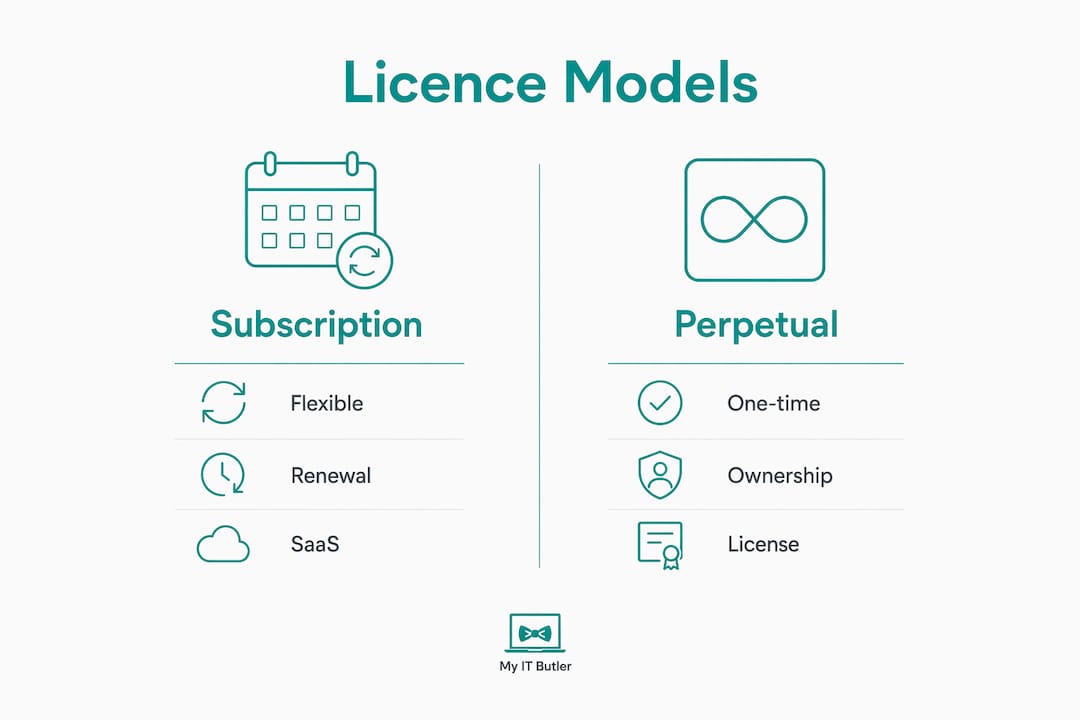
Subscription vs perpetual licences
Subscription licences renew monthly or annually and are the dominant model for SaaS tools. They offer flexibility but create a renewal management burden, particularly when ownership is fragmented across a remote team. Perpetual licences involve a one-off purchase with optional maintenance fees. They suit stable, long-term software needs but offer less flexibility when headcount fluctuates.
Named-user vs concurrent licences
Named-user licences tie a seat to a specific individual. They are simple to audit but can be wasteful if that person rarely uses the tool. Concurrent licences allow any user to access the software up to a set number of simultaneous sessions. For distributed teams operating across time zones, concurrent models can reduce seat counts significantly, provided you have the usage data to size the pool correctly.
Volume and enterprise agreements
Volume agreements offer discounted pricing in exchange for committing to a minimum seat count. Enterprise agreements typically bundle multiple products and include negotiated terms around geographic use, support, and compliance. Microsoft's Enterprise Agreement programme is a common example. These deals suit larger organisations but require careful management to avoid paying for seats that go unused as headcount changes.
Geographic restrictions and compliance obligations
Many vendor End User Licence Agreements (EULAs) include geographic restrictions that are easy to overlook. A licence described as "global" may actually be restricted to a specific region. When your team spans multiple countries, those restrictions can create compliance violations without anyone realising it. Australian businesses with staff in Southeast Asia or Europe need to verify that their licence terms explicitly permit cross-border access.
Cost and budgeting across jurisdictions
Multi-jurisdictional teams face variable costs beyond the licence price itself: currency fluctuations, local tax obligations, and vendor pricing tiers that differ by region. Budgeting for software across a distributed workforce requires a single consolidated view of spend, not separate departmental records that nobody reconciles.
Best practices for managing licences across complex remote environments
Getting the workflows right is where most teams fall short. The tools matter less than the processes behind them.
Build a centralised, cloud-accessible licence register
Every tool your organisation pays for should appear in one place, with the following fields recorded: tool name, vendor, licence type, seat count, cost per seat, renewal date, named owner, and which employee roles hold access. A shared cloud document works for very small teams. Purpose-built SaaS management platforms handle this automatically at scale by connecting to your identity provider, finance system, and SaaS APIs.

Audit usage on a quarterly cycle
Three approaches work consistently for remote teams:
- Admin panel audit: Log into each tool's admin dashboard and export the user list. Flag any account with no activity in the past 60 days.
- Usage reports: Tools like Google Workspace, Zoom, and Figma provide native usage analytics. Cross-reference active users against your paid seat count each quarter.
- Team survey: A two-question survey sent to all staff ("Which tools do you use more than once a week?" and "Which tools do you have access to but rarely use?") surfaces shadow access that admin panels miss.
Set a simple procurement approval rule
Approval workflows for software purchases do not need to be complicated. The rule that actually works: any new tool costing more than AUD $20 per month requires sign-off from one designated approver before purchase. The approver asks two questions: "Do we already have something that does this?" and "Is there a consolidation plan if we add this?" That conversation, usually resolved within 24 hours, prevents duplicate tools from accumulating across a distributed team.
Pro Tip: Log every approved purchase in your central licence register on the day of approval, not weeks later. The register only works if it is current.
Reclaim unused and redundant licences regularly
Proactive SaaS management tools that map spend to user activity surface underutilised licences for remediation. If you are paying for 20 seats and only 14 people logged activity in the past 90 days, you have six candidates for removal or downgrade. Do not wait for the annual renewal to act on that data.
Automate renewal alerts linked to named owners
Renewals fail in remote teams because the person who originally signed up may have left, and their email is no longer monitored. Renewal alerts must go to the current named owner, not a shared inbox. Set reminders at 60 days and again at 30 days before each renewal date to allow time for renegotiation or cancellation.
Integrate licence management with IT asset management (ITAM)
Software licence management works best when it connects to your broader IT asset management system. That connection gives you device-level visibility: you can see which software is installed on each remote endpoint, whether that installation is covered by a valid licence, and whether usage justifies the seat. Agent-based discovery tools maintain this visibility even when devices are off the corporate network.
Build offboarding checklists that include licence revocation
HR and payroll systems do not automatically reclaim software licences when an employee leaves. That gap is where orphaned licences accumulate. A dedicated offboarding checklist that explicitly names every tool the departing employee held, and assigns revocation tasks to the relevant tool owners, closes that gap. Without a complete central licence register, you cannot build a complete offboarding checklist. The two depend on each other.

Use the right tools for remote licence visibility
The table below outlines the core capabilities to look for when evaluating licence management platforms for distributed teams.
| Capability | Why it matters for remote teams |
|---|---|
| Agent-based endpoint discovery | Tracks software on devices off the corporate network |
| Usage metering | Identifies licences assigned but never launched |
| RBAC integration | Aligns seat provisioning with employee roles automatically |
| Automated renewal alerts | Notifies named owners before contracts auto-renew |
| Offboarding workflow triggers | Initiates licence revocation when HR marks a departure |
| Multi-user admin access | Allows finance and IT to view and update the register |
| Audit-ready reporting | Produces entitlement and usage records for compliance reviews |
Challenges specific to managing licences for distributed Australian employees
Australian businesses face a particular set of pressures when their workforce is spread across states, territories, and international locations.
Geographic complexity and follow-the-sun opportunities
Geographical usage audits let organisations track licence consumption by time zone and identify where demand peaks and troughs occur. A team split between Sydney and London may be able to share a concurrent licence pool rather than buying separate named seats for each region. That kind of optimisation requires precise usage data, but the cost savings can be substantial.
Australian compliance and remote work regulations
Written telework policies are not optional. Informal arrangements do not hold up under audit, whether that audit comes from a software vendor checking licence compliance or a regulator reviewing employment conditions. Australian businesses with remote staff need documented policies that define eligibility, equipment responsibilities, and software usage rules. For a detailed look at the regulatory requirements, the remote work compliance guide covers the key obligations across jurisdictions.
Shadow IT and decentralised purchasing
When remote employees cannot get software approved quickly, they buy it themselves. That creates a shadow IT problem: tools the IT team does not know about, licences that are not tracked, and security risks from unvetted applications. A fast, simple approval process (one person, one conversation, resolved within 24 hours) removes the incentive to go around the system.
Orphaned licences from departed employees
Licences tied to a former employee's personal email or credit card can run for months before anyone notices. Setting hard expiry dates on contractor licences prevents automatic renewals beyond the contract period. For permanent staff, the offboarding checklist is the control. Without it, the licence keeps renewing and the access remains live, creating both a cost leak and a security gap.
Multi-jurisdictional cost variations
Software vendors price differently by region. An Australian business paying in USD faces exchange rate exposure on top of the base licence cost. Enterprise agreements that lock in pricing for multiple years can reduce that exposure, but they require accurate headcount forecasts to avoid over-committing on seats.
Inadequate visibility without identity data
Licence management without identity data is guesswork. You need to know not just that a seat exists, but who holds it, what role they perform, and whether that role actually requires the tool. Platforms that connect IT visibility with identity and HR data give you that picture. Without it, you are reconciling spreadsheets manually every quarter.
Security risks across diverse remote endpoints
Remote employees access software from personal devices, home networks, and shared workspaces. That diversity creates attack surface. Role-based access control limits the damage from a compromised account by ensuring users can only access the tools their role requires, nothing more.
What certified remote IT professionals recommend for Australian businesses
The most effective single change an Australian IT manager can make is assigning individual named ownership to every software tool. Not a team, not a cost centre. A person. Named ownership prevents subscription bloat, ensures someone is accountable for renewal decisions, and creates a direct line of responsibility when offboarding tasks need to be completed.
Set hard expiry dates on all contractor licences from day one. Contractors are routinely treated like permanent employees in SaaS platforms, which means their access and billing continue after their engagement ends. A hard expiry date, set at the time of provisioning, stops that from happening automatically.
Payroll and HR systems will not manage your licence compliance. They process payroll while licence obligations accumulate underneath the surface. Dedicated offboarding workflows focused on licence revocation are the operational layer that fills that gap.
Telework policies must be formally documented. Verbal agreements and informal arrangements do not satisfy vendor audit requirements or Australian employment regulations. A written policy that defines which software employees are authorised to use, on which devices, and from which locations is the foundation of audit readiness.
Prioritise platforms that connect finance, identity, and IT data in one place. Unified visibility across those three domains is what makes licence reconciliation fast and accurate, rather than a quarterly scramble across disconnected systems.
Pro Tip: Train remote employees on what licence compliance means for them personally: which tools they are authorised to use, how to request new software, and what happens to their access when they leave. A 15-minute onboarding session on this topic reduces shadow IT incidents and makes offboarding cleaner.
Continuous training matters more than most IT managers expect. Remote employees who understand the licence rules are less likely to sign up for unapproved tools, more likely to flag unused access, and easier to offboard cleanly. The IT tools guide for remote teams covers the practical platforms that support this kind of ongoing visibility and governance.
How Myitbutler helps you get licence management right

Myitbutler is an Australian-operated remote IT support provider with over 15 years of enterprise experience, holding certifications including CCNA, CompTIA Security+, and PRINCE2. For distributed businesses managing software licences across multiple locations and time zones, Myitbutler provides the strategic IT coordination and proactive oversight that keeps licence compliance on track without requiring an in-house IT department.
Whether you need help building a central licence register, setting up RBAC policies, or creating offboarding workflows that actually work, the team at Myitbutler delivers practical, standards-based support at transparent fixed pricing with no long-term contracts. If you want to talk through your current licence management setup, book a free consultation and get a clear picture of where the gaps are.
Key takeaways
Managing software licences for remote employees requires named ownership, role-based provisioning, and offboarding workflows that explicitly include licence revocation as a mandatory step.
| Point | Details |
|---|---|
| Named ownership prevents sprawl | Assign a specific person, not a department, to every software tool to ensure accountability for renewals and offboarding. |
| RBAC aligns seats with roles | Role-Based Access Control automates licence provisioning based on employee role, reducing over-provisioning and security risk. |
| Offboarding checklists are critical | HR and payroll systems do not reclaim licences automatically; a dedicated offboarding checklist with explicit revocation steps is required. |
| Hard expiry dates for contractors | Setting licence expiry dates at the time of contractor provisioning prevents automatic renewals beyond the contract period. |
| Geographic audits reduce costs | Tracking licence usage by time zone enables concurrent licence sharing across regions, reducing total seat counts. |
FAQ
How do I start managing software licences for a remote team?
Build a central licence register first, listing every tool, its cost, renewal date, and a named owner. Without that inventory, every other process (auditing, offboarding, renewal management) is guesswork.
What is the simplest procurement policy for remote software purchases?
Require approval from one designated person for any tool costing more than AUD $20 per month. That single rule, applied consistently, prevents most unmanaged software spend in distributed teams.
Do HR systems handle software licence compliance automatically?
No. Payroll and HR systems process employment records but do not reclaim software licences when an employee leaves. Dedicated offboarding checklists that include licence revocation are the operational control that fills this gap.
How does role-based access control help with licence management?
RBAC ties licence provisioning to an employee's role rather than individual requests. When someone changes roles or leaves, access is adjusted or removed automatically, which reduces orphaned licences and limits security exposure.
What should a telework policy include for software licence compliance?
A written telework policy should define which software employees are authorised to use, on which devices, and from which locations. Informal arrangements do not satisfy vendor audit requirements or Australian employment regulations.