
TL;DR:
- Setting up IT for an expat business in Australia involves establishing internet, payment, security, and support systems from day one. A parallel approach to legal and banking processes helps ensure quick operational readiness within weeks. Prioritizing connectivity, identity management, backups, and reliable IT support minimizes security risks and compliance issues.
Getting your IT environment operational in Australia as an expat comes down to four parallel moves: order internet on lease-signing day, provision a multi-currency account with Wise before your local bank account clears, set up identity and access management (Google Workspace or Microsoft 365), and engage a time-zone-aware Australian IT partner from week one.
Your first 30 days, in order:
- Sign lease, immediately initiate NBN or mobile broadband order
- Activate a Wise account for international payment flows
- Register for an ABN (Australian Business Number) and begin TFN (Tax File Number) processes
- Provision work devices and configure single sign-on (SSO) plus multi-factor authentication (MFA)
Rough cost for a two-person expat startup:
| Item | Estimated cost |
|---|---|
| Hardware (2 laptops, pre-imaged) | AUD $2,400–$4,000 |
| Connectivity (NBN setup + 3 months) | AUD $300–$600 |
| Google Workspace or Microsoft 365 (3 months) | AUD $150–$360 |
| Initial IT support/onboarding | AUD $500–$1,200 |
The Australian Privacy Principles (APPs) apply from day one if you handle personal data, so security cannot wait.
Table of Contents
- What does your IT setup checklist actually look like?
- How do connectivity and payments actually work for expats in Australia?
- What security and identity controls must you have before going live?
- How does your business structure affect your IT setup in Australia?
- How do you choose reliable remote IT support as an expat?
- What does the timeline and cost look like for a small expat business?
- Handling telco contracts and negotiations as an expat in Australia
- Key takeaways
- What most expats get wrong about IT setup
- Myitbutler gets expat businesses operational faster
- Useful sources
- FAQ
What does your IT setup checklist actually look like?
Getting operational means ticking off these essentials before you take your first client call:
- Reliable internet: NBN fixed-line or 5G home broadband, with a mobile SIM as backup
- Managed devices: Pre-imaged laptops with endpoint protection and full-disk encryption
- Corporate email and domain: Google Workspace or Microsoft 365, with DNS configured correctly
- Password manager and MFA: Bitwarden or 1Password for the team; MFA on every account
- Payment flows: Wise for international receipts while your local business bank account is pending
- Backups and basic disaster recovery: Automated daily backups to geo-redundant cloud storage
- SLA-aware IT support: A provider with documented response times and time-zone coverage
Practical micro-tasks: order hardware at least four weeks before your start date and ship to a verified home address to avoid customs failures. Register your ABN via the Australian Business Register, buy your domain, and configure DNS records before you send a single business email.
Pro Tip: Prepare a document matrix before anything else. Track your passport, visa, lease, proof of address, and any apostille or legalisation status and expiry dates. A prepared document matrix prevents repeated rejections from banks and registration bodies and saves weeks.
How do connectivity and payments actually work for expats in Australia?
Internet: expect a wait
NBN connections typically take two to six weeks from contract signing to active service. Metro areas (Sydney, Melbourne, Brisbane) sit at the shorter end; regional locations can push past six weeks. On arrival, activate a local SIM or eSIM immediately and use mobile broadband as your working connection until NBN is live. Co-working spaces and business centres fill the gap for video-heavy days.

Initiate your NBN order the day you sign your lease. Verify whether your address needs a static IP for any business services (VPNs, hosted PBX, remote access tools) and request it upfront rather than after installation.
Banking: plan for delays
Local banks regularly require physical residency proof, a local address, and tax identification before opening a corporate account. That process often takes four to eight weeks for new arrivals. Start banking applications in week two, bring your full document matrix, and explicitly ask each bank about their FATCA/CRS procedures to avoid rejection on compliance grounds.
While you wait, Wise handles international payment receipts and currency conversion at mid-market rates with no hidden markup. It can be set up online before you even board the plane.
Pro Tip: Open your Wise account before departure. Having a functional payment channel from day one means you can invoice clients and receive funds without waiting for a local bank account.
What security and identity controls must you have before going live?
The short answer: SSO and MFA first, then device encryption, then backups, then incident reporting. Everything else is secondary.
Technical controls
- Google Workspace or Microsoft 365: Minimise admin roles; enable advanced phishing and malware protection; configure conditional access policies
- Password manager: Bitwarden (open source) or 1Password; enforce organisation-wide
- Endpoint protection: Antivirus and EDR (endpoint detection and response) on every device
- VPN for admin access: No direct RDP (Remote Desktop Protocol) exposed to the internet
- Patching schedule: Weekly automated patches for OS and applications; monthly review of asset inventory
Operational controls
- Identity lifecycle: provision access on day one, deprovision immediately on departure
- Privileged access review every 90 days
- Tested backup and restore: verify recovery, not just backup completion
Combining automation for routine security tasks with local human oversight is what separates stable operations from constant firefighting, as detailed in AI in recruiting: what to automate, and what to keep human for applying AI thoughtfully in operational contexts. Automation handles patching and backup verification; a qualified human catches the edge cases that scripts miss.
Australia's Notifiable Data Breaches (NDB) scheme requires you to notify the Office of the Australian Information Commissioner (OAIC) and affected individuals when a data breach is likely to cause serious harm. That obligation starts the moment you handle personal data, regardless of your business size.
Pro Tip: Myitbutler's team holds CCNA, CompTIA Security+, and PRINCE2 certifications and brings 15+ years of enterprise IT experience. Lean on remote IT oversight practices from the start rather than retrofitting security after an incident.
How does your business structure affect your IT setup in Australia?
Structure determines what you can invoice, which software integrations you need, and where your data must reside.
A representative office cannot sign commercial contracts or generate revenue. If you intend to invoice Australian clients, you need a registered entity: typically an Australian proprietary limited company (Pty Ltd) or a registered foreign company. That structure then drives your payroll software, accounting integration, and GST obligations.
Key registration and compliance checklist:
- Obtain an ABN and register for GST if annual turnover exceeds AUD $75,000
- Configure accounting software (Xero or MYOB are the dominant Australian options) for GST reporting and BAS (Business Activity Statement) lodgement
- Ensure cloud service agreements specify Australian data residency where required by your contracts or the APPs
- If hiring locally, engage a payroll provider or employer of record (EOR) to handle superannuation and PAYG withholding from day one
A four-track onboarding approach covering legal, payroll, IT, and people simultaneously reduces the risk of one track blocking another. An EOR handles the legal and payroll packs; your IT partner handles provisioning and security.
How do you choose reliable remote IT support as an expat?
Pick a provider that offers proactive monitoring, defined SLAs, clear escalation paths, and demonstrated experience with cross-border client onboarding. Certifications matter: CCNA and CompTIA Security+ indicate the provider understands network and security fundamentals; PRINCE2 signals structured project delivery.
Minimum requirements from any support provider:
- Time-zone overlap or 24/7 coverage with documented response times
- Transparent fixed pricing with no long-term lock-in
- A written onboarding playbook covering identity, device provisioning, SSO, and backup verification
- A named account manager who coordinates across time zones via WhatsApp, email, or direct messaging
- Evidence of enterprise-grade experience with distributed or international clients
Faultless support means proactive, not reactive. A provider who flags a stalled configuration or an expiring certificate before you notice it is worth far more than one who responds quickly after things break.
What to ask in a discovery call: request sample SLA response times, clarify who owns backup and DR responsibilities, confirm whether the provider can coordinate hardware shipping to Australian addresses, and ask for references from cross-border clients.
For a practical evaluation framework, Myitbutler's guide on evaluating remote IT provider coverage walks through SLA and time-zone criteria in detail.
What does the timeline and cost look like for a small expat business?
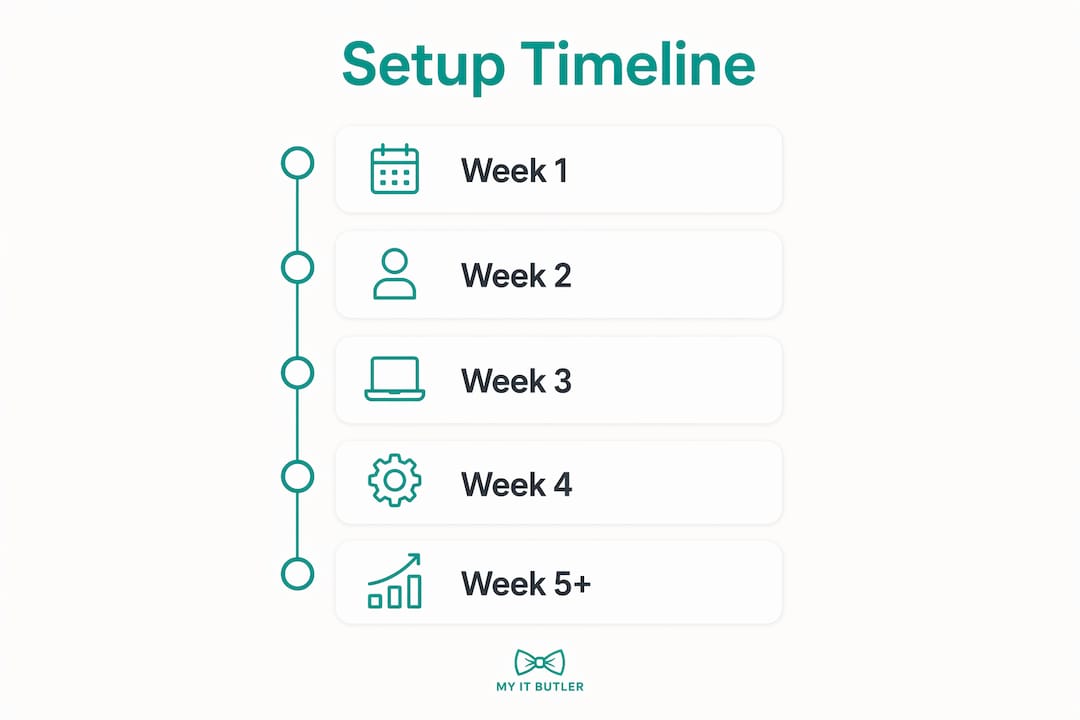
Expect three to eight weeks from arrival to a fully operational IT environment, depending on your location and banking lead times. Metro NBN and a straightforward bank application put you at the short end; regional connectivity or complex corporate structures push you toward eight weeks.
| Week | Key milestones | Estimated cost (AUD) |
|---|---|---|
| 1 | Arrive, activate SIM/eSIM, initiate NBN order, open Wise | $50–$150 |
| 1–2 | Order hardware (pre-imaged), begin ABN registration | $2,400–$4,000 |
| 2–3 | Configure Google Workspace/Microsoft 365, set up MFA and backups | $150–$360 |
| 3–4 | NBN goes live, onboard IT support partner, verify backup restore | $500–$1,200 |
| 4–8 | Local bank account opens, accounting software configured, GST registered | $200–$600 |
Rural NBN connections and customs delays on hardware are the two most common schedule-breakers. Pre-image devices before shipping and use a verified home address rather than a freight forwarder.
Handling telco contracts and negotiations as an expat in Australia
Australian telcos (Telstra, Optus, TPG, and their wholesale resellers) generally require proof of identity and an Australian address to sign a fixed-line or business broadband contract. As a new arrival, bring your passport, visa, and lease agreement to any in-store or online application.
Business-grade NBN plans differ from residential ones in upload speed, SLA guarantees, and static IP availability. For most small expat businesses, a business NBN 100/20 plan (100 Mbps download, 20 Mbps upload) covers video calls and cloud tools comfortably. If your work involves large file transfers or hosted services, step up to a 250/25 or 1000/50 plan.
Month-to-month contracts are widely available and worth paying a small premium for in your first six months, since your address may change as you settle. Lock into a 24-month plan only once you are confident in your location. Always confirm whether the plan includes a static IP, and negotiate it upfront if you need one for VPN or remote access infrastructure.
For mobile, Telstra's network has the widest rural coverage in Australia. Optus and TPG/Vodafone are competitive in metro areas and often cheaper. An eSIM lets you activate a local number before you land, which is useful for bank verifications and ABN registration.
Key takeaways
Getting your IT environment right in Australia as an expat requires connectivity, identity management, temporary payment infrastructure, and a qualified Australian IT partner running in parallel from week one.
| Point | Details |
|---|---|
| Start internet on lease day | NBN takes several weeks; initiate the order immediately and use mobile broadband as a bridge. |
| Open Wise before departure | A multi-currency account lets you receive payments and convert currency while your local bank account is pending. |
| MFA and backups before go-live | Configure MFA, endpoint protection, and verified cloud backups before handling any client data. |
| Structure drives IT obligations | Your business entity type determines GST registration, accounting software configuration, and data residency requirements. |
| Myitbutler for ongoing support | Myitbutler provides fixed-price, time-zone-aware remote IT support with no long-term contracts, backed by CCNA, CompTIA Security+, and PRINCE2 credentials. |
What most expats get wrong about IT setup
The conventional wisdom says "sort your visa and bank account first, then worry about IT." That sequence costs weeks. The businesses that hit the ground running treat IT provisioning as a parallel track, not a follow-on task. By the time your NBN is live and your bank account is open, your devices should already be configured, your backups verified, and your support partner briefed.
The other underestimated risk is security debt. Expat founders often run personal and business accounts from the same device, skip MFA because it feels like friction, and defer backups until "things are more settled." Australia's NDB scheme does not care how recently you arrived. A breach on day 30 carries the same notification obligations as one on day 300.
The practical fix is simple: treat the IT checklist as a legal compliance checklist, not a convenience list. Connectivity, identity, backups, and a qualified support partner are the four non-negotiables. Everything else is configuration.
Myitbutler gets expat businesses operational faster
Expat founders setting up in Australia face a specific problem: they need enterprise-grade IT from day one, but they do not have weeks to hire locally or months to negotiate a managed services contract.

Myitbutler is built for exactly this situation. With 15+ years of enterprise IT experience, certifications in CCNA, CompTIA Security+, and PRINCE2, and a service model built around fixed pricing and no long-term contracts, Myitbutler gives expat businesses a qualified IT partner from week one. Support runs across time zones via WhatsApp, email, and direct messaging, so you are never waiting for business hours in a different country to get help.
The onboarding playbook covers identity provisioning, device configuration, SSO, backup verification, and security baseline checks. You get a named account manager who coordinates across your team's time zones, not a generic helpdesk queue.
No lock-in. No surprise invoices. Book a free chat to talk through your setup, or book a consultation if you are ready to scope a full onboarding plan.
Useful sources
- Australian Privacy Principles (APPs): Office of the Australian Information Commissioner (OAIC)
- ABN registration and GST guidance: Australian Taxation Office (ATO)
- Notifiable Data Breaches scheme: OAIC NDB guidance
- NBN availability and plans: NBN Co
- Telstra business broadband: Telstra Business
- Google Workspace Australian region: Google Workspace
- Microsoft 365 Australian data residency: Microsoft 365
- Wise multi-currency accounts: Wise
FAQ
How long does IT setup take for an expat business in Australia?
Expect three to eight weeks from arrival to a fully operational IT environment, depending on your location and banking lead times. Metro NBN and a straightforward bank application put you at the short end; regional connectivity or complex corporate structures push you toward eight weeks.
Do I need an ABN before I can set up business IT in Australia?
You do not need an ABN to configure email or devices, but you need one to register for GST, issue tax invoices, and open most business bank accounts. Start the ABN application in your first week alongside your IT setup.
What is the best email platform for an expat business in Australia?
Google Workspace and Microsoft 365 are the two standard choices. Both offer Australian data residency options, strong MFA controls, and integrations with Xero and MYOB. Google Workspace suits smaller teams; Microsoft 365 fits businesses already using Windows devices and Teams.
How does Myitbutler support expat businesses across time zones?
Myitbutler provides time-zone-aware support via WhatsApp, email, and direct messaging, with fixed pricing and no long-term contracts. The team holds CCNA, CompTIA Security+, and PRINCE2 certifications and delivers a documented onboarding playbook covering devices, identity, and backups.
What are the Australian Privacy Principles and do they apply to my expat business?
The Australian Privacy Principles (APPs) apply from day one if you handle personal data, so security cannot wait.