
TL;DR:
- Proper IT documentation helps SMBs reduce operational risks by capturing essential system knowledge and procedures. It improves onboarding, enhances security, and simplifies compliance by providing accessible, up-to-date records. Starting small and integrating documentation into daily workflows ensures long-term reliability and resilience.
IT documentation is the organised record of your business's technology systems, processes, and knowledge that keeps operations running reliably and predictably. Without it, your business depends on whoever happens to remember how things work. That is a fragile position for any small or medium-sized business (SMB) to be in. Understanding why SMBs need IT documentation is the first step toward treating it as the business asset it truly is, rather than an administrative afterthought.
Why SMBs need IT documentation for operational efficiency
Poor IT documentation creates a chain reaction of problems. Undocumented decisions lead to inconsistent implementations, duplicated workarounds, and growing technical debt. Each of those problems costs time and money that SMBs cannot afford to waste.

The biggest hidden cost is what IT professionals call "tribal knowledge." This is the critical operational information that lives only in one person's head. When that person leaves, goes on leave, or simply forgets, the business suffers. Undocumented staff knowledge creates recurring operational gaps that are expensive and disruptive to fix after the fact.
Good documentation solves this by detaching knowledge from individuals. Documentation detaches operational knowledge from specific people, making your business resilient to staff turnover and growth pressures. A new hire can follow a verified guide instead of piecing together inconsistent explanations from colleagues.
The numbers back this up. Organisations with well-maintained documentation see 40–50% faster onboarding for new employees. That is a direct reduction in the time and cost of getting someone productive. For an SMB with a small team, that difference is significant.
- Reduces repeated mistakes caused by undocumented workarounds
- Cuts onboarding time by giving new staff verified, step-by-step guides
- Prevents knowledge loss when employees leave or change roles
- Reduces miscommunication between staff, vendors, and IT support partners
- Lowers technical debt by keeping system decisions visible and consistent
Pro Tip: Treat documentation as a living part of every IT project, not a task you do at the end. Embed it into your workflows from day one and it stays accurate without extra effort.
What are the key types of IT documentation SMBs need?
Not all IT documentation is the same. Different record types serve different purposes, and SMBs benefit most from covering the categories that directly affect daily operations and risk management. IT documentation provides the structured information teams use to manage infrastructure, troubleshoot problems, and maintain reliable operations.
| Documentation type | What it covers | Business benefit |
|---|---|---|
| Network and infrastructure diagrams | Maps of your hardware, connections, and topology | Faster fault diagnosis and vendor coordination |
| System configurations and credentials | Software settings, access credentials, and server details | Reduces downtime when systems need rebuilding or handover |
| Process and troubleshooting manuals | Step-by-step guides for common tasks and fixes | Consistent outcomes regardless of who handles the task |
| Security and access records | User permissions, firewall rules, and security policies | Supports compliance audits and reduces security blind spots |
| Vendor and licence records | Contracts, renewal dates, and support contacts | Prevents lapses in coverage and simplifies vendor management |
Each category addresses a specific operational risk. Network diagrams help your IT support partner diagnose faults without needing to reverse-engineer your setup from scratch. Credential records prevent the all-too-common scenario where a critical password is known only to one person. Process manuals turn one person's expertise into a repeatable business process.
For SMBs working with remote IT support partners like Myitbutler, having these records in place means faster resolution times and less back-and-forth during incidents. Your support partner can act immediately rather than spending the first hour asking basic questions about your environment.
Common challenges SMBs face with IT documentation
The biggest barrier to good documentation is perception. Most SMB owners see it as an administrative burden rather than a business asset. Documentation is often misunderstood as a chore when it is actually central to managing uptime, cost, and growth in IT operations. Changing that perception is the first practical step.
The second challenge is keeping records current. Documentation that is six months out of date is only marginally better than no documentation at all. Systems change, staff change, and configurations drift. A document that does not reflect reality gives false confidence and can actively mislead during an incident.
The third challenge is knowing where to start. SMB owners often feel the task is too large to begin, so they never do. The solution is to start small and build incrementally.
- List your five most critical systems and document those first.
- Assign one person ownership of each document, with responsibility for keeping it current.
- Use simple templates. A shared folder in Microsoft OneDrive or Google Drive with a standard template is enough to begin.
- Schedule a 30-minute documentation review every quarter. Put it in the calendar like any other business meeting.
- Integrate documentation updates into your change management process. Every time a system changes, the document changes with it.
Pro Tip: Do not aim for perfection on day one. A basic, accurate document that exists is worth more than a comprehensive one that is still being planned.
How does IT documentation support compliance and security?
Compliance is a growing concern for Australian SMBs. Frameworks like the Australian Privacy Act, the Notifiable Data Breaches scheme, and industry-specific regulations all require businesses to demonstrate control over their data and systems. Clear IT documentation simplifies audit readiness and reduces security blind spots by making access and configuration records visible and verifiable.
During an audit, documentation is your evidence. An auditor asking who has access to your customer database needs a clear answer. A firewall rule change from three months ago needs a record. Without documentation, you are reconstructing history from memory under pressure. That is a poor position to be in, and it increases the risk of non-compliance findings.
Security benefits are equally direct. When access permissions are documented, you can spot accounts that should have been deactivated. When network configurations are recorded, you can identify changes that were not authorised. These are the kinds of security blind spots that lead to breaches in SMBs.
A practical compliance documentation checklist for SMBs includes:
- A current register of all user accounts and their access levels
- Records of software licences and their compliance status
- Firewall and network configuration records with change history
- An incident response plan with documented escalation contacts
- Data backup procedures with tested recovery records
- Vendor agreements covering data handling and security obligations
Australian SMBs operating across multiple locations or with remote teams face additional complexity. Myitbutler works with distributed businesses to build and maintain exactly this kind of compliance documentation, applying Australian standards to global operations.
Steps for SMBs to start and maintain effective IT documentation
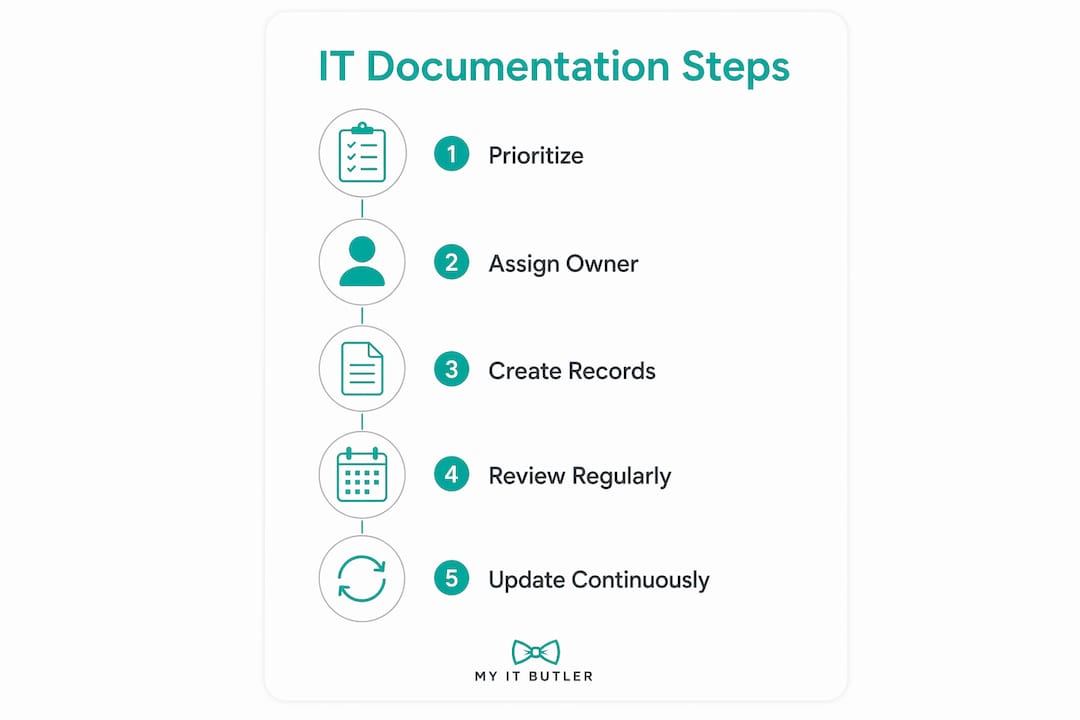
Starting is simpler than most SMB owners expect. The key is to prioritise rather than trying to document everything at once. Effective process documentation transforms tribal knowledge into institutional knowledge, and that transformation begins with a single documented process.
The table below compares common approaches SMBs use to build and maintain their documentation.
| Approach | Best for | Limitations |
|---|---|---|
| Shared folder with templates (OneDrive, Google Drive) | Small teams starting from scratch | Requires discipline to keep current; no version control by default |
| Wiki platform (Confluence, Notion) | Teams needing searchable, linked documentation | Small learning curve; requires consistent formatting habits |
| IT management platform (IT Glue, Hudu) | SMBs with a managed IT support partner | Higher cost; most value realised when used with a support provider |
| Embedded in ticketing system | Teams already using helpdesk tools | Documentation can become fragmented across tickets |
Regardless of the tool, the process is the same. Start with your most critical systems. Assign ownership. Set a review schedule. Treating documentation as a living deliverable during IT planning keeps it accurate as your environment evolves.
Working with an IT support partner accelerates this process considerably. Myitbutler helps SMBs build documentation frameworks from the ground up, integrating records with monitoring and support workflows so that documentation stays current without requiring constant manual effort. You can also explore remote IT management tools that complement a documentation-first approach.
Key takeaways
IT documentation is a direct operational asset for SMBs, reducing onboarding time, compliance risk, and the cost of staff turnover by capturing critical system knowledge in accessible, maintained records.
| Point | Details |
|---|---|
| Documentation prevents knowledge loss | Recording system knowledge protects your business when staff leave or change roles. |
| Onboarding improves significantly | Organisations with good documentation onboard new staff 40–50% faster than those without. |
| Compliance becomes manageable | Documented access records and configurations provide the evidence auditors require. |
| Start small and build | Prioritise your five most critical systems and assign document ownership before expanding. |
| Living documents stay useful | Embed documentation updates into every system change to keep records accurate over time. |
The hidden business asset most SMBs overlook
I have worked with a lot of SMBs over the years, and the pattern is almost always the same. The business runs well while the founding team is intact. Then someone leaves, or the business grows quickly, and suddenly nobody can answer basic questions about how the systems work. That is not a technology problem. It is a documentation problem.
What surprises most owners is how quickly good documentation pays for itself. The first time a new staff member resolves an issue independently using a documented process, the value is obvious. The first time an auditor asks for access records and you can produce them in minutes rather than days, it is obvious again.
The misconception I push back on hardest is that documentation is only for large businesses with dedicated IT teams. SMBs are actually more exposed without it, because there is less redundancy in the team. One person leaving takes a disproportionate amount of knowledge with them.
My honest recommendation is to treat your IT documentation the same way you treat your financial records. You would not run a business without knowing your accounts. You should not run one without knowing your systems. Start with what matters most, keep it current, and get a support partner who treats documentation as part of the service, not an optional extra.
— Thomas
Myitbutler helps SMBs build IT documentation that works
Running a small or medium-sized business means your time is already stretched. Building IT documentation from scratch, while keeping it current and aligned with compliance requirements, is a real challenge without the right support.

Myitbutler provides remote IT support for Australian and international SMBs, including hands-on help building and maintaining IT documentation frameworks. With over 15 years of enterprise experience and certifications including CCNA and CompTIA Security+, the team applies Australian standards to businesses operating anywhere in the world. Fixed pricing, no long-term contracts, and direct communication via WhatsApp or email make it straightforward to get started. Book a consultation to see how Myitbutler can help your business build documentation that actually gets used.
FAQ
What is IT documentation for SMBs?
IT documentation is the organised record of a business's technology systems, processes, credentials, and configurations. It gives SMBs a reliable reference for managing operations, onboarding staff, and meeting compliance requirements.
How does IT documentation reduce business risk?
Documented systems prevent knowledge loss when staff leave and reduce the chance of security blind spots going undetected. Clear access and configuration records also make compliance audits faster and less stressful.
What IT documentation should a small business start with?
Start with network diagrams, system credentials, and process guides for your five most critical systems. Assign one owner per document and schedule a quarterly review to keep records current.
How does IT documentation help with compliance in Australia?
Australian regulations including the Privacy Act and the Notifiable Data Breaches scheme require businesses to demonstrate control over data and systems. IT compliance requirements are far easier to meet when access records, configurations, and incident procedures are already documented.
Can a small business manage IT documentation without a dedicated IT team?
Yes. Starting with simple templates in a shared folder like Google Drive or Microsoft OneDrive is enough. Partnering with a managed IT support provider like Myitbutler means documentation is built and maintained as part of your ongoing support arrangement.