

The most reliable internet for digital nomads is a layered stack, not a single solution: a city eSIM for daily bandwidth, a travel router to secure and share it across devices, cellular failover for gaps, and Starlink reserved for genuine off-grid stretches. Run a VPN across the whole setup. The specific gear and setup steps follow below.
TL;DR:
- Using a layered internet setup is essential, combining an eSIM, travel router, cellular failover, and Starlink for maximum resilience in various travel scenarios.
- An eSIM provides quick, flexible connectivity but should be backed up with local physical SIMs or a second eSIM for long stays or when coverage is restricted.
- Pairing a travel router with an eSIM and a VPN offers secure, reliable Wi-Fi for all devices, especially in city environments, while dedicated hotspots are better for heavy cellular use.
- Starlink is most effective off-grid or in rural areas but is costly, power-intensive, and often unavailable in popular nomad destinations, so it should be part of a hybrid fallback system.
- Regular testing of failover, updated security protocols, and professional remote IT support ensure a stable, secure internet foundation for work and communication.
Table of Contents
- Internet options for travellers at a glance
- How do eSIMs work for digital nomads?
- Travel router or mobile hotspot: which do you need?
- Is Starlink worth it for digital nomads?
- Building a primary, secondary and emergency internet stack
- What security steps matter most on the road?
- What gear should you actually pack?
- How fast does your internet need to be?
- What to check when your connection drops mid-call
- How professional IT support fits into your travel setup
- Where to check coverage and benchmark your setup
- The layered stack isn't overkill, it's the baseline
- Sources
- FAQ
Internet options for travellers at a glance
Every option below solves a different problem. Match it to how you actually move, not how you wish you moved.
- eSIMs: fast to activate, no shop visits, ideal for city hopping and short stays under four weeks.
- Local physical SIMs: cheaper per gigabyte for stays of a month or more, but require a shop visit and often a passport.
- Travel routers: turn one SIM or eSIM into a secured Wi-Fi network for every laptop, phone and tablet in your bag.
- Pocket Wi-Fi / dedicated hotspots: convenient for groups, but usually cost more per gigabyte than a router paired with a phone eSIM.
- Starlink: the only realistic option when there's no mobile tower nearby, but heavy, power hungry and unavailable in several popular nomad destinations.
- Coworking and hotel Wi-Fi: fine as a supplement, unreliable as your only connection.
Slow travellers settling in for a month or more should switch to a local SIM once the eSIM's data runs thin. Van-lifers and anyone working from genuinely rural spots need Starlink or a strong cellular booster as the backbone, with an eSIM as backup.
How do eSIMs work for digital nomads?
An eSIM is a SIM profile you install digitally, no physical card, no swapping, no waiting in a queue at a phone shop. You buy a data plan online, scan a QR code or tap a link, and you're online in minutes, often before you land.
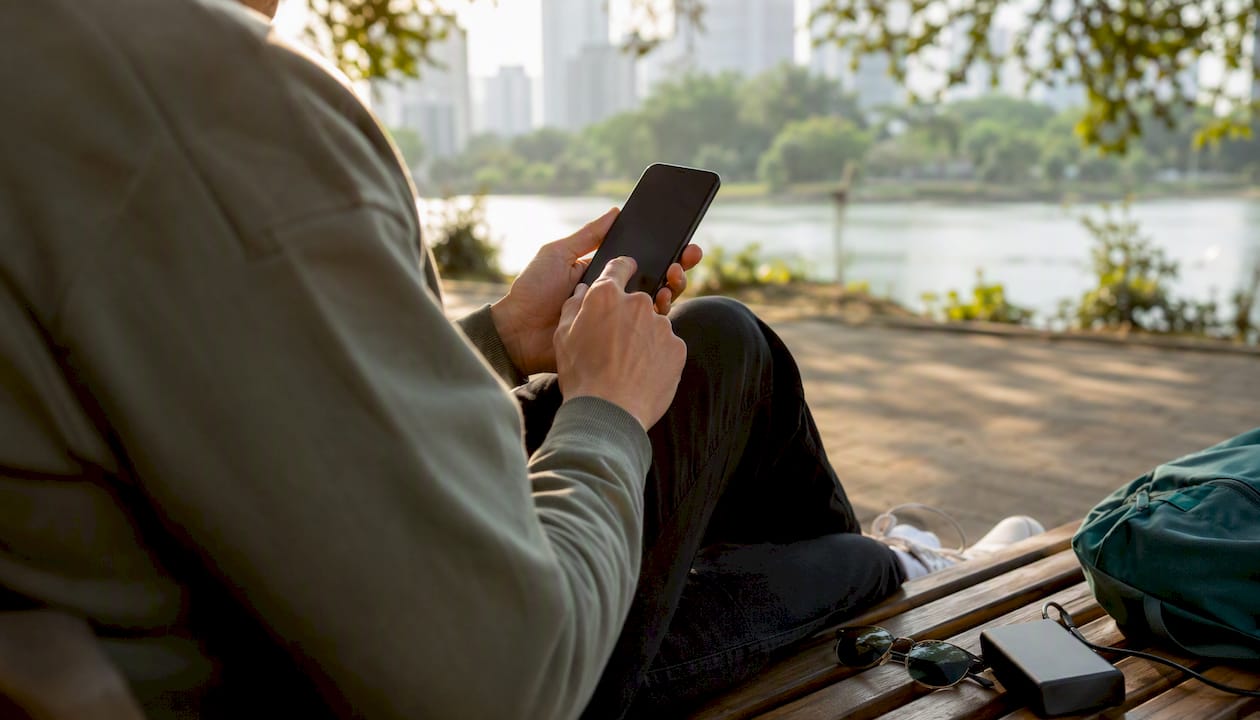
Check device compatibility before you buy. Most phones from the last four years support eSIM, but some carrier-locked or grey-market handsets don't, so check your model's settings menu for "Add eSIM" before you leave home.
You'll choose between a regional eSIM (covering, say, Southeast Asia or the EU) or a global eSIM. Regional plans are cheaper per gigabyte; global ones save you from juggling multiple providers if you cross borders often. Prices vary widely by region and data allowance, and most plans cap out at a fixed amount of high-speed data before throttling kicks in.
eSIMs are the most flexible connectivity option for international digital nomads, but for stays of four weeks or longer, a local physical SIM or a country-specific plan usually works out cheaper. Keep a spare physical SIM or a second eSIM profile as a fallback, so one dead plan doesn't leave you offline.
Pro Tip: Before activating, check your eSIM provider's APN settings match what's listed for your destination country. A wrong APN is the single most common reason a freshly activated eSIM shows "no service."
Travel router or mobile hotspot: which do you need?
A travel router takes a SIM, eSIM-enabled phone, or existing Wi-Fi signal and turns it into a private, password-protected network for everything you own. A dedicated hotspot is a standalone device with its own SIM slot and battery, built purely to broadcast a signal. Phone tethering just uses your handset's own hotspot function, no extra hardware required.
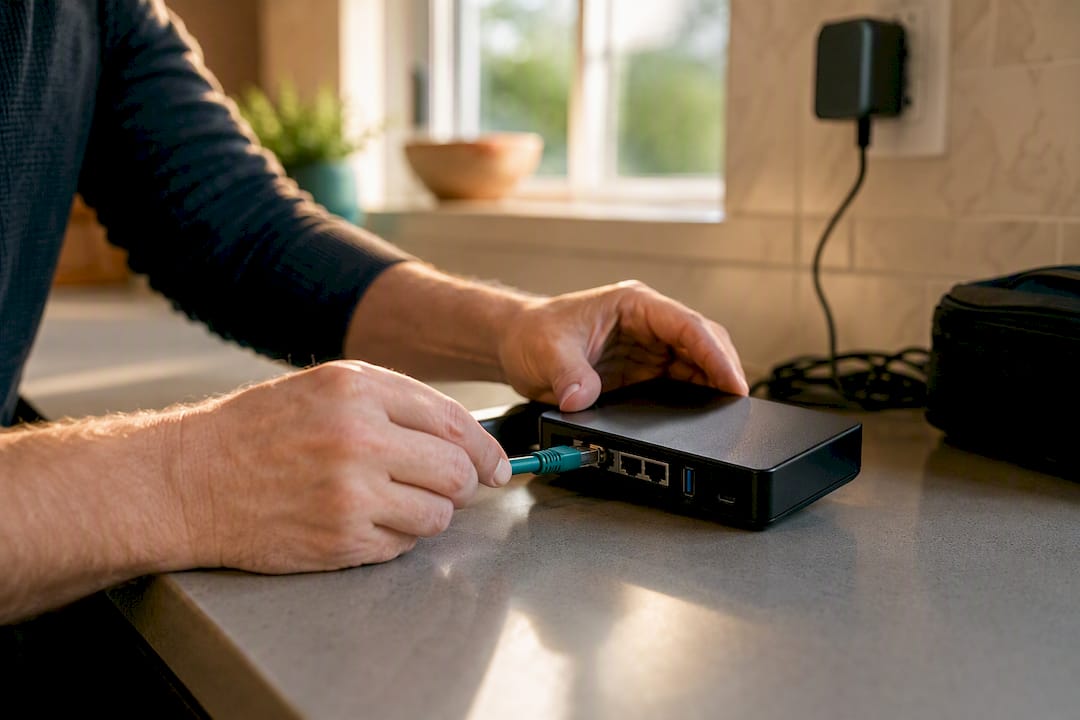
For most city-based nomads, a phone eSIM paired with a travel router gives the best balance of cost, security and portability. You get one consistent SSID for your laptop, phone and tablet, and a VPN that protects every device at once instead of needing separate apps on each. A dedicated hotspot earns its keep when cellular is your primary daily connection, particularly in areas where a phone's antenna struggles to hold a signal.
Before buying, check for:
- OpenWrt or similar firmware support, so you can configure VPN at the router level.
- Dual SIM slots, useful for running a local SIM alongside an eSIM.
- Battery life rated for a full working day, not just a few hours.
- An external antenna port for weak-signal areas.
Don't over-invest in an expensive carrier-locked 5G hotspot. Modern smartphones often pack stronger antennas and broader band support than dedicated devices costing three times as much.
Is Starlink worth it for digital nomads?
Starlink earns its cost when you're genuinely off-grid: van life down a coastline with no towers, a rural property with clients who need guaranteed uptime, or a remote work stint where the nearest mobile signal is a memory. Outside those scenarios, it's an expensive way to solve a problem an eSIM already handles.
Hardware runs several hundred dollars upfront, plus a recurring monthly fee. The smart move is the pause and resume strategy: pauseable satellite subscriptions let you retain access without paying full price during long city stays, switching it off when you're settled somewhere with proper infrastructure and back on before you head bush.
Starlink is valuable for off-grid, rural or van-life scenarios, but it's expensive, power hungry and not available in many popular Southeast Asian nomad destinations, including large parts of Vietnam, Thailand and Indonesia at various points. That gap alone rules it out as a universal fix. Powering a portable unit takes planning too: expect a 40 to 100 watt draw, meaning sustained off-grid use needs a proper battery bank or solar setup, not just a phone charger.
The smartest configuration pairs Starlink as your primary link with an eSIM as failover. If the dish loses line of sight to a satellite (trees, weather, a bad park spot), your router should already be set to swap to cellular automatically.
Building a primary, secondary and emergency internet stack
A layered, hybrid architecture, primary connection, cellular failover, satellite backup for extreme cases, gives nomads the best resilience against outages. Here's how to build one before you ever need it.
- Pick your primary based on travel style: eSIM for city hoppers, local SIM for slow travellers, Starlink for van-lifers and rural workers.
- Add a secondary that uses a different network path entirely, a second carrier's eSIM, or phone tethering as backup to your router.
- Set an emergency layer, even if it's just knowing the nearest coworking space or café with solid Wi-Fi.
- Configure automatic failover on your router if it supports dual WAN, so it swaps connections without you noticing mid-call.
- Test it deliberately before you rely on it, run a video call on the secondary connection alone, not just the primary.
Testing failover and running periodic speed and packet-loss checks during work hours flags fragility before it costs you a client meeting. Build a simple monthly habit: check firmware updates, re-run a speed test on each layer, and confirm your emergency backup plan still exists (that café might have closed).
Pro Tip: Test your failover the night before anything important, not the morning of. A router that swaps networks smoothly at 9 PM might behave completely differently on a congested tower at 9 AM.
For nomads whose work genuinely can't tolerate downtime, a managed setup, where someone else configures and monitors the automatic failover, is often worth outsourcing rather than debugging solo in a hostel at midnight.
What security steps matter most on the road?
A VPN isn't optional once you're working from public or shared networks, it's the baseline that keeps client data, passwords and files from leaking across a café's Wi-Fi. WireGuard is the protocol most modern VPN apps now use because it's fast and lightweight on battery. Note the difference between an employer-issued VPN (locked to specific work systems) and a consumer VPN you buy yourself (for general privacy on public networks); you may well need both.
Harden your travel router before your first trip, not after something goes wrong:
- Change the default admin password immediately, most router breaches start here.
- Enable WPA3 if your router supports it, or WPA2 as a minimum.
- Set up a guest network for anyone borrowing your Wi-Fi, keep it separate from your work devices.
- Configure VPN at the router level so every connected device is protected automatically, no per-app setup required.
Avoid public Wi-Fi entirely for banking or sensitive client work unless your router-level VPN is confirmed active. If you suspect a device has been compromised, disconnect it from the network immediately, change your passwords from a separate, trusted connection, and run a security scan before reconnecting.
What gear should you actually pack?
Pack light but don't skip the boring essentials: a short Ethernet cable, a USB-C to Ethernet adapter (hotel Wi-Fi occasionally means a wired port is your best option), spare charging cables, your travel router, and a battery bank rated for at least one full recharge of your gear.
Power planning matters more than most nomads expect. A router alone sips power, but running Starlink sustained means budgeting for that 40 to 100 watt draw, a small UPS buys you minutes during a blackout, not hours; genuine off-grid use needs a proper battery or solar pairing.
Airlines vary on lithium battery limits, check your carrier's watt-hour cap before packing spares, and keep batteries in carry-on, never checked luggage. Update router firmware before you leave home, and pack a spare SIM ejector tool if your router uses physical cards.
How fast does your internet need to be?
For professional remote work in 2026, aim for at least 100 Mbps download and 20 Mbps upload where possible. At the very minimum, 25 Mbps down and 5 Mbps up covers light browsing and email, but video calls and VPN traffic lean far more heavily on upload speed and latency than most people assume.
A rough calculator for your own plan:
- Count concurrent HD video calls you might run at once (each needs roughly 3 to 4 Mbps up and down).
- Add upload-heavy tasks, large file syncs, cloud IDE work, screen sharing.
- Add 30% overhead for background app traffic and network variability.
- Match the total against plan tiers rather than guessing.
Monthly costs vary by region and provider, but as a rough band: eSIMs commonly run from a few dollars for light regional data up to $50 to $80 for larger global allowances; pocket Wi-Fi rental sits in a similar range; Starlink's monthly fee sits well above either once you're subscribed full time; coworking memberships vary widely by city. Pause Starlink or a global eSIM during weeks you're settled somewhere with proper broadband, and shift heavy uploads to a coworking space rather than paying for a bigger mobile plan.
What to check when your connection drops mid-call
Run through this in order: check the Ethernet cable if you have one plugged in, reboot the router, check your carrier's status page for outages, switch to phone tethering as an immediate stopgap, and if you're on VPN, try switching server endpoints, sometimes the VPN server itself is the bottleneck, not your connection.
Run a speed and packet-loss test weekly, not just when something breaks. Consistent packet loss above 1 to 2% during work hours signals a fragile connection worth replacing, even if raw speed looks fine.
If none of that resolves it, escalate to paid support or head to a coworking space, and have your router model, ISP name, and recent speed test results ready before you call anyone. Schedule firmware updates and backup plan checks monthly.
How professional IT support fits into your travel setup
Not every nomad wants to debug router firmware between client calls. That's where a remote IT partner earns its fee, particularly one that's handled enterprise-grade coordination for over 15 years and holds certifications like CCNA, CompTIA Security+ and PRINCE2.
Myitbutler builds exactly this kind of layered setup for clients: automated failover between eSIM and travel router, VPN configured at the router level so nobody forgets to switch it on, documentation of the whole stack, and ongoing remote monitoring across time zones via WhatsApp or email.
A managed setup typically includes:
- On-demand troubleshooting when a connection drops before a client call.
- Vendor liaison, so you're not the one arguing with a carrier's support line from a beach.
- Ongoing supervision that catches a failing router before it fails during something important.
If you want this configured properly rather than pieced together on the road, book a consultation with Myitbutler and get a stack built to Australian standards, delivered wherever you happen to be working from.
Where to check coverage and benchmark your setup
Check these before you commit to a route or a piece of gear:
- Airalo for eSIM coverage maps and pricing across specific countries and regions.
- EarthSims for hardware comparisons and Starlink practicalities like power draw and coverage gaps.
- TestMySpeed for benchmarking your actual connection against realistic remote work speed targets.
Always check coverage for your planned route before booking, and test your full stack, router, VPN, failover, before your first day of real work depends on it.
The layered stack isn't overkill, it's the baseline
Most advice on internet for digital nomads still treats this as a single-product decision: buy the right eSIM, buy the right router, buy Starlink if you're fancy. That framing undersells the actual risk. A dropped connection during a client call costs more than the $20 a month you'd save by skipping a backup layer.
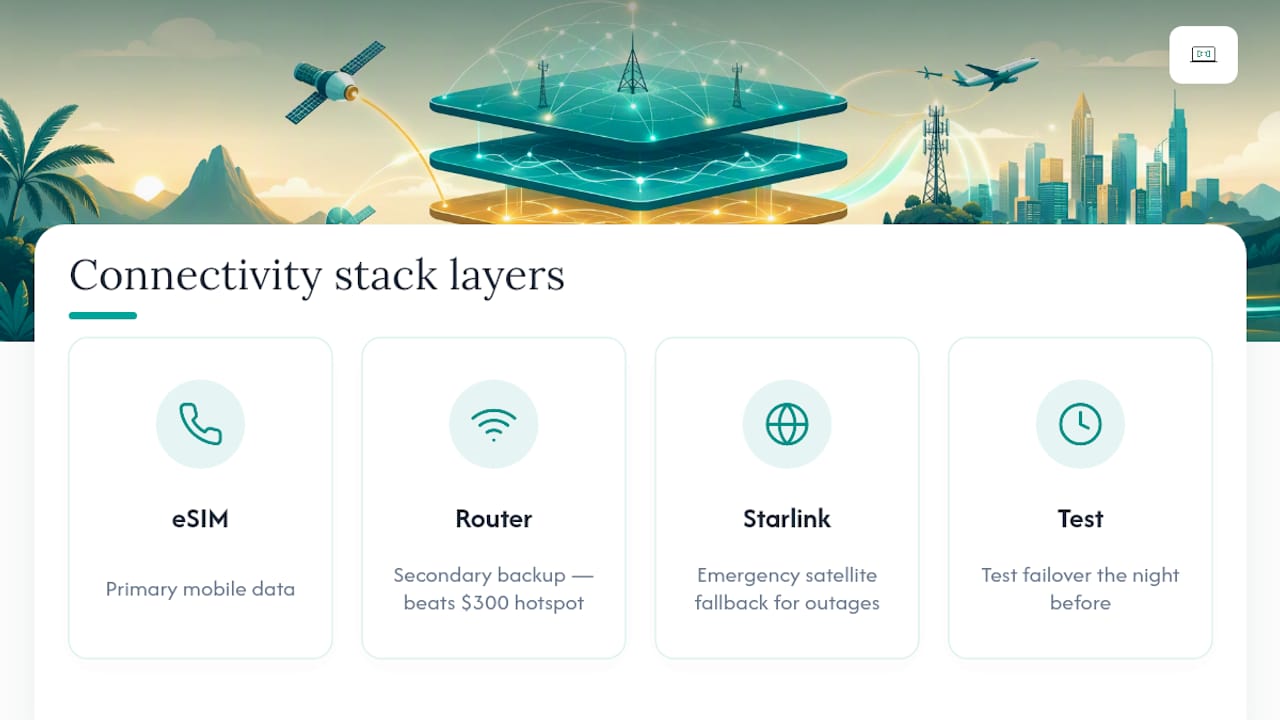
What's overrated is the dedicated hotspot as a default purchase. For most travellers, a phone eSIM and a decent travel router beats a $300 hotspot on cost, flexibility and battery life, and the research backs that pattern consistently.
What's underrated is testing failover before you need it. Most nomads set up their stack once, assume it works, and only discover the gap when a satellite loses line of sight or a carrier throttles them mid-upload. Run the test the night before, not the morning of.
If your work genuinely can't tolerate downtime, a properly engineered, professionally monitored stack isn't a luxury, it's cheaper than the client you'll lose from one bad connection during a pitch. That's where an Australian-standard remote IT partner pays for itself.
— Thomas
Sources
- The Best Options For Fast And Reliable Internet For Digital Nomads — Airalo
- Travel router vs mobile hotspot — EarthSims
- Best internet speeds for remote workers — TestMySpeed
FAQ
Are pocket Wi-Fi devices worth it for digital nomads?
They're useful for groups sharing one connection or for heavy uploads, but for a solo traveller they usually cost more per gigabyte than a phone eSIM paired with a compact travel router.
How do I get reliable internet in remote or rural areas?
Combine a cellular signal booster or strong-antenna hotspot with an eSIM as backup, and consider Starlink as your primary connection if there's no mobile tower coverage at all.
What's the best type of internet connection for remote areas?
Satellite internet like Starlink is generally the most reliable option where mobile towers don't reach, though it requires meaningful power planning and carries a higher monthly cost than cellular alternatives.
What's the best portable Wi-Fi setup for travel?
A travel router that supports VPN at the router level, paired with an eSIM-enabled phone as the data source, gives you a secure private network for every device without the added cost of a dedicated hotspot.
Do I need a VPN as a digital nomad?
Yes, a VPN protects your data on public and shared Wi-Fi networks, and running it at the router level (via a properly configured VPN setup) covers every device automatically without relying on per-app logins.